
Question
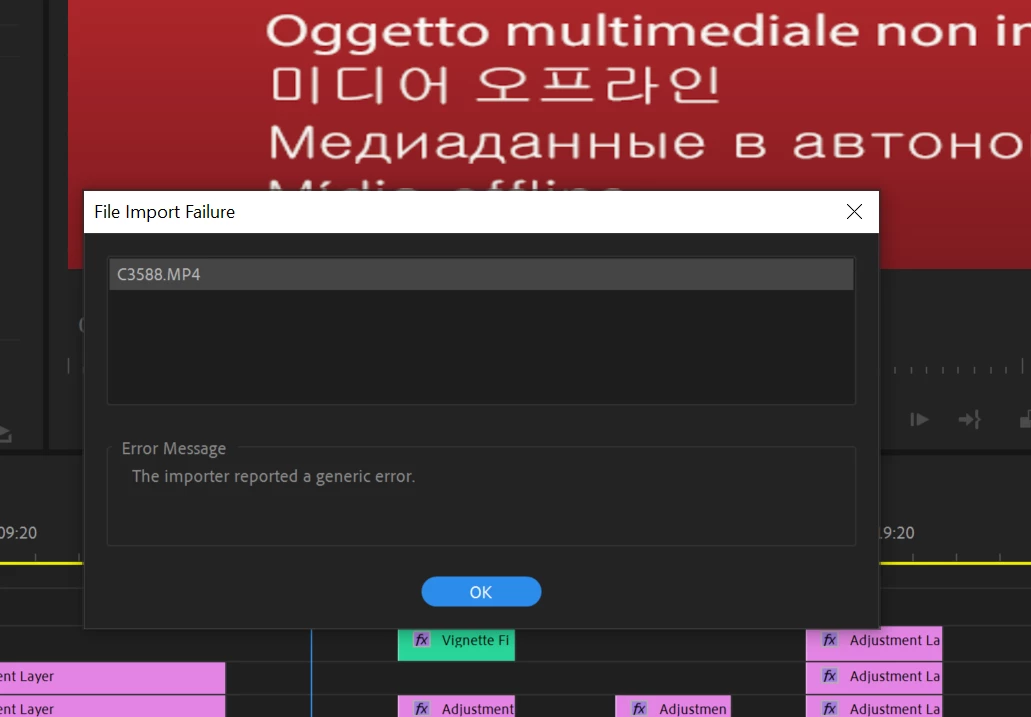
File import failure - importer encountered a generic error - Premiere Pro
I've re opened a long on going project to see, to my frustration, premiere pro un-linking a plethora of random clips in my timeline, (and I did NOT move the clips to a different file path on my hard drive), and when I go to re link them, it fails, displaying the message from above. (also see image). I do not even get a missing media dialogue box when you begin to open project once media gets moved around like it usually would. At this point I'm getting desperate for adobe to not have so many bugs as if they purposely are trying to send people to use FCPX. Anyways thanks for any help.
Running:
Dell XPS 15" 9570
I7-8750H
32 GB Ram
512 ssd
1050ti GPU w/ 4gb ram
Premiere Pro 13.1.2
 AdChoices