


January 11, 2026
Answered

Fill text with image in Premiere Pro 2025

  • January 11, 2026
  • 2 replies
  • 222 views

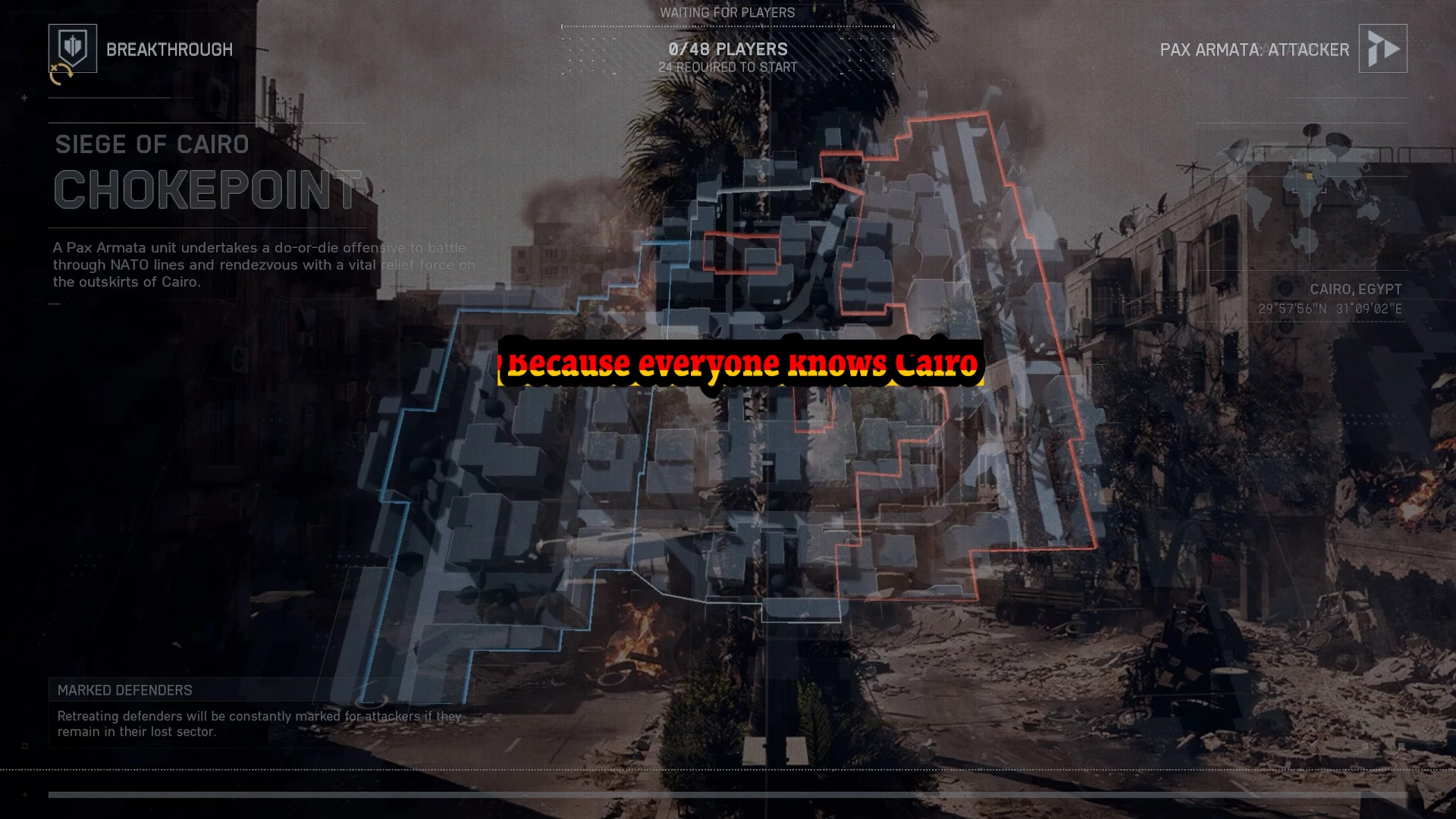
Hi, trying to fill this text with an image.

I have a video playing as the base in v1, a scaled image in v2 and the text in v3.

In the image below it shows the text with a stroke and no fill to expose the image below it, but you can see the image bleeding out around the stroke.

Is there a way for the image in v2 to become the fill in v3 or hide the excess that's outside of the stroke, without comprimising the video in v1?

Correct answer Warren Heaton

@MarkofMe 

Try using Graphics and Titles > New Layer > From File... to insert the image in the same Graphic as the text object.

Then in the Properties panel, stack the text object above the file object and enable "Mask with Text" under the Appearance options for the text object.  For the stroke, create a duplicate text object with "Mask with Text" disabled and Fill disabled.

2 replies

Warren Heaton
Community Expert
Warren HeatonCommunity ExpertCorrect answer
Community Expert
January 11, 2026

@MarkofMe 

Try using Graphics and Titles > New Layer > From File... to insert the image in the same Graphic as the text object.

Then in the Properties panel, stack the text object above the file object and enable "Mask with Text" under the Appearance options for the text object.  For the stroke, create a duplicate text object with "Mask with Text" disabled and Fill disabled.

MarkofMeAuthor
January 11, 2026

This has worked. Thank you!

Ann Bens
Community Expert
Community Expert
January 11, 2026

I think I said that.

Your last screenshot does not look right.

Ann Bens
Community Expert
Community Expert
January 11, 2026

Scaling images in the timeline will most of the time wont work with Track Matte (guessing you are using that)

In the Properties panel put the image together with the text then set it to Mask with text.

Now you can scale the image to fit the text.

MarkofMeAuthor
January 11, 2026

Track matte doesn't work, it makes the text smaller and blurry.
I've set the text to have no fill, which gives the same effect as mask with text. I've scaled the v2 image, but as shown in the posted image, the v2 image bleeds around the stroke of the text.

Ann Bens
Community Expert
Community Expert
January 11, 2026

You will have to apply the stroke seperately.

Post screenshots timeline, effect controls with effects showing and properties panel

I have no idea what you are actually doing.