Answered
Fix a rotating phone video in Premiere?
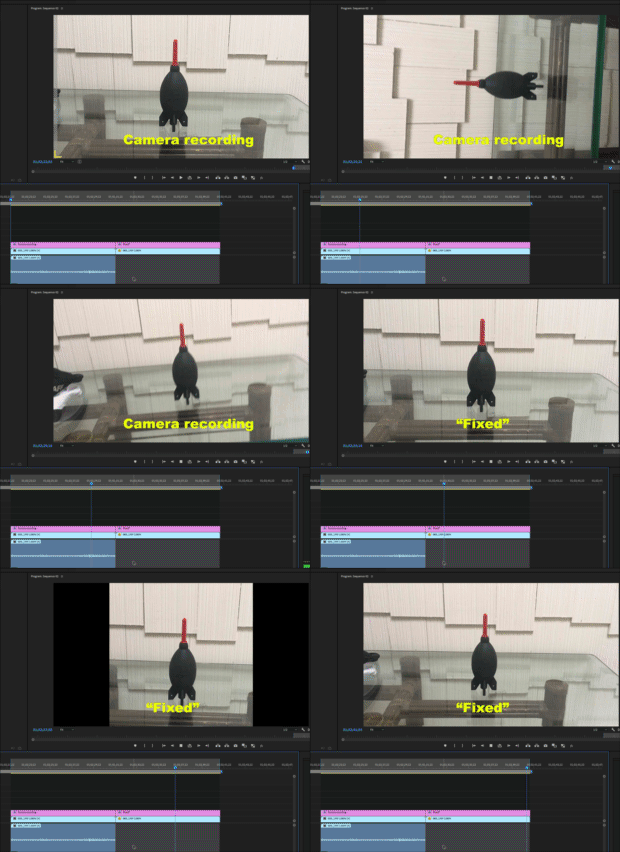
My friend filmed a 2-minute video using an iPhone. The phone was held horizontally (good) for most of the video. But right in the middle, the phone got rotated vertically for about 30 seconds.
Is there a way to do a frame-by-frame rotation "fix" in Premiere, so that we never see the rotation take place? What I want, ideally, is for the entire video to be visible horizontally, with no missing frames. (i.e. I don't want to eliminate the few seconds of footage when the phone is being rotated to vertical, or the few seconds when it's being rotated back to horizontal).
If not Premiere -- After Effects? And if so, how?
 AdChoices