

Question
Flatten vertical gaps in a multicam sequence without using Simplify Sequence
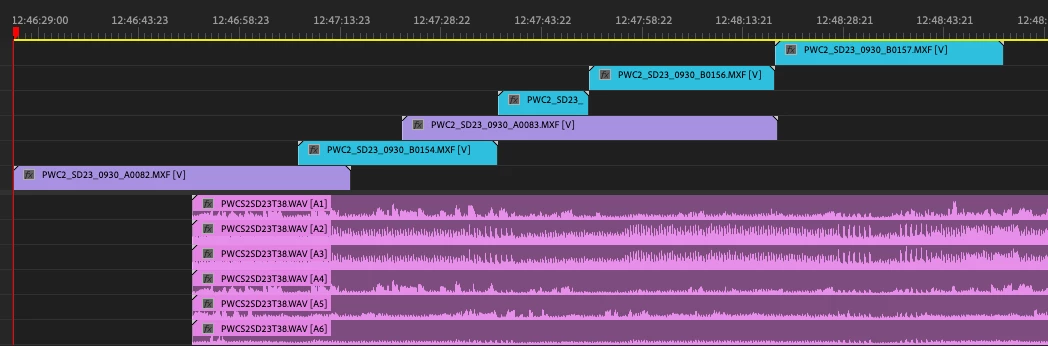
I have long audio files that have many camera files associated with them, and when I make them into a multicam sequence, the timeline ends up looking like this, with each camera clip on a new track, ascending.
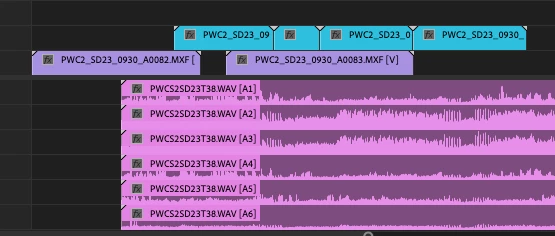
I want to clean it up so all the clips are on 2 tracks (V1 for A cam, V2 for B Cam, for example), like so.
But if I use Simplify Sequence to close the vertical gaps I lose the fact that it's a multi-cam sequence, or it messes up my audio tracks and mushes all my seperate channels onto one mono track. Any way to make or clean up the sequence so the files stay on 2 video tracks?


 AdChoices