
josemonc
Participant
June 8, 2021
Question

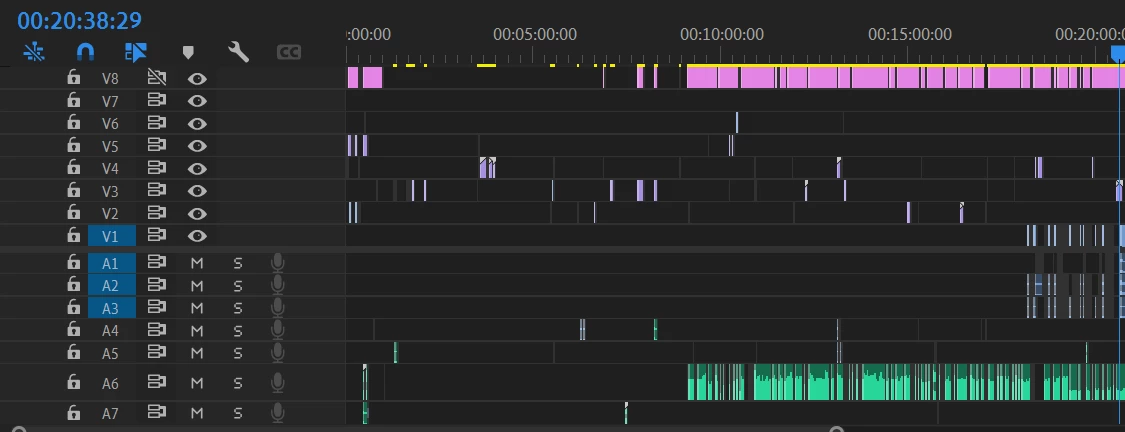
Footage disappeared from timeline and is deleted from my autosaves.

  • June 8, 2021
  • 1 reply
  • 353 views

I'm working on a 40+ minute video project on the latest version (15.2) 

When all of the footage I cut up from Video Track 1/Audio track 1-3 were completely wiped.

They're gone in all of my auto saves aswell, it happened to me yesterday but luckily I had rendered a preview

to my client. All of the files are in the same place, and don't appear to be missing or corrupted. It's prett


It's pretty distressing. Any help would be incredibly appreciated.
 

1 reply

Participant
February 28, 2025

I am facing this too! what's going on? where in the world did i delete a chunk of it by accident. I only faced this recently. and this is the 3rd time i caught it. 


Averdahl
Community Expert
Community Expert
February 28, 2025

I think you have lasso selected clips by mistake on Video 1 or Audio 1 or both and then by mistake deleted the clips. If the video is linked to the audio it is enough to lasso select either the video or the audio to select both.


This will never throw a dialog asking "Do you really want to delete the selected clips?", it just silently deletes them if you do it. This is how it works so one has to be careful since it is easy to ruin a timeline silently.


I either click anywhere in the timeline often or use a keyboard shortcut to de-select clips to avoid things like this when i am working with clips on the timeline. 


Look at the video here starting from 1:00 on how to lasso select and how it looks: Select, delete, or ripple-delete clips


quote

I am facing this too! what's going on? where in the world did i delete a chunk of it by accident. I only faced this recently. and this is the 3rd time i caught it. 


By @pg_muhd_nur_8130