
Participant
November 4, 2024
Question

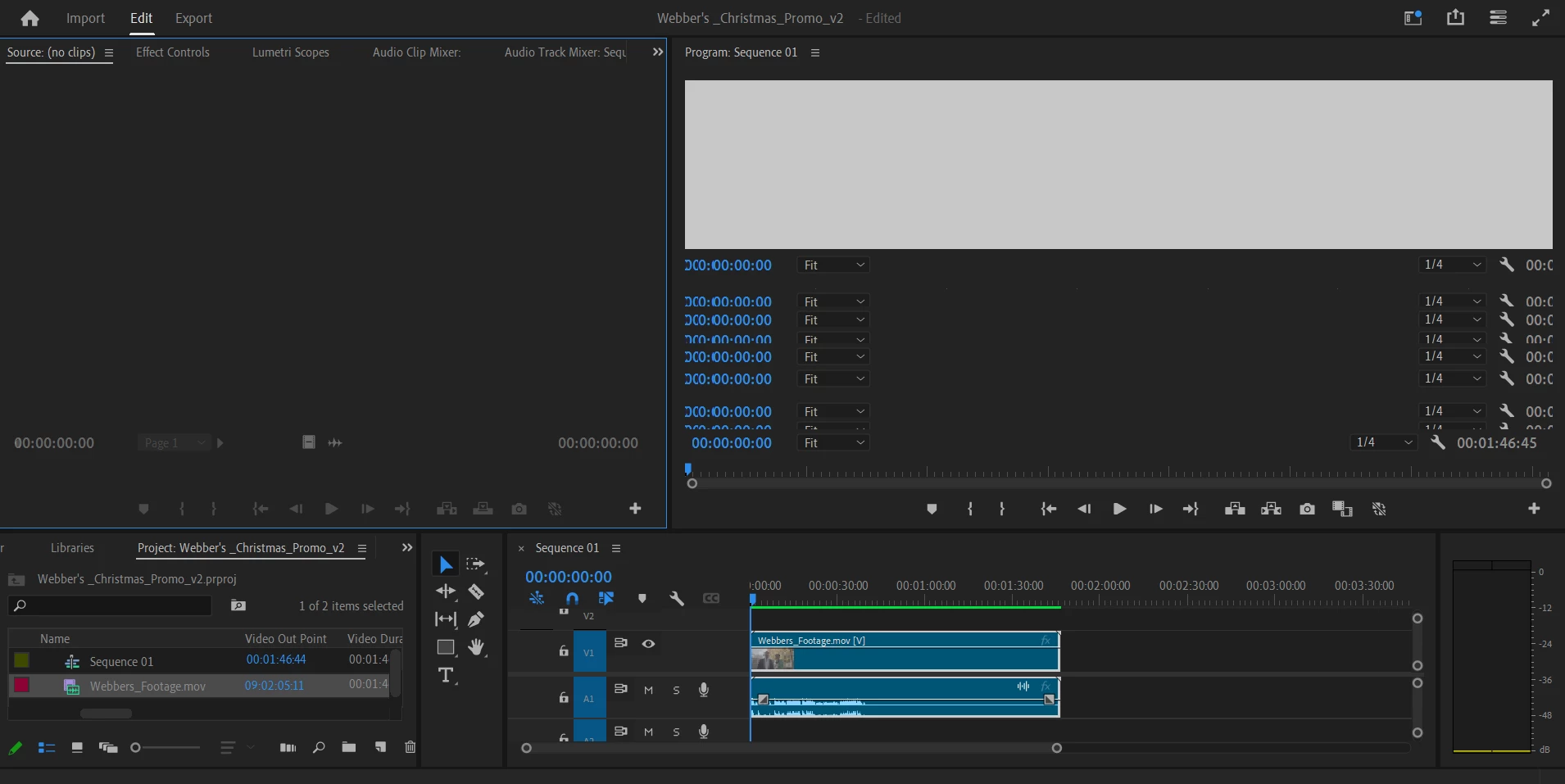
Footage isn't showing up in source panel and program panel

  • November 4, 2024
  • 3 replies
  • 228 views

hey all, 

I recorded footage on a black magic camera (fromat of footage was ProResLT), and was able to get the footage onto my computer from the hardrive. I was able to import the MOV files into Premiere, but for some reason the footage doesn't appear in the source panel or the program panel, and when I try to adjust the two panels, it glitches out. I have tried clearing my cache, restarting my computer, uninstalling and reinstalling my NVIDIA studio driver,  and nothing seems to work. I've attached a picture of what shows up on Premiere.
This topic has been closed for replies.

3 replies

MyerPj
Community Expert
Community Expert
November 30, 2024

Indeed, it resembles feedback, where the controls of your monitor frame are duplicated multiple times inside the monitor. Try changing or resetting your workspace, try with a new project, etc...

Info Needed for Bug Report

R Neil Haugen
Legend
November 30, 2024

I use a couple BM cameras, BMPCC4K and Ursa Mini Pro 4.6k ... no issues either BRAW (Autokroma plugin) or ProRes from either camera.


I will note your Program monitor section looks really odd .... I think something is screwy in your setup somewhere.

Everyone's mileage always varies ...
Ishan Y
Inspiring
November 30, 2024

Hey Sophie,

I'm sorry to hear about this. If you're still experiencing this issue, please go to Edit > Preferences > General, uncheck GPU Accelerated UI Rendering, and restart the app. If you still see the issue, please create a new project, go to Window > Workspaces, and select another default workspace. Let us know how it goes.


Thanks,

Ishan

Please tag me (@) in your replies so that it notifies me and helps me respond promptly.