
Participant
April 12, 2017
Resuelto

Footage loses quality when I insert into timeline?

  • April 12, 2017
  • 1 respuesta
  • 2061 visualizaciones

Hello guys,

Hope you're all well. My first post on here

Not the best with Premiere and I've encountered a bit of a problem, and hopefully you guys can help as I need it finished asap.

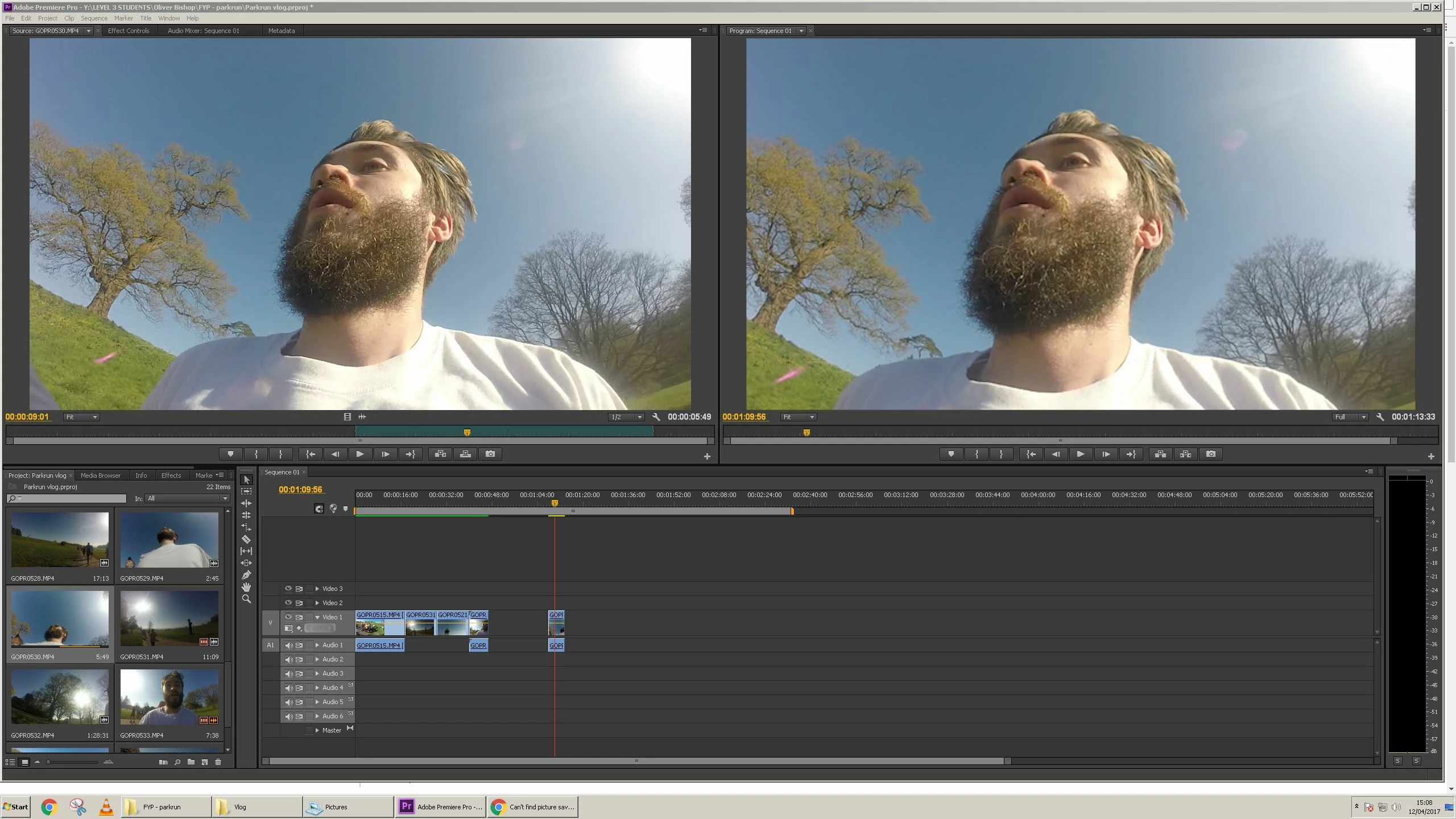
I've imported some GoPro footage into my project, and on the left hand preview box it is much better quality than on the right when I insert into my timeline.

When I insert the footage on the timeline, I have to decrease the size of my footage as it's majorly zoomed in, so maybe something to do with the size is the problem, but I'm no expert.

I've inserted a photo, but it's hard to really notice the quality difference, but I can assure you there is.

Hopefully someone can point me in the right direction.

Thanks guys!
Este tema ha sido cerrado para respuestas.
Mejor respuesta de SAFEHARBOR11

The Sequence Settings probably don't match the footage. Right-click a source clip in the Project Bin and select New Sequence From Clip, this will create a proper sequence to edit in. Also, make sure Program window is set to Fit at lower left corner.

Thanks

Jeff Pulera

Safe Harbor

1 respuesta

SAFEHARBOR11Respuesta
Participating Frequently
April 12, 2017

The Sequence Settings probably don't match the footage. Right-click a source clip in the Project Bin and select New Sequence From Clip, this will create a proper sequence to edit in. Also, make sure Program window is set to Fit at lower left corner.

Thanks

Jeff Pulera

Safe Harbor