
Footage turns Red in Premiere Pro 2015.3 - 2017 ?!
Hello,
I have a question regarding Premiere Pros Version 2015.3 /.4 and 2017: It has happened that most of my footage turns red - in the Project Folder, Program Monitor and Source Monitor (image). It did not occur in version 2015.0, but in every version after that. The problem usually happens when i scrub through the timeline and when i try to preview the footage in the Source Monitor, but it usually happens irregularly, sometimes just a few frames, sometimes a few seconds and sometimes the whole footage turns red and disappears after a few minutes.
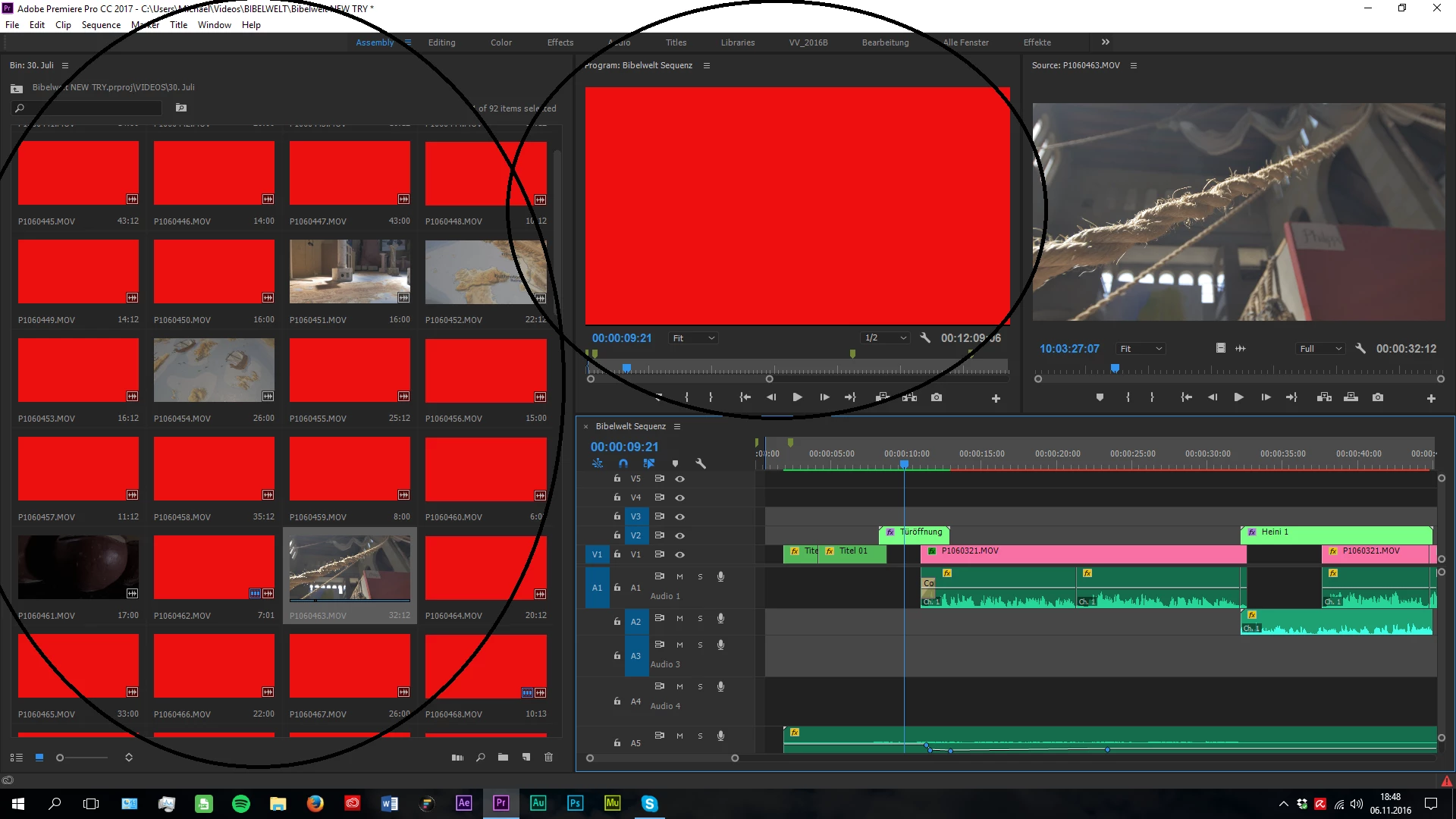
My PC Specifications:
- GPU: NVIDIA 1060 6GB
- CPU: Intel i7 4790k
- 16GB RAM
- 3 TB Storage WD
- Windows 10
Premiere Pro Specs:
- Currently running Version 2017
- Timeline: 1920x1080 in 24p
Camera & File Specs
- GH4
- 4096x2160 (Downscaling to 1080p)
- .mov files with
- Type: MPEG Movie
- Frame Rate: 24,00fps
The problem has occured all the time immediatly when i opened Premiere. I also tried converting to another format, but it also did not work and with 150 GB of Data in 4K (also inside Premiere, could that be a Problem?) it would take 2 Days to convert everything and I really don't have that much time.
If anybody has any ideas or solutions or further questions, i would be very happy to read them/hear them.
Until then,
Sincerely,
Michael Preston.
 AdChoices