
Participating Frequently
June 6, 2018
Question

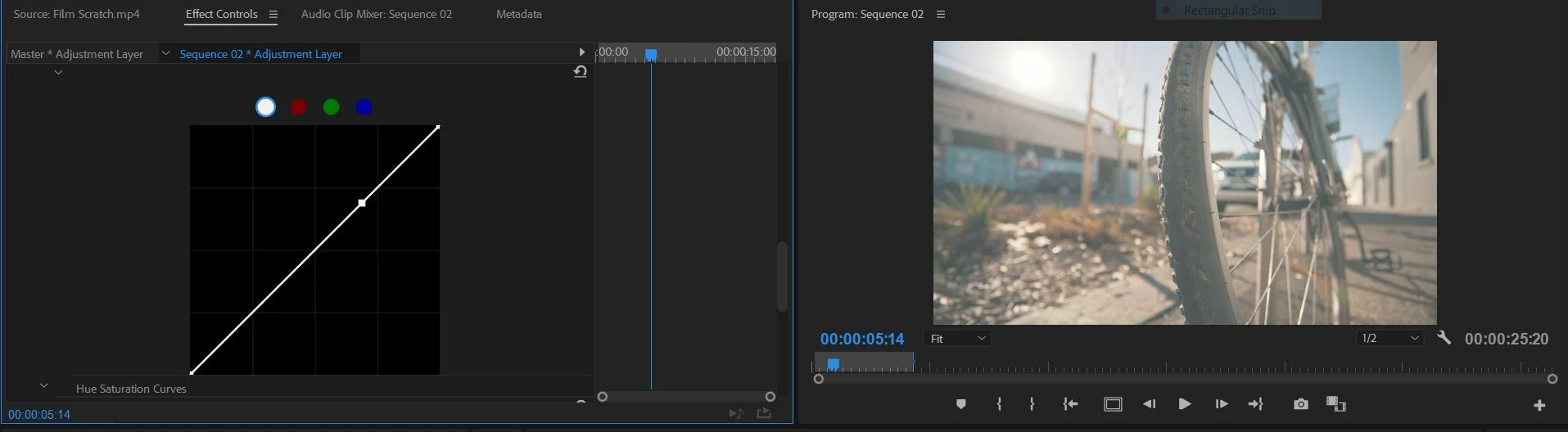
Footage turns washed out when Lumetri is applied.

  • June 6, 2018
  • 12 replies
  • 10969 views

I'm editing in Premiere Pro CC 2018 and for some reason, my footage becomes washed out as soon as I adjust curves in Lumetri Color.

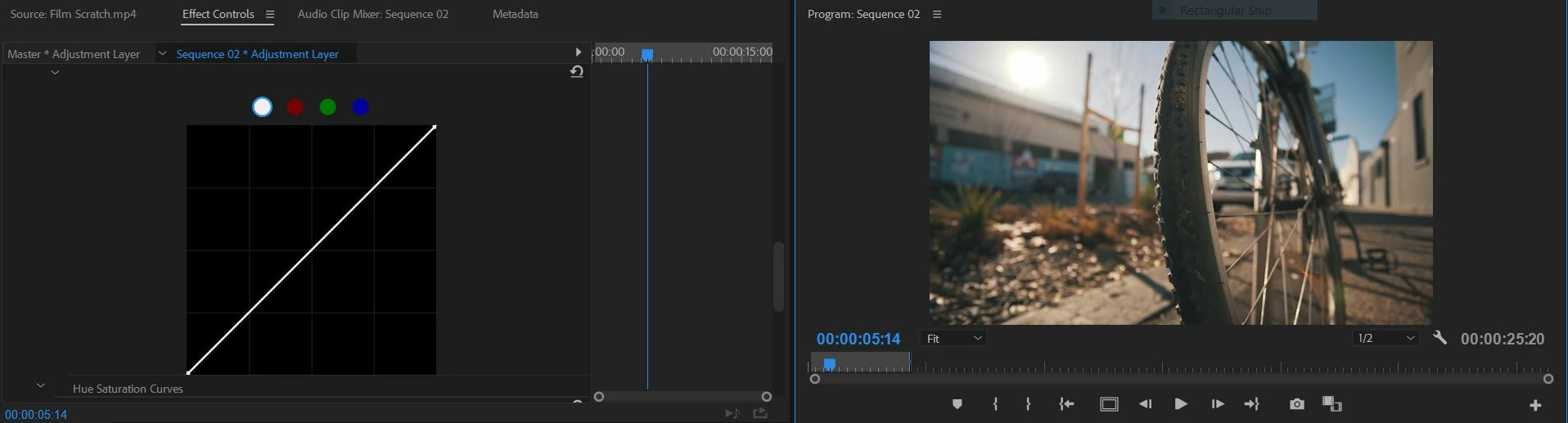
BEFORE I ADJUST ANYTHING:
AFTER ONE CLICK ON THE CURVES:
Would appreciate any help available thanks!

12 replies

Kevin-Monahan
Community Manager
Community Manager
June 19, 2018

Have you solved this issue yet, Jake Low? It looks as though you have the wrong luma range set. What happens with another LUT?

Thanks,

Kevin

Kevin Monahan - Sr. Community & Engagement Strategist – Pro Video and Audio
Participant
July 19, 2018

I have the same problem, Couldn't fix it....

Community Expert
June 6, 2018

Can you please specify more ?

was that an old project you were working on from a previous version ?

Did you apply any LUTs from the Creative panel ? What other effects

or Lumetri adjustments did you apply ?

Did you try applying the curves on an adjustment layer rather than on the clip itself ? What happens ?

Jake LowAuthor
Participating Frequently
June 10, 2018

It's a new project that I'm working on. On my timeline, I have my raw footage and an adjustment layer on top.

I colour corrected my raw footage using Lumetri under the "Color" tab, and placed a LUT through Lumetri color on the adjustment layer. The problem occurs whenever I make exposure changes on my adjustment layer.

Legend
June 10, 2018

I can't reproduce this here in version 12.1.1 on Windows 10 Pro (1709).

What happens if you make those changes to the clip?