Participant
January 8, 2026
Question

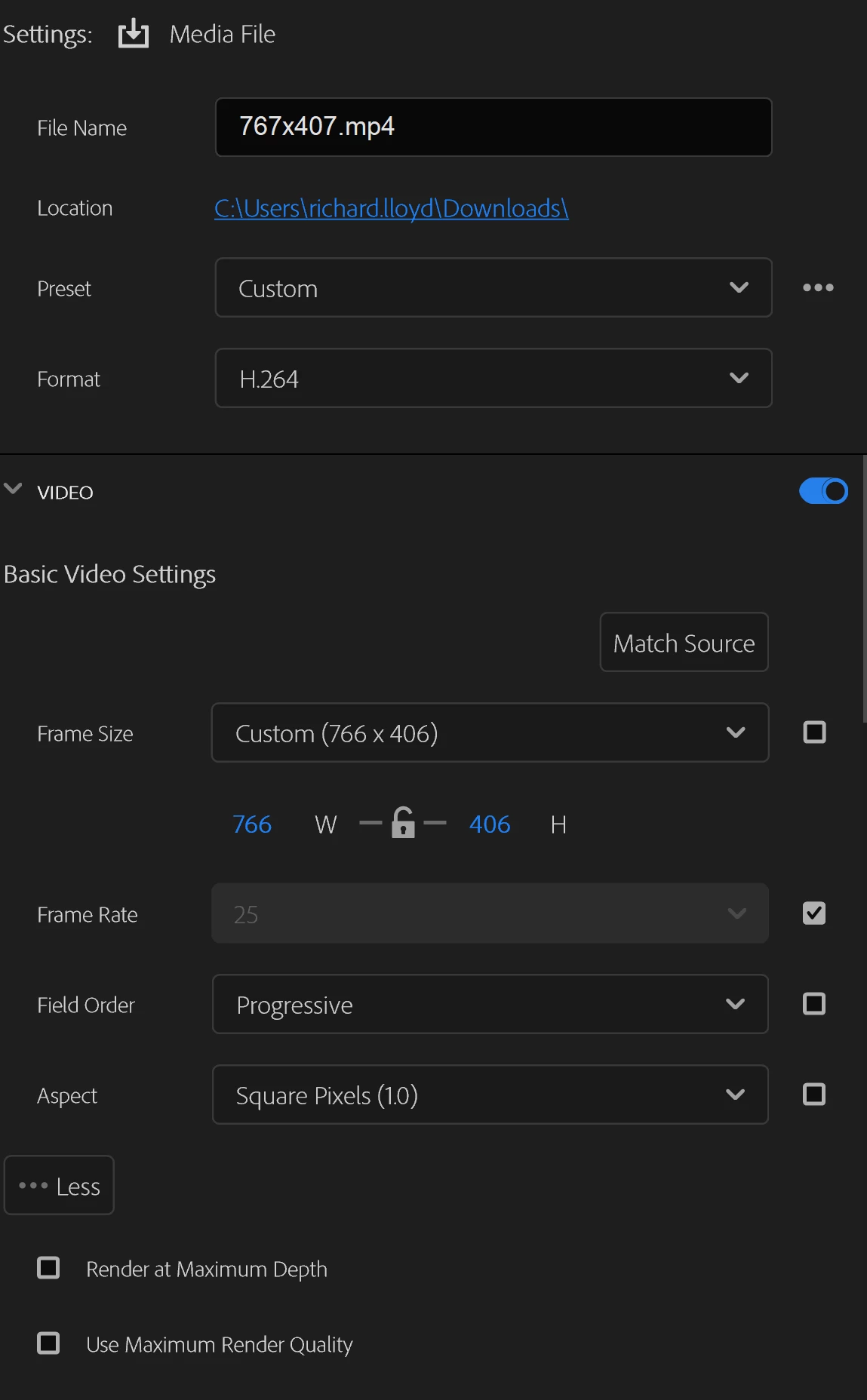
Frame Size wont change to what i need
  • January 8, 2026
  • 3 replies
  • 120 views

873440i9FC463A3193F1105.png873441iE26925CF99AC6BD1.png

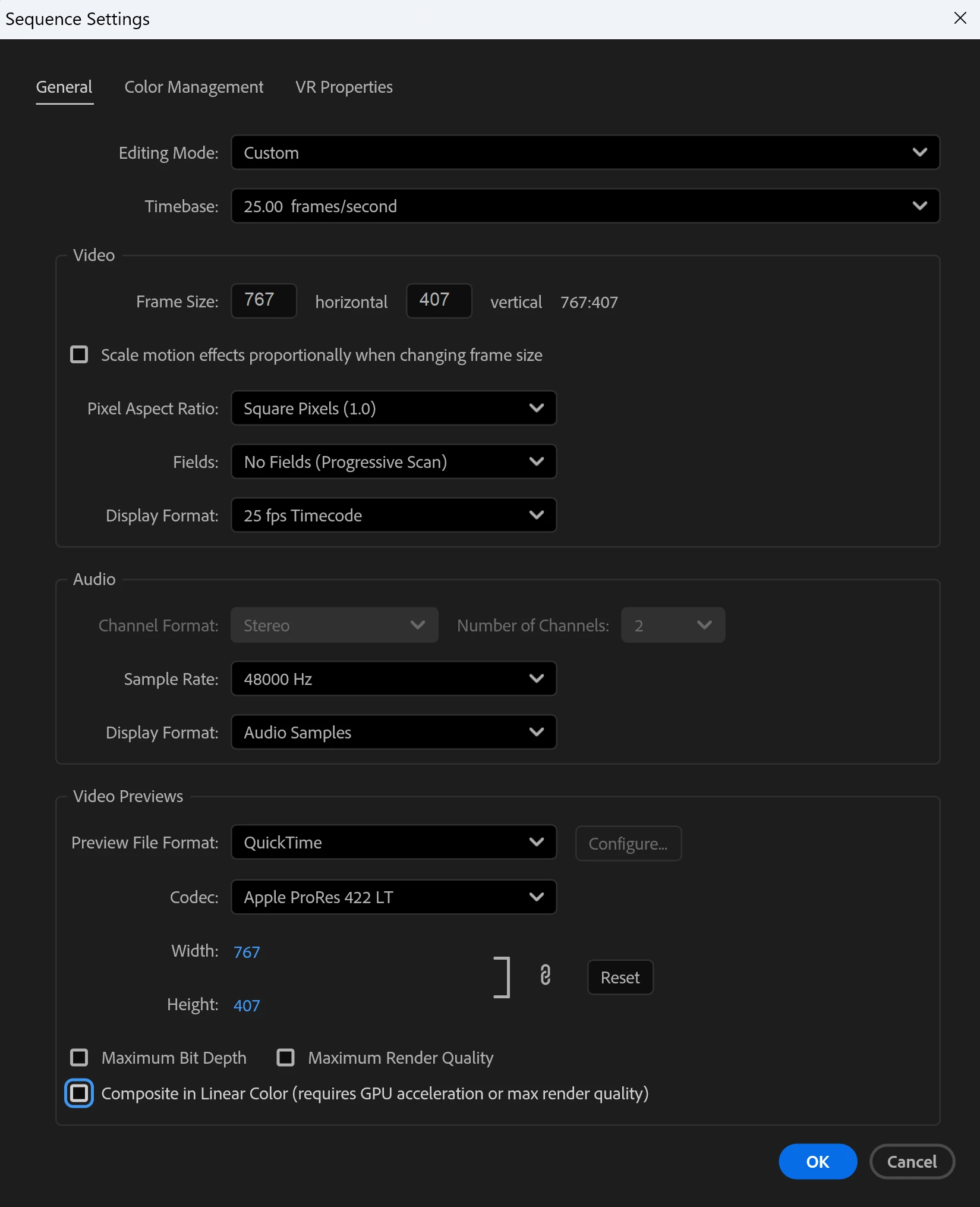
My frame size for export is 1 pixel off vertically and horizontally. I'm exporting for a website and it needs to be precisely 767x407. in the Sequence settings its correct but every time i try to export the thing it automatically adjusts the frame to 766x406 which is incorrect. What's more annoying is when i try to manually correct it the settings simply snap back to 766x406. Nothing i do seems to work. Please help 

3 replies

R Neil Haugen
Legend
January 8, 2026

Averdahl and Ann are correct, you can't export with odd numbers in the framesize. I don't know of a codec where you can. In fact, in many codecs, the framesize must be divisible by something, quite often by four. So for those codecs, only framesizes where both numbers are divisible by four are possible.


You can look up possible framesizes for various codecs with online searches of course.

Everyone's mileage always varies ...
Ann Bens
Community Expert
Community Expert
January 8, 2026

The codec does not support odd numbers.

Best is to choose a resolution which can be divided by 4 such as 768 x 408

Participant
January 8, 2026

Is there a codec that does support odd numbers? Or do i need to go back to the client and say its not possible? 

Thank you for responding 🙂 

Ann Bens
Community Expert
Community Expert
January 8, 2026

Quicktime Proress will export with odd numbers but then the website most likely wont support the codec.

Just tell the client to use even numbers.

Averdahl
Community Expert
Community Expert
January 8, 2026

The short answer is no. No odd numbers such as 767x407, always even numbers such as 768x408.