

Legend
April 5, 2026
Question

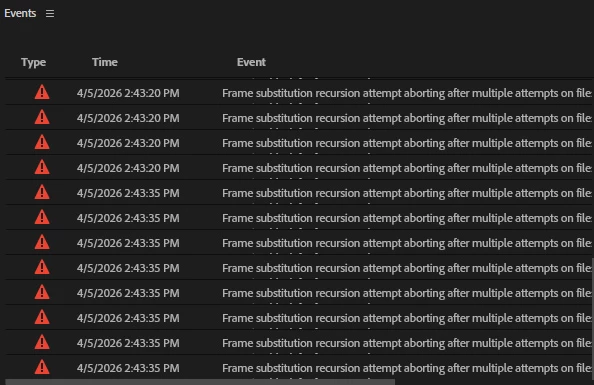
Frame Substitution Error

  • April 5, 2026
  • 4 replies
  • 41 views

Hello Everyone.

I am receiving this message. I am attaching the file. Would you please let me know what to do.

Thanks.
 

    4 replies

    Community Expert
    April 8, 2026

    did you try to delete render files (video previews) and clean media cache?

    jamieclarke
    Community Manager
    Community Manager
    April 6, 2026

    Hi ​@animationlife - What version of Premiere are you using?  Where is your footage located?

    Legend
    April 7, 2026

    I am using the current version 26. the files our in my Desktop

    Legend
    April 6, 2026

    I am using Canon C200   Camera Raw.Also try to create Proxy file

    Thanks                                                                           

    Community Expert
    April 5, 2026

    What extension is your footage? It may help to transcode to a more edit-friendly one like .mp4 or .mov.

    Others have mentioned that closing the project, renaming the files and then relinking them can fix this error. 

    Legend
    April 6, 2026

    I am using .CRM Cinema Raw Files. here is an attachment. i have not exported any file yet.


    Legend
    April 7, 2026

    I did renamed them, still same Issue.
