
Participant
June 4, 2021
Question

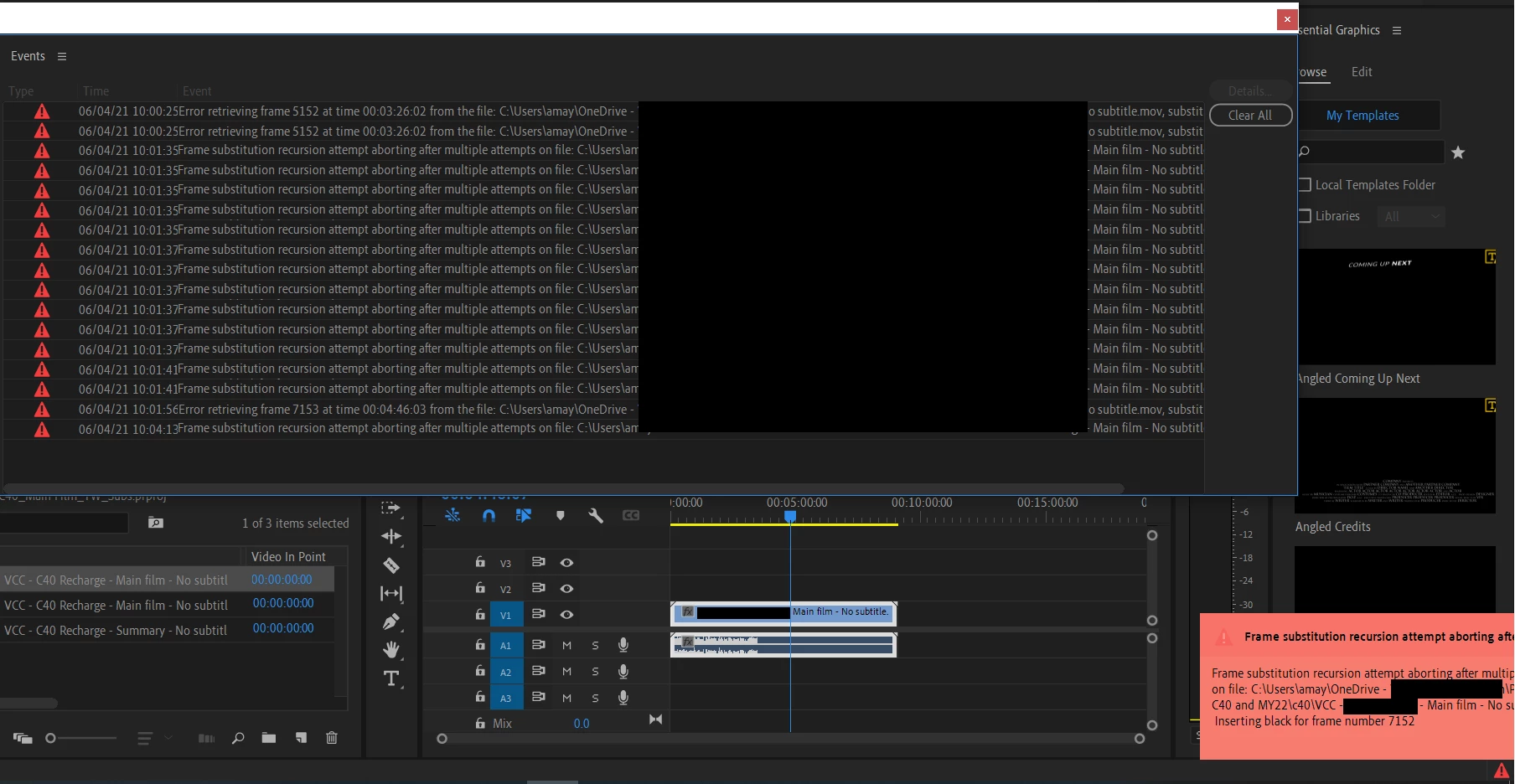
Frame substitution recursion attempt aborting after multiple attempts on file

  • June 4, 2021
  • 1 reply
  • 493 views

I have been using Premiere Pro to add subtitles for 5 different languages since April.
A new language was added this month. 
I had created a new project, added in the same video (MOV format) and the new subtitles (SRT format). 
This was shown. 

The video stopped playing half way. It was just a black screen. The subtitles still showed on screen though. I have shut down Premiere Pro, reopened it, re-added all the videos and subtitle files, and this still shows.


This work is rather urgent. I appreciate any help or advice. 

Thank you. 
 

This topic has been closed for replies.

1 reply

Kevin J. Monahan Jr.
Community Manager
Community Manager
June 4, 2021

Hi Aida,

How's it going? I noticed that your project file lives on One Drive. What happens if you move the project file to a standard folder on a dedicated hard drive? 


Cheers,
Kevin

Kevin Monahan - Sr. Community and Engagement Strategist – Adobe Pro Video and Audio
Aida5EA1Author
Participant
June 4, 2021

Hi Kevin, I had to re-download the video files, and import them into Premiere Pro from the download folder. 


This however is short term solution. 

I noticed that after I moved the downloaded videos into a newly created folder (even within the main download folder), this error pops up. 

I keep all my files in One Drive for safety. 

I hope there is a different solution to this than having to keep the files as is in the dowload folder. It gets cluttered very quickly.