

markkoskg15941118
Inspiring
January 28, 2020
Answered

Full screen or hide toolbars.

  • January 28, 2020
  • 5 replies
  • 15899 views

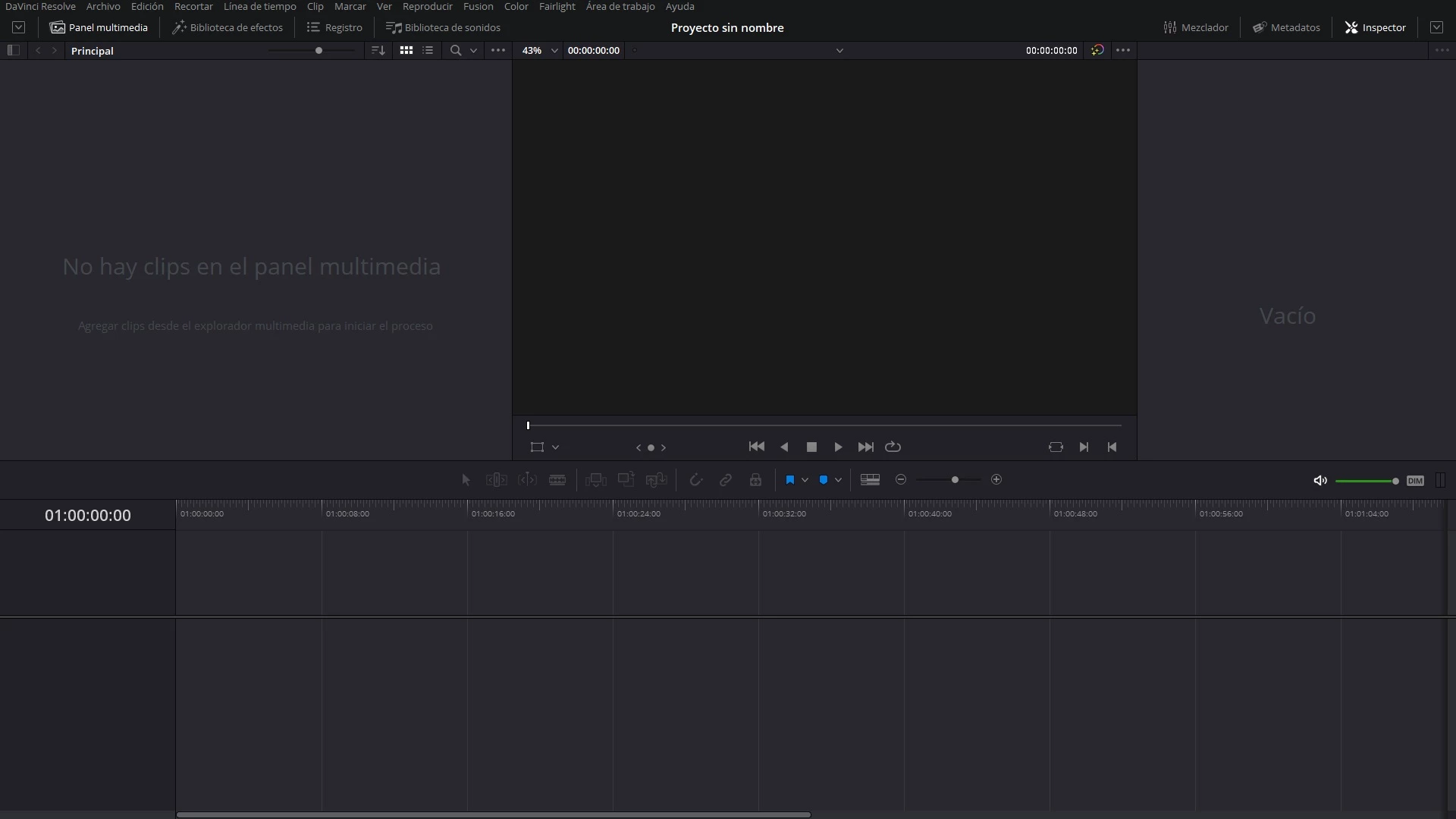
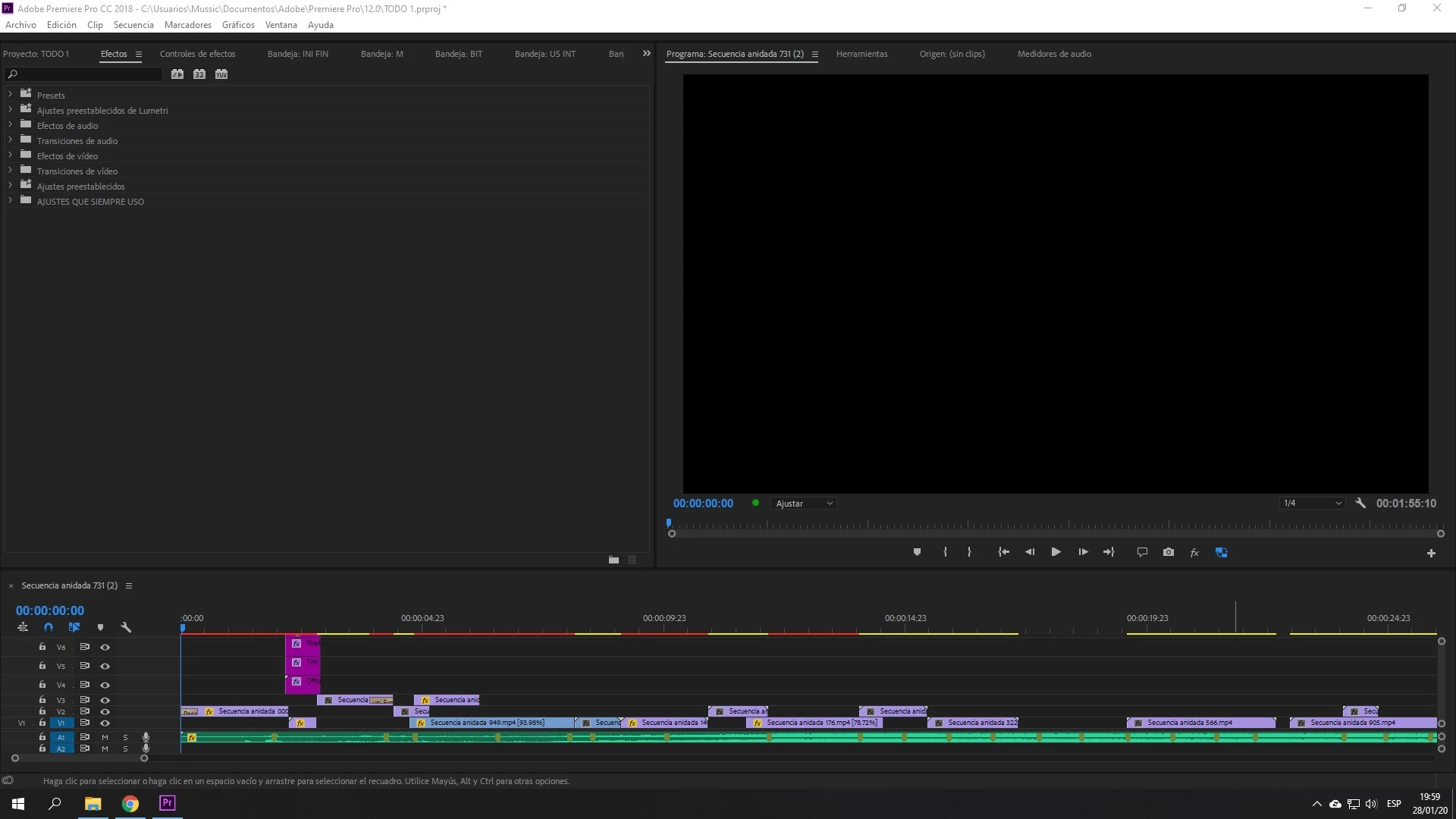
As you can see in the images, in davinci Resolve you can put the application in full screen without taskbar or top bar. How can I do the same in premiere?


This topic has been closed for replies.
Correct answer Kevin-Monahan

Mark,

Let us know if this tip by "Cut to the Point" helps you.


Thanks,
Kevin

5 replies

iStormIt
Participating Frequently
December 3, 2020

Still doesn't work unless you have an english keyboard it seems... This cant be that hard to fix? And while you're at it, please make it possible to hide or change the color of the annyoing white file menu bar, it's been poking me in the eyes for years. Experienced users very rarely have to use the file menu bar anyways, they have everything tied to keyboard shortcuts, so just make it possible for us to remove it as part of our workspace settings? 

iStormIt
Participating Frequently
December 3, 2020

As you probably guessed I'm on Windows, I don't remember what it looks like on Mac, but I don't think it's white there...

techtribe
Known Participant
October 12, 2020

Hi Kevin, as you may have noticed. That doesn't work for people outside UK or US. Do we get a discount on Adobe Products or what is Adobes plan on solving this problem for us? How many years more will it take to make a simple shortcut for this? It cant be that difficult.  It's just ridiculous how Adobe is treating us on that!!!

Kevin-Monahan
Community Manager
Community Manager
December 3, 2020

Sorry that I just saw this, techtribe. Hope we can help. Contact support via phone or chat for any financial restitution, OK? Here is the link. Click the chat button in the lower right corner for faster service.


The process for getting a bug fixed is to report it on User Voice here.


Thanks,
Kevin

Kevin Monahan - Sr. Community and Engagement Strategist – Adobe Pro Video and Audio
markkoskg15941118
Inspiring
January 29, 2020

I still haven't been able to solve it.

Roland Kahlenberg
Legend
January 29, 2020

It's CTRL + ALT + \ for me, on Win10. There is no shortcut Command for this in the Keyboard Visualizer. It looks like this shortcut is fixed even though it looks like you can reassign the shortcut to another Command.

Very Advanced After Effects Training | Adaptive & Responsive Toolkits | Intelligent Design Assets (IDAs) | MoGraph Design System DEV
R Neil Haugen
Legend
January 28, 2020

It's not listed in the Keyboard shortcuts dialog that I can find ... but on my PC, Ctrl-\ works as the video says it does ... the blue Premiere Pro window bar goes away.


It would be Cmd-\ on a Mac, of course.


This doesn't work on your machine?


Neil

Everyone's mileage always varies ...
markkoskg15941118
Inspiring
January 29, 2020

I have adobe premiere in Spanish, there are no commands to put the full screen, unless you know the name of the action to configure it. Change the language to English and it doesn't work for me either.

Kevin-Monahan
Community Manager
Kevin-MonahanCommunity ManagerCorrect answer
Community Manager
January 28, 2020

Mark,

Let us know if this tip by "Cut to the Point" helps you.


Thanks,
Kevin

Kevin Monahan - Sr. Community and Engagement Strategist – Adobe Pro Video and Audio
markkoskg15941118
Inspiring
January 28, 2020

None of the commands work. Do you know the names of those actions? to find them in keyboard preferences. Maybe they are changed.

