
Inspiring
December 25, 2016
Answered

Full screen preview cropped!?

  • December 25, 2016
  • 11 replies
  • 8757 views

My full screen preview always crops some of the right and bottom of the screen.

Same happens in Adobe Premiere and After effects. And if I use mercury transmit on 2nd monitor it's also cropped.

However rendered output is fine.

Take a look at screenshots from program monitor vs full screen
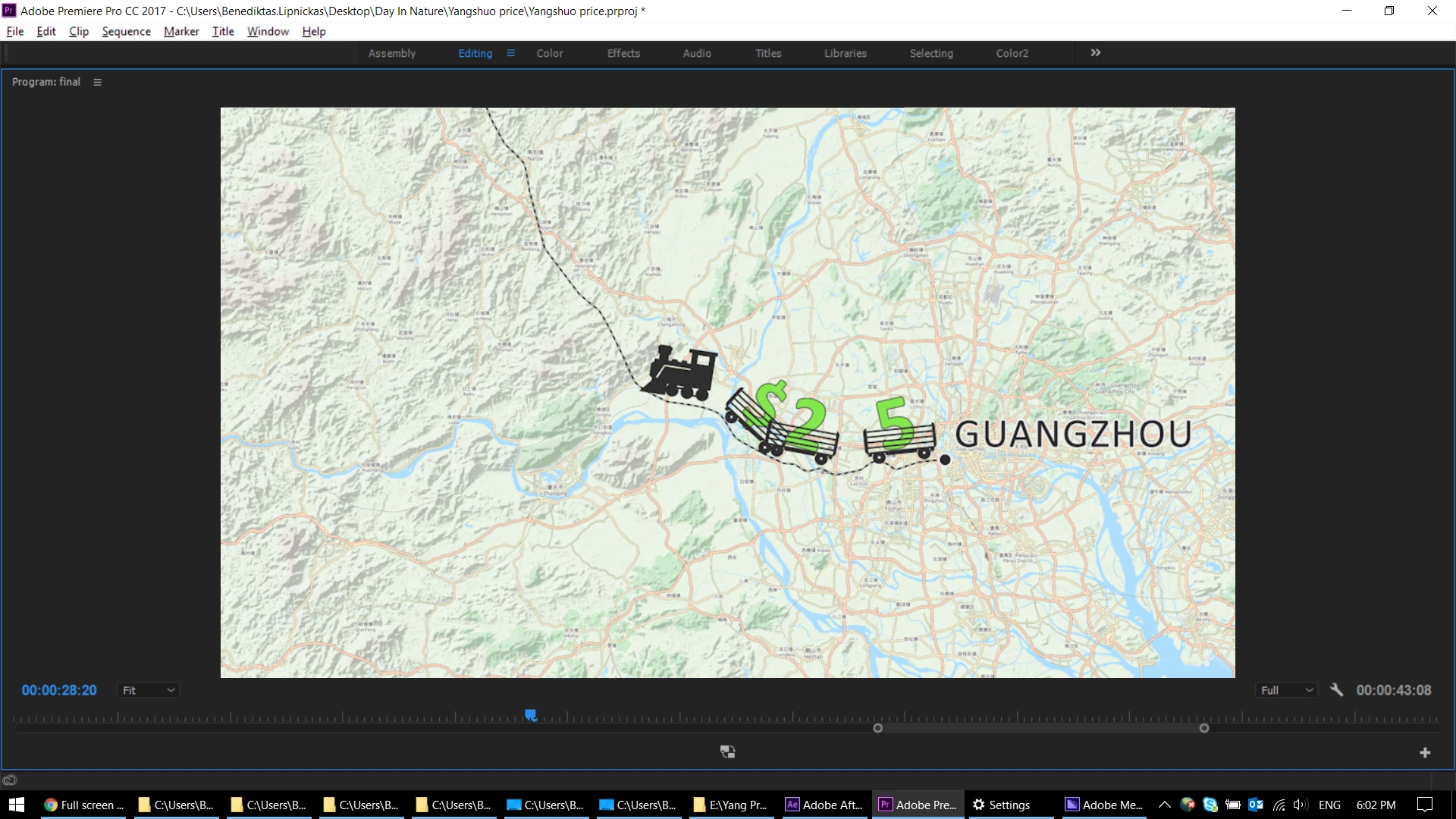
Full screen or 2nd monitor:
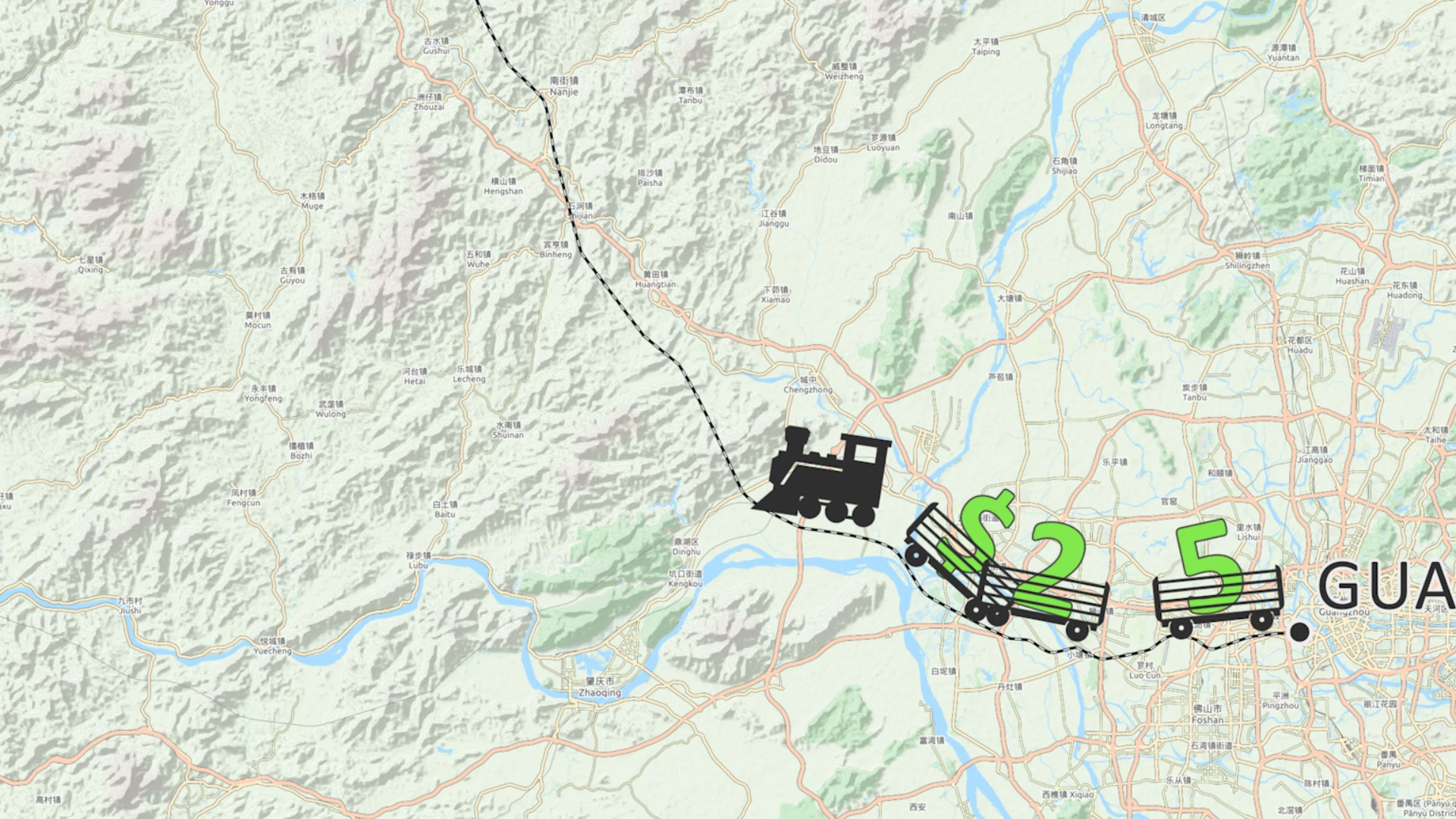
Does anyone knows how to fix this?

Big thanks!

This topic has been closed for replies.
Correct answer Hard is Easy

Ok sorry, I just update my video drivers and the issue is gone again...

11 replies

Dave w. Hall
Participant
July 27, 2022

I had a similar issue with two screens, both the same resolution but different sizes and therefore set by default by Windows to different recommended scaling settings (125% and 150%). There's no reason why Premiere shouldn't have been able to handle the difference, however, I did find that by setting both to 125% scaling (in Windows display settings), the issue was fixed. Hope that helps somebody out there.

Participant
January 12, 2024

Thanks to this reply when i changed my scaling settings for %100 for all screens its fixed.

Participating Frequently
March 15, 2021

For who steel having this problem, try to reset your workspace to saved layout, give preferences to a default one that you had not made any changes.


Participant
July 17, 2021

I still have this problem. Even on a new PC 

Participant
June 10, 2022

has anybody figured it out yet? I've been scouring the internet for an answer and every single one has been useless 😕😕

smilebags
Participant
September 28, 2018

Is this likely to get fixed anytime soon?
I would say a majority of serious users aren't using 1:1 screen scaling anymore, and not having such a feature working in a regular setup is pretty disappointing.

Hard is EasyAuthorCorrect answer
Inspiring
April 21, 2017

Ok sorry, I just update my video drivers and the issue is gone again...

Known Participant
April 29, 2017

Did you have any Windows screen scaling set?

I have similar issues in Premiere Pro with Mercury transmit when the screen scaling on any connected monitor is set to anything but 100%. I would say that Mercury Transmit doesn't factor in screen scaling properly, resulting in the positioning or scaling of the full screen display being incorrect.

Inspiring
April 29, 2017

Yes I do have it on 125%, but with current drivers my problems are gone... If they appear in the future i'll test scaling idea...

Inspiring
April 21, 2017

Program window shows footage correctly:

But full screen is cropped:

Inspiring
April 21, 2017

After v11 update the issue came back... disappointing... cannot use full screen again...

Inspiring
December 26, 2016

Stan Jones, I don't see Video Previews in Composition settings for AE.
And again... Preview in preview window is fine, only when i'm looking it at full screen I get partial display.

Inspiring
December 26, 2016

It's set to FULL, if you look into my screenshot, and preview window shows everything correctly, the problem is with full screen.

Stan Jones
Community Expert
Community Expert
December 26, 2016

I'm missing something here, but in the composition settings, try setting the Video Previews to the monitor size.

Inspiring
December 26, 2016

Both monitors have 1920 x 1080 resolution.

My media is 3840 x 2160 and here are the sequence settings:

I have also tried the same with smaller resolutions.
(black bar is 49.9% size as a reference)

Also did some more tests on After effects and results are different. I had composition to match my monitor resolution:

And this what I see in preview vs external monitor:


I don't know where to go from this, so if you have ideas or need more info from me I'm glad to hear it.
Thanks!

Ann Bens
Community Expert
Community Expert
December 26, 2016

Wild guess: set preview to full in AE.

Peru Bob
Community Expert
Community Expert
December 26, 2016

Also, is the resolution of the two monitors different?