
Fx Time Remapping greyed out
Hello everyone,
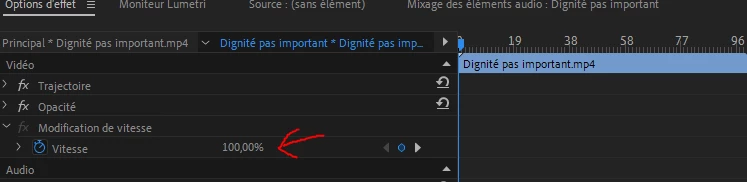
I have a little problem recently with adobe premiere pro. To make a long story short, I can't change the speed of the videos via the "effects options" tab where it says "Fx time remapping", the speed percentage, which is usually in blue and which I can modify just like I can modify the positions for example, but here it is in grey and I can't modify it.
I can still change the speed in the timeline but I don't feel comfortable at all.
I have reset it at startup etc... nothing does it
PS first screen : "modification de vitesse" means "time remapping"
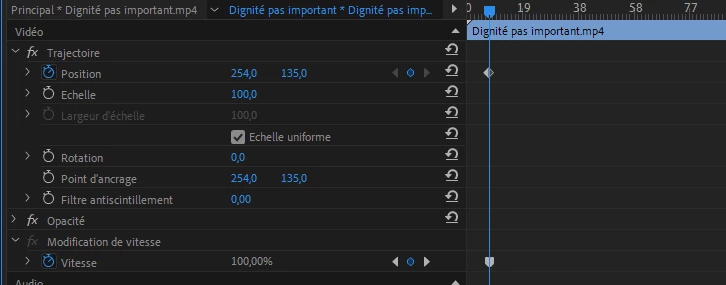
PS second screen : And by the way as you can see on the second screen, the time remapping key frame's shape isn't the same as scale key frame or other key, but it was before, maybe a possible clue
 AdChoices