
Participant
May 10, 2021
Question

Gamma 2.2 vs 2.4 - Gamma shift on export - WTF Adobe.

  • May 10, 2021
  • 1 reply
  • 5090 views

Hi.


We've been on this problem for quite some time and it has come to a community post. If there is a neat workaround, it is very welcome. But please fix it in the next update, adobe.


Problem

The problem is a gamma shift on export from premiere.

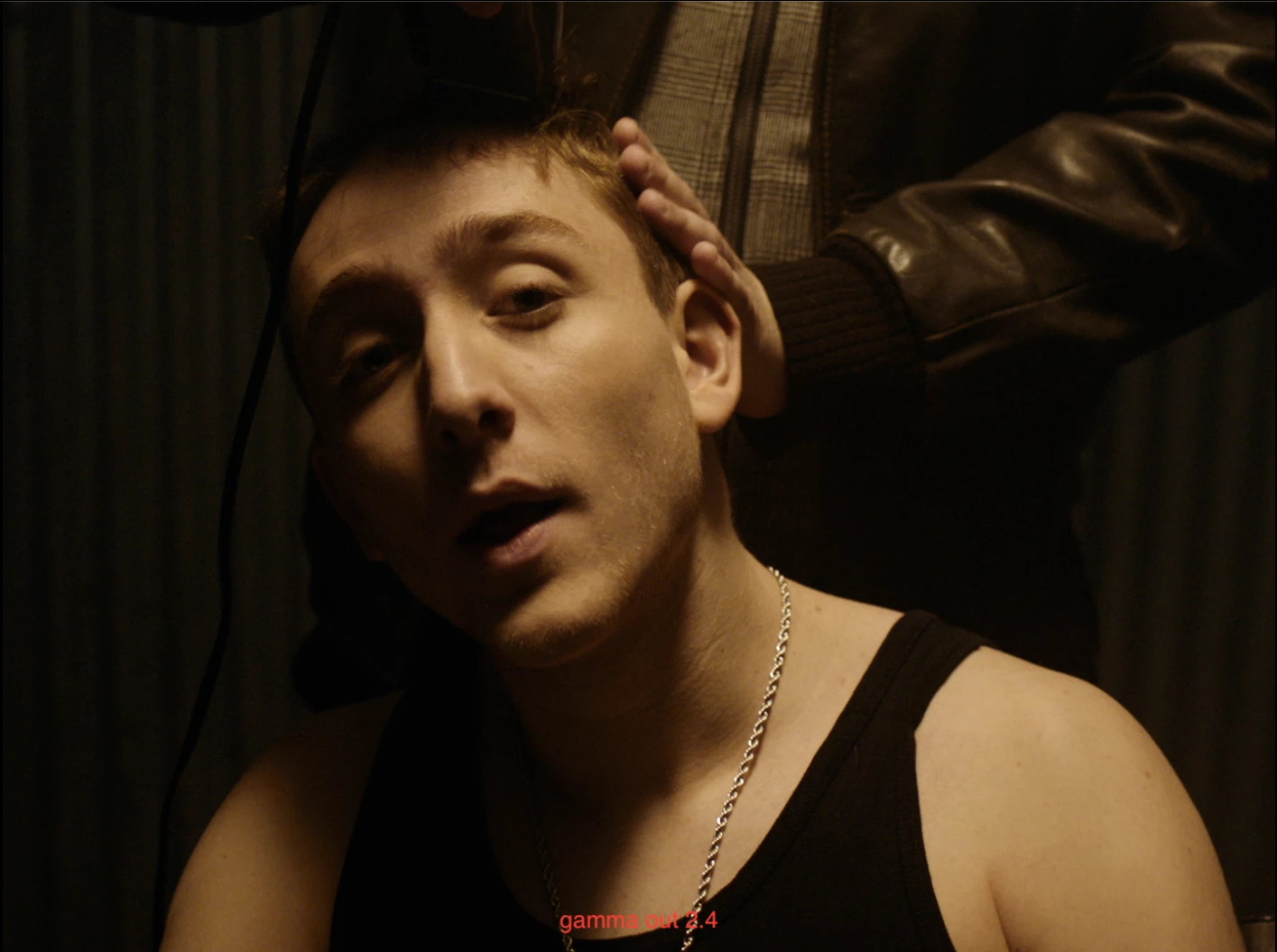
In general when coming from grading, we'll receive a 422HQ with gamma out 2.4 as it is the standard.


The fromgrade looks like this: 
 

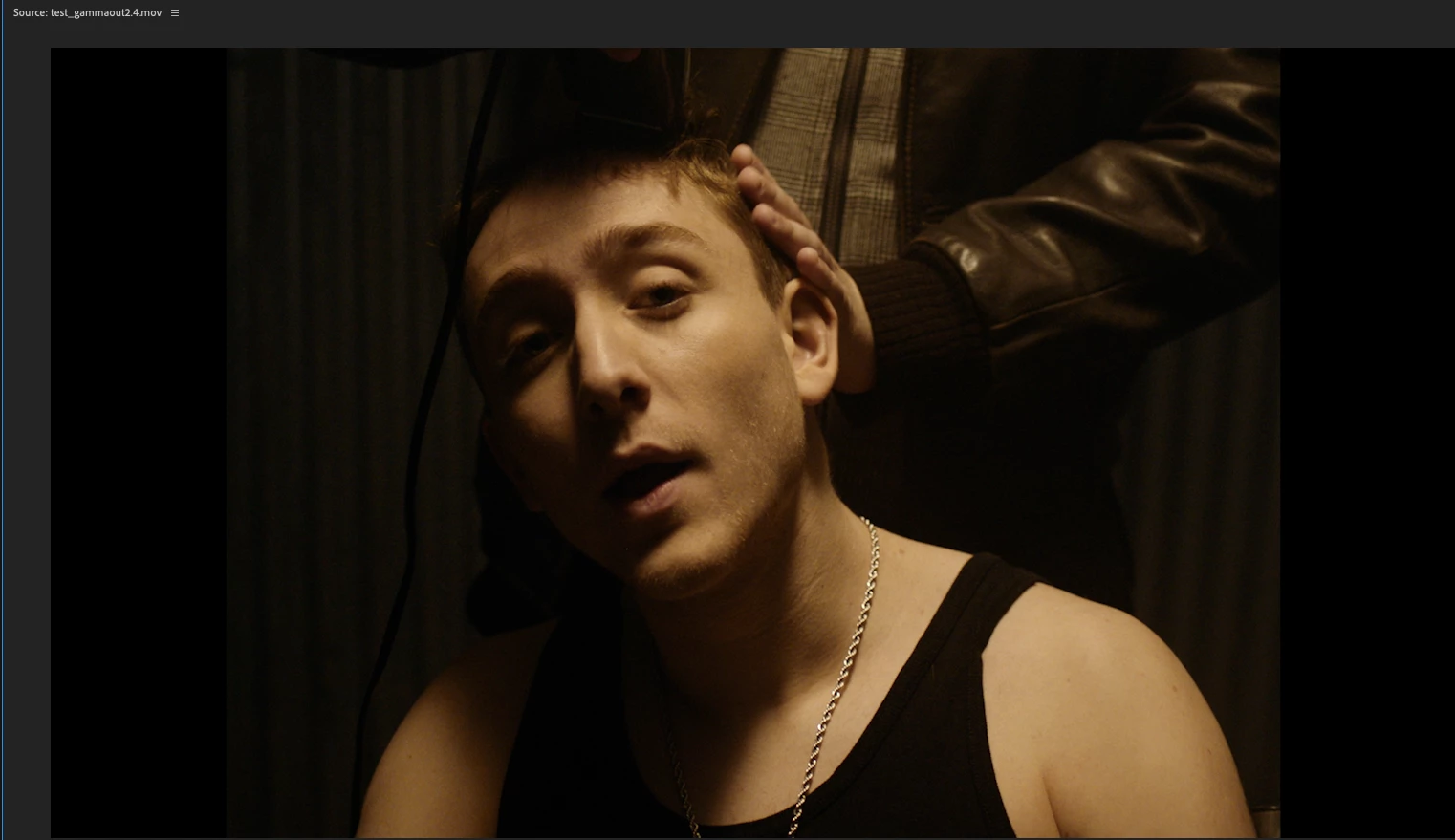
inside premiere (program window) it matched perfectly : 
 

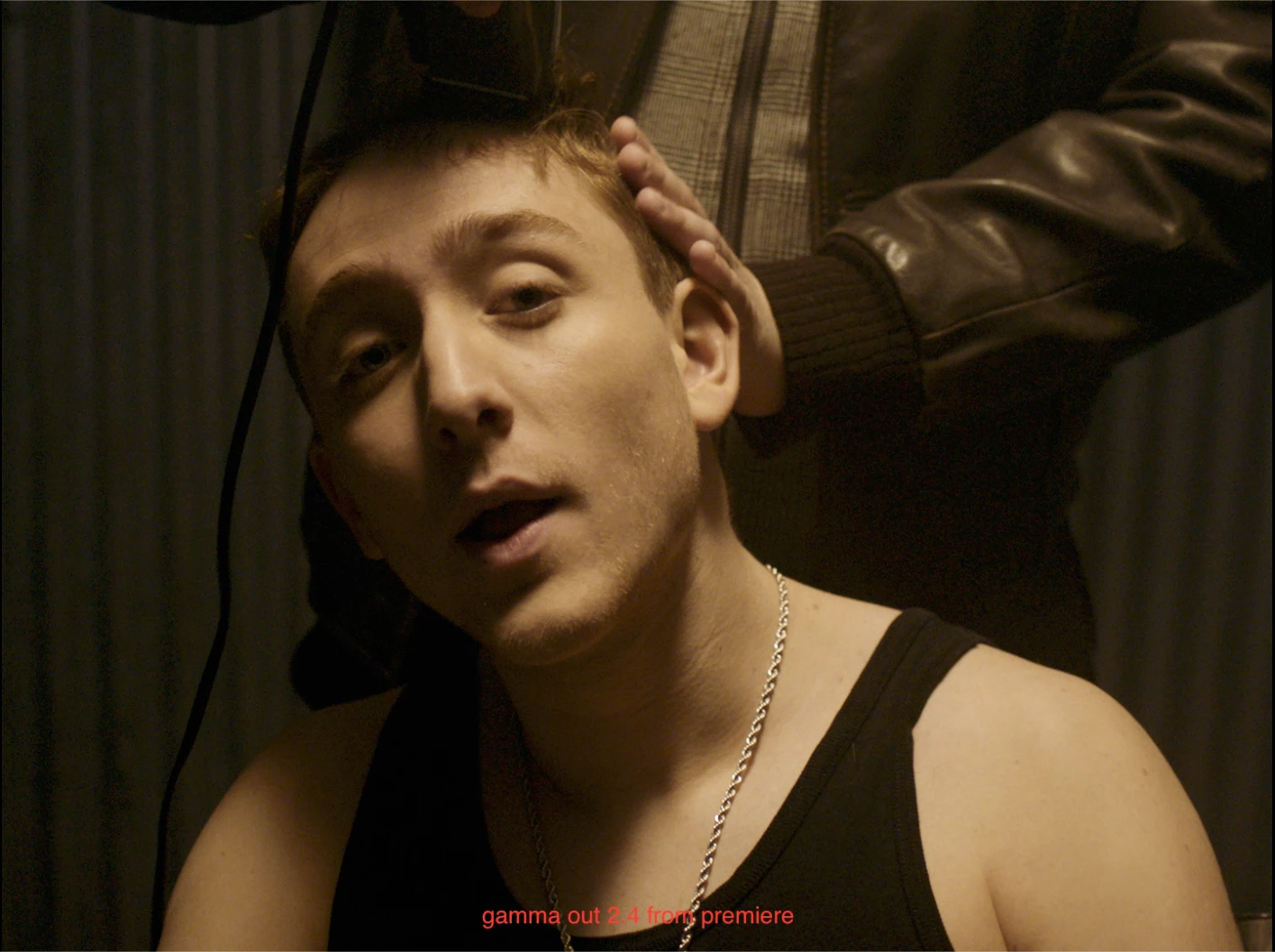
Now when exporting the gamma 2.4 from premiere there is a clear shift : 
 

For testing we exported the grading with a gamma out 2.2 from resolve:

It matches perfectly with the 2.4 export we just did.
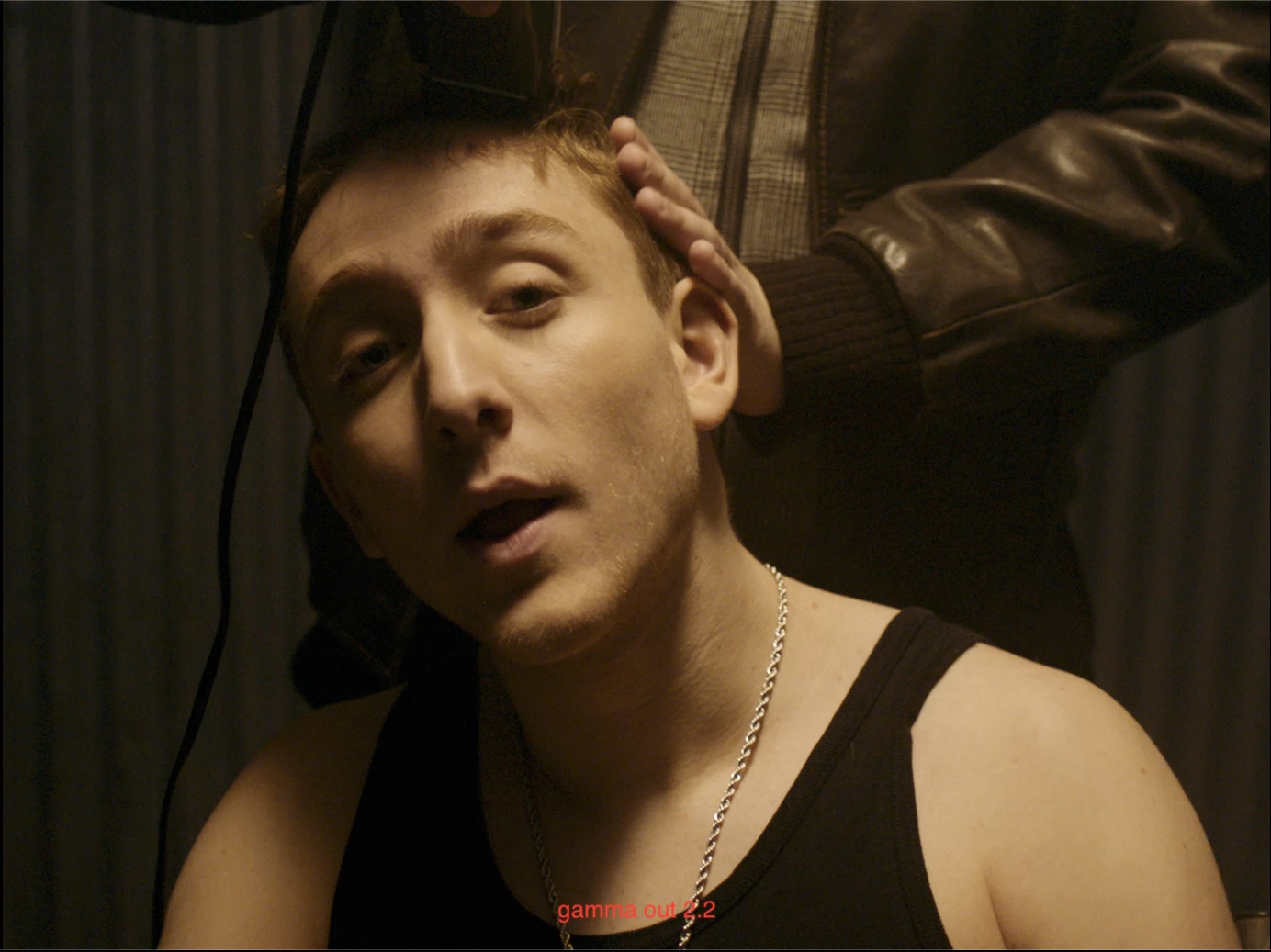
 

So the 2.4 shifts to 2.2 on exporting from premiere , which is very annoying. 


But there is more. Put the 2.2 gamma in the Program monitor and you'll get this : 

a shift from gamma 2.2 to 2.4
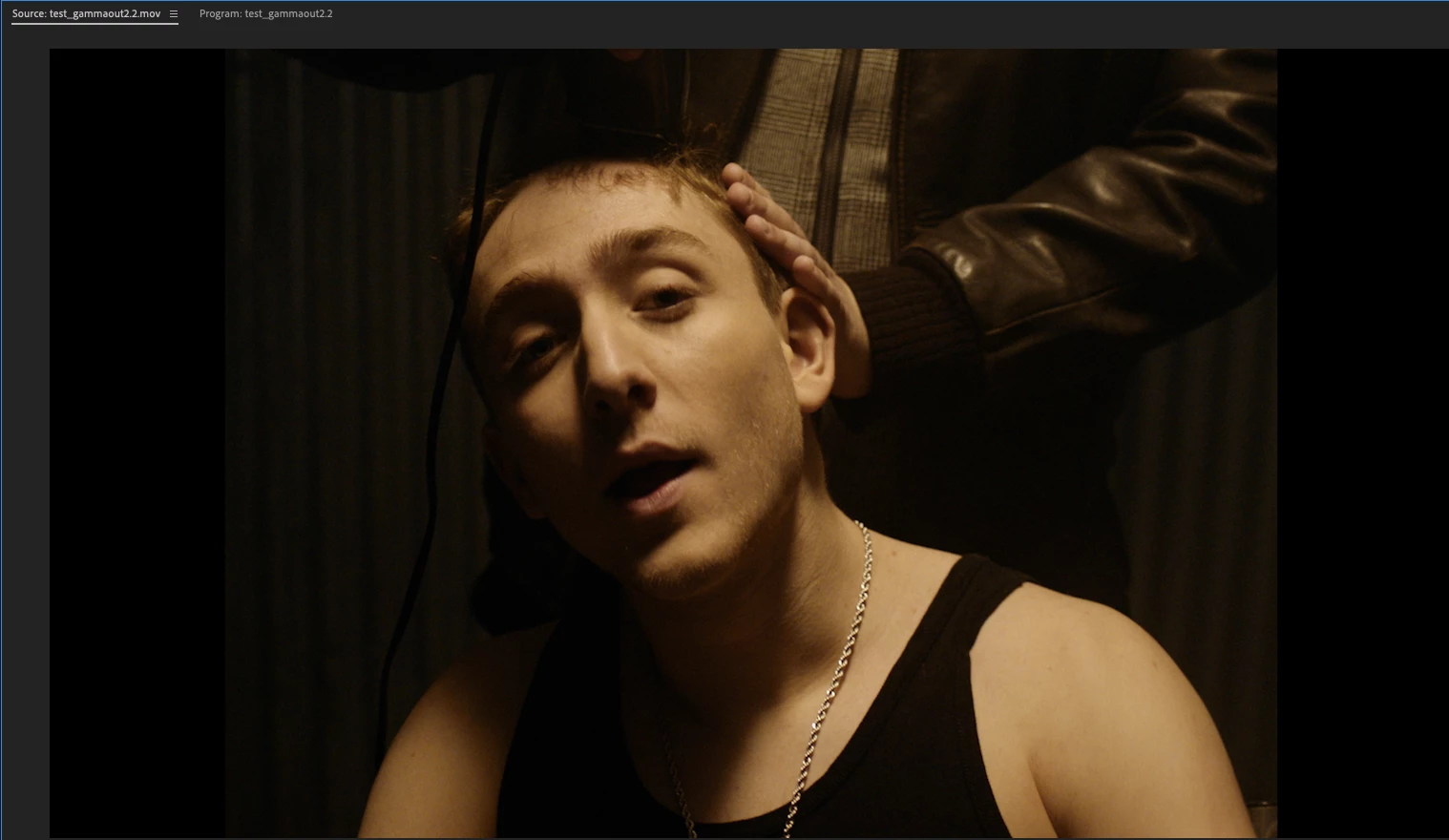
 

Exporting the 2.2 from premiere : 
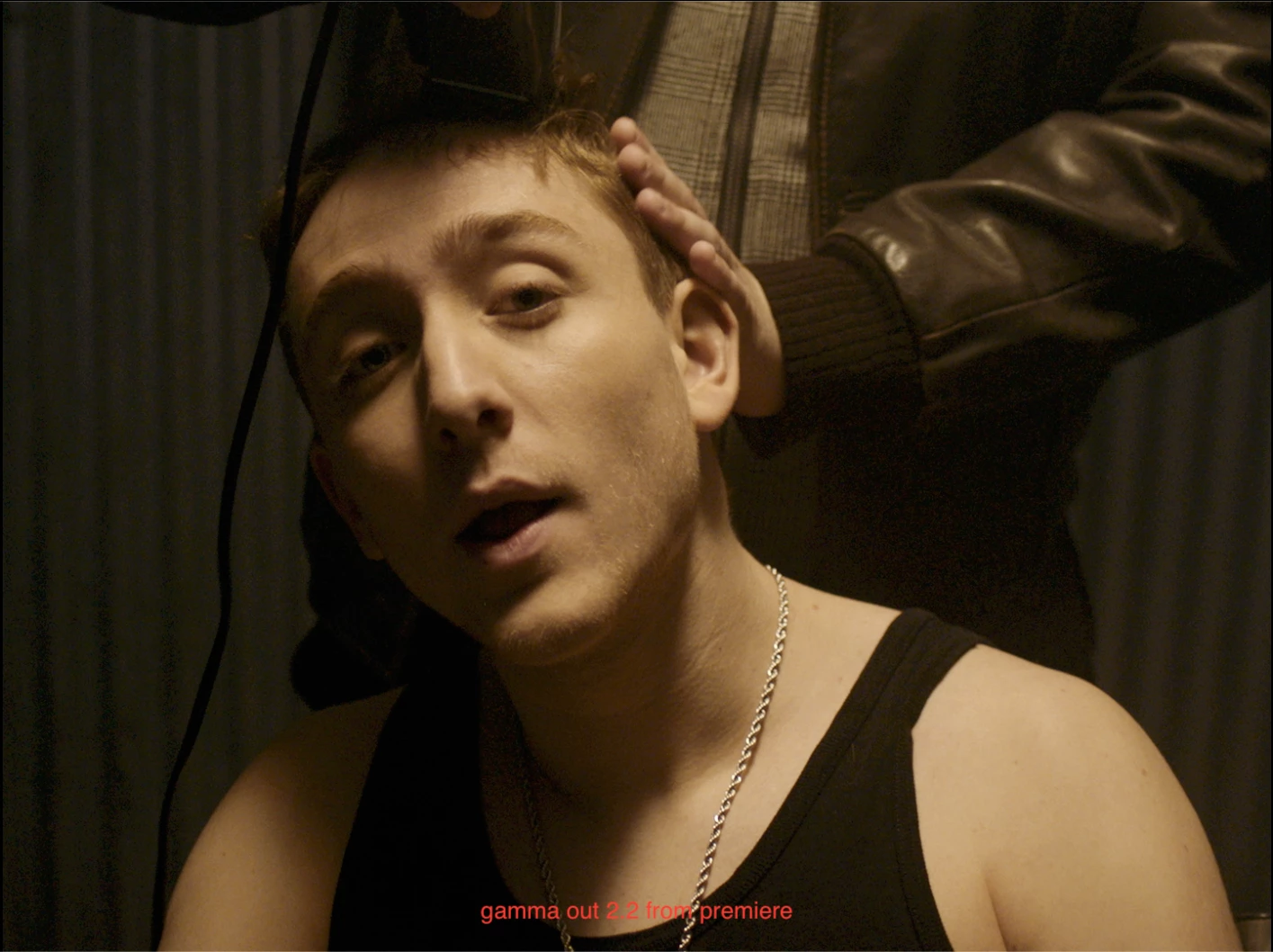
 

It does what it has to do : the gamma remains 2.2


Conclusion

When inside premiere you'll work in a gamma 2.4 on the programviewer & source.

When exporting it will be a gamma 2.2, no matter what you do.


Solution :

I know there is a lut that is supposed to fix this. But it does not.  It's a lut. 
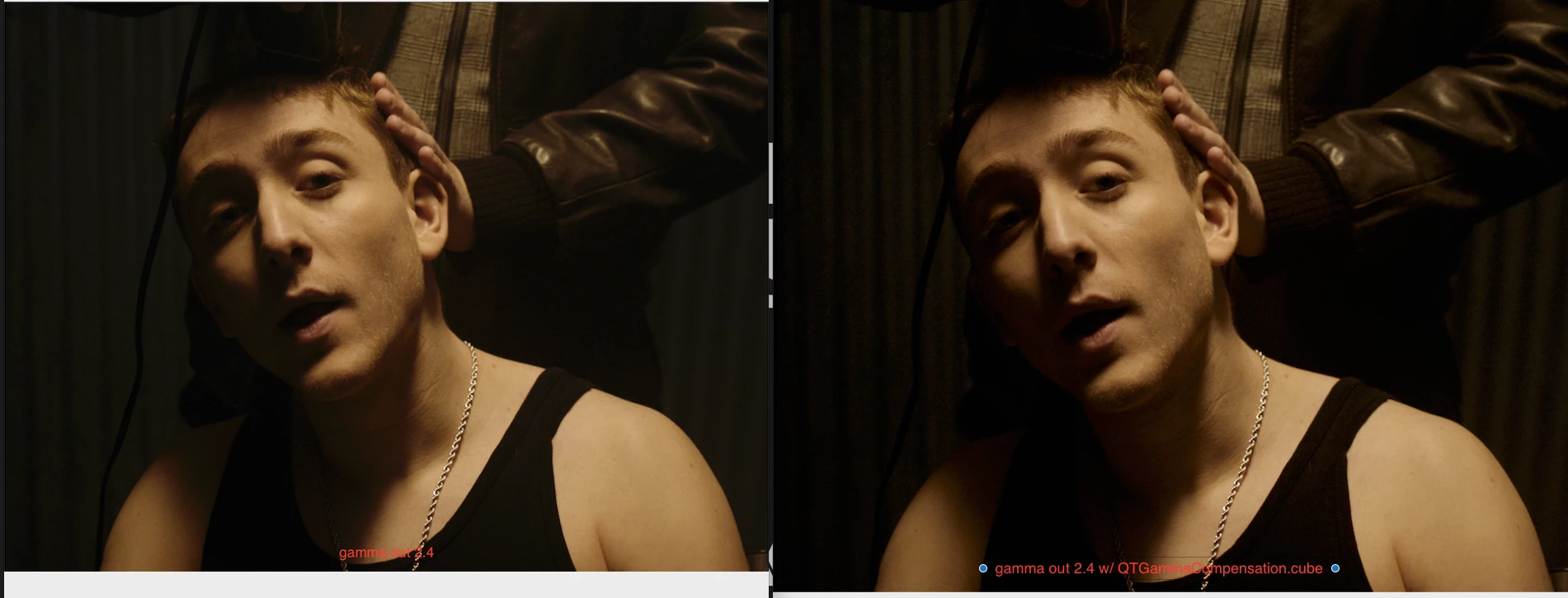
 

So at the moment the only solution is to grade in gamma 2.2, that way at least the colors will come out the way the grader & DOP wanted.  Or maybe there is a solution I don't know.


This topic has been closed for replies.

1 reply

R Neil Haugen
Legend
May 10, 2021

What are your settings in Resolve? I hope "auto" for incoming Rec.709 media.


A bit of background before I give further answer.


I run both PrPro and Resolve. I am a contributing author at MixingLight.com, a pro colorist's teaching website. Pr color managment is my "beat" over there. And I gave a presentation in the Flanders FSI/MixingLight booth at NAB2019 on PrPro's color management.


To prep that presentation, Patrick Palmer 'gave' me then-color engineer Francis Crossman as a source. I spent hours on phone and Zoom with him prior to that NAB, and an hour or two at NAB to go over details.


After that, before the presentation was approved to go up onto the MixingLight site, "we" had a massive email series with Francis, myself, Adobe video chief color scientist Lars Borg, and colorists Patrick Inhofer and Robbie Carman of MixingLight. Who, by the way, were chosen by Dolby Labs to do the in-house training series for pro work using DolbyVision HDR for b-cast/streaming.


Over 70 emails back & forth before Pat & Robbie were certain they'd covered every detail. And tested the crud out of it on their machines, which are of course using monster cost monitors & internal LUTs and LUT boxes where the monitor doesn't have the internals ... total b-cast Rec.709/D65/2.4/100-nits in a semi-darkened room.


PrPro as it exists is totally stock Rec.709 D65/2.4/100-nits. It is hardwired for that. Resolve of course offers the user the ability to select options but PrPro doesn't.


PrPro assumes all Rec.709 media is (appropriately) gamma 2.4. Period.


I've just been through another email series with Lars Borg and Robbie concerning NLC tags in Premiere. You can go to the FAQ section of this forum and search for FAQ on NLC tags ... that will include Lars' entire explanation.


Basically ... PrPro tags 1-1-1, which in properly managed systems will get the standard Rec.709/2.4 monitor response.


On Robbie & Pat's systems, it works perfectly between Resolve and PrPro. As it does on mine. And many other pro colorists with their incredibly tightly controlled systems.


So if it isn't on yours, I would posit that something in your system isn't set correctly. PrPro simply tags everything as 1-1-1, which should be shown as 2.4


Neil

Everyone's mileage always varies ...
Participant
April 21, 2023

Neil,


I have been following this topic for quite a while, and your reponses in this forum have guided me to the right place many times in the past.  So, first, I want to thank you for your generosity in sharing your knowledge and expertise.


While I agree that a properly color managed system could display the export from Premiere Pro in correct gamma, the shift described above seems to be present on most systems with default settings, including iphone, MAC, and Windows.  The only exception is when it's played with VLC with color managed GPC setting manually enabled, but I suspect that most consumers do not have this type of viewing settings.  This problem persists when the exported media is uploaded to online platforms such as YouTube, Facebook.


This makes sense when considering that ITU-R BT.1886 is a standard adhered by HD and SD TV, not other digital systems (which seems to be defaulted to 2.2).  However, it does mean additional trim pass is necessary when delivering for web outputs.  Currently, my solution for this is to add a layer of Gamma Correction Fx (sbift of 0.1) inside the timeline of Premiere Pro, which gives me a closer approximation to counter the Gamma shift than the correction LUT.  I use this method for web deliveries and review outputs uploaded online (e.g., frame.io).  It's worth noting that the gamma shift is slightly greater on MAC (on default iMAC or Apple Monitor) than on iphone.


It also seems like many of the latest TV's are defaulted to 2.2 gamma and have ITU-R BT.1886 as an option.  I am not arguing that Premiere Pro has done anything wrong.  However, I suspect that an option to display in 2.2 gamma using ICC profile (the same way you can enable the option with 2.4 gamma) or an option to apply a gamma shift, targeted specifically to 2.2 gamma in export settings would benefit a lot of users.

Participant
April 21, 2023

*GPU settings