
Answered
Getting green and purple line across footage
I'm am working on a school assignment and a had come across this issues when putting the video into Premiere does anyone know how to fix this?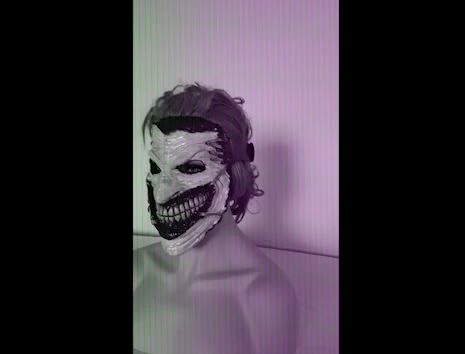
I'm am working on a school assignment and a had come across this issues when putting the video into Premiere does anyone know how to fix this?
Hi Zane knight,
Have you tried the step? It seems like an issue with in-built Intel GPU driver. Please try the steps recommended in this thread: Green and Pink Video in Premiere Pro 12.0.1 (Build 69)
Let us know the status.
Thanks,
Vidya
Already have an account? Login
Enter your E-mail address. We'll send you an e-mail with instructions to reset your password.
 AdChoices