Participating Frequently
May 16, 2020
Answered

Glitch on export

  • May 16, 2020
  • 1 reply
  • 2357 views

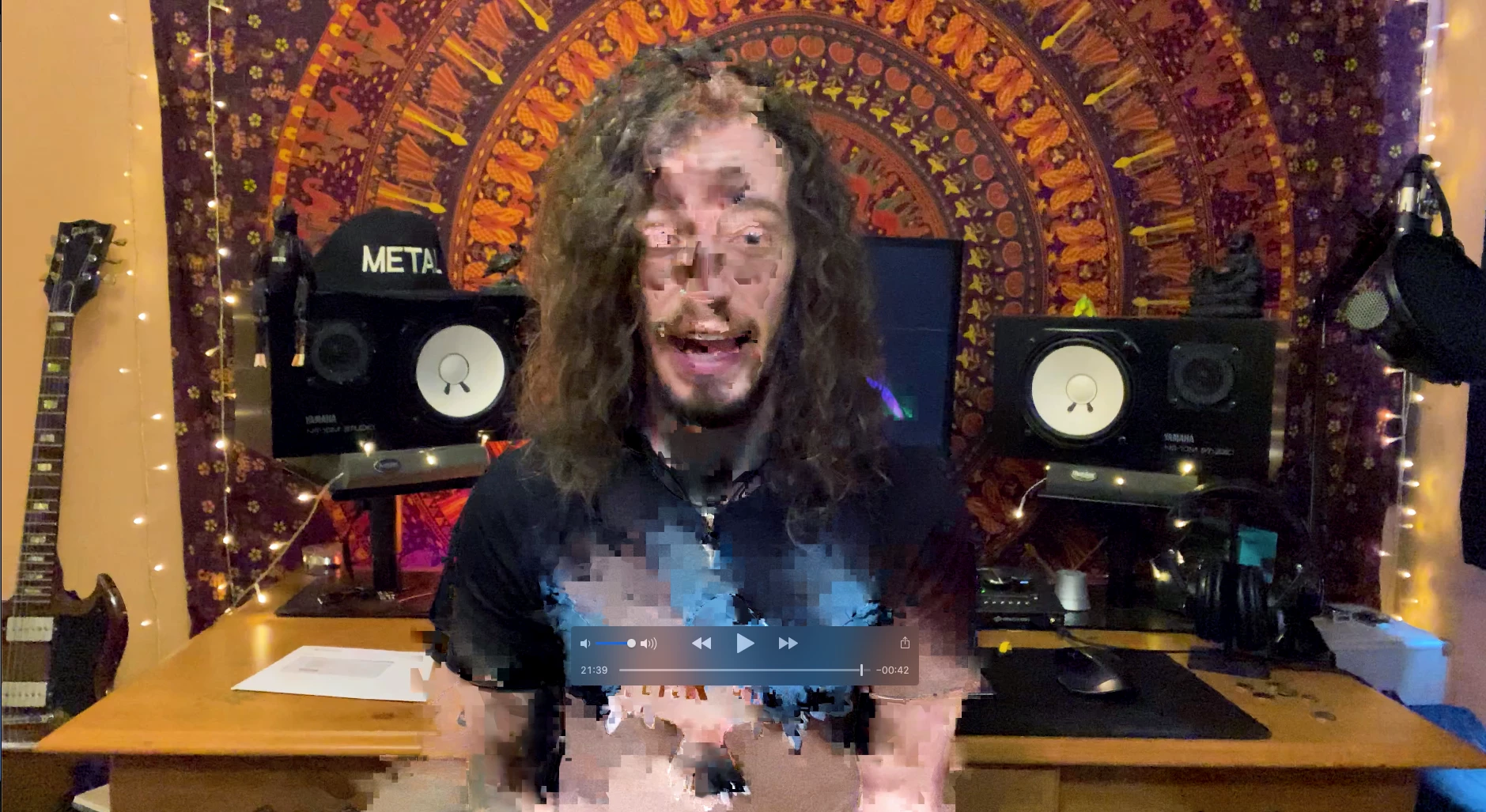
Hi there, I've just been rendering my video and now I'm getting glitches at exactly the same time frames on the export. It's not throughout the whole video.


I've got lumetri colour on the video and that's it. So confused. This is the third time rendering after a restart too.


Here are my mac specs.

4.3ghz Intel Core i9

32gb ram

Radeon RX 580 8 GB


Export settings

h.264

3840 x 2160

Render at maximum depth

Use maximum render quality

encoding is high and level 5.2


bitrate encoding is CBR 100Mbps

This topic has been closed for replies.
Correct answer Michael Grenadier

yup, that's probably the problem.  Use handbrake to convert to a constant frame rate.  Make sure your preset matches the pixel dimensions of your source and set the quality slider to in the video panel is set to the max and you set your preset to a constant frame rate in the same video panel.    If you've got editready you can convert to prores which is a better editing format but creates larger file sizes and costs some money...

1 reply

Legend
May 16, 2020

is your source video by any chance variable frame rate.  You can use media info to find out https://mediaarea.net/en/MediaInfo/Download

If so, use handbrake to convert to constant frame rate

https://handbrake.fr

There are 2 main sources for vfr footage, smartphones and screen recordings.

One workaround is to change your sequence preview settings to match your export settings and render your timeline.  If the timeline plays fine, just make sure the "use previews" option in the export dialog is checked.

redman170Author
Participating Frequently
May 16, 2020

ok downloaded media info. 


I have noticed this on my export. 29.994 fps on my source and then output becoming 30fps?


It was all recorded from one device (iPhone 11)

Michael GrenadierCorrect answer
Legend
May 16, 2020

yup, that's probably the problem.  Use handbrake to convert to a constant frame rate.  Make sure your preset matches the pixel dimensions of your source and set the quality slider to in the video panel is set to the max and you set your preset to a constant frame rate in the same video panel.    If you've got editready you can convert to prores which is a better editing format but creates larger file sizes and costs some money...