Question
Glitches when editing and after exporting
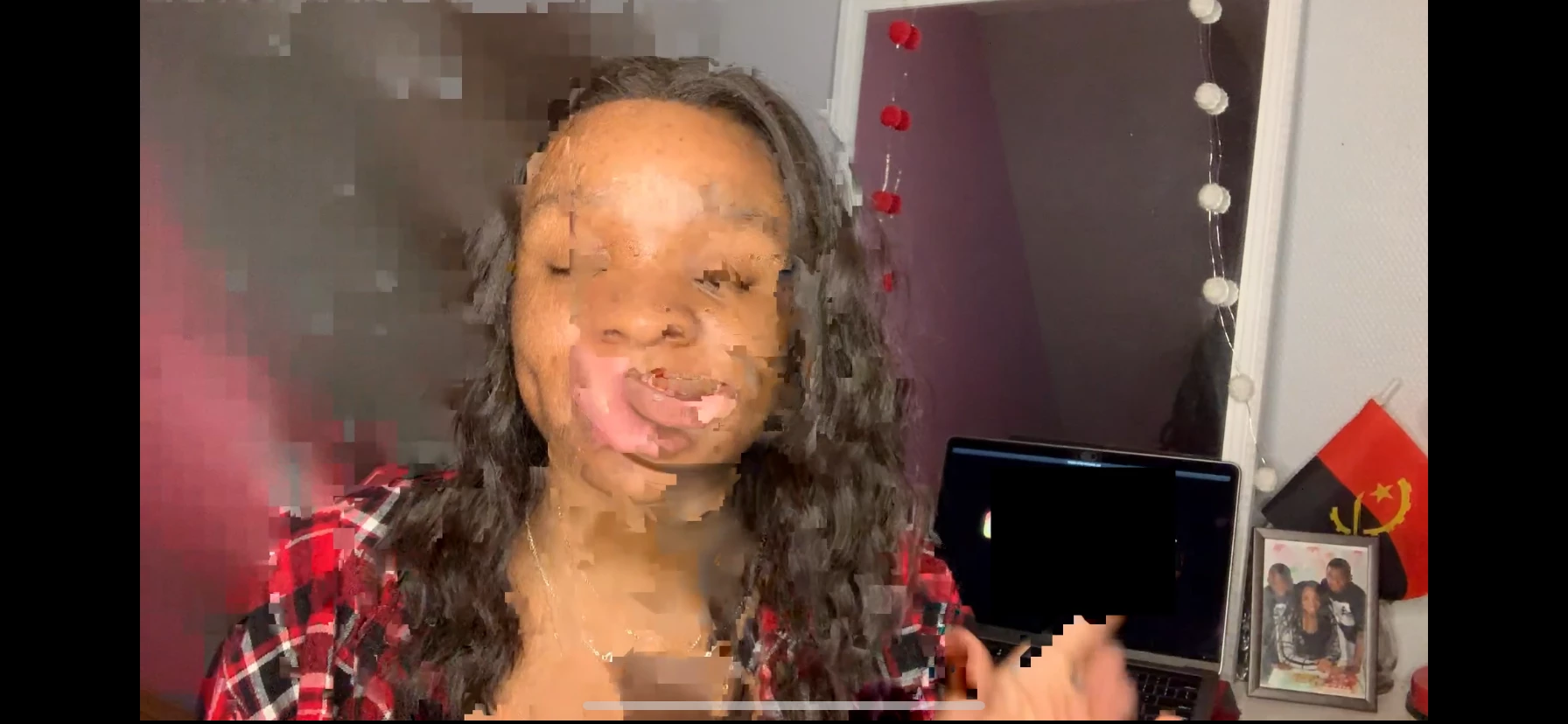
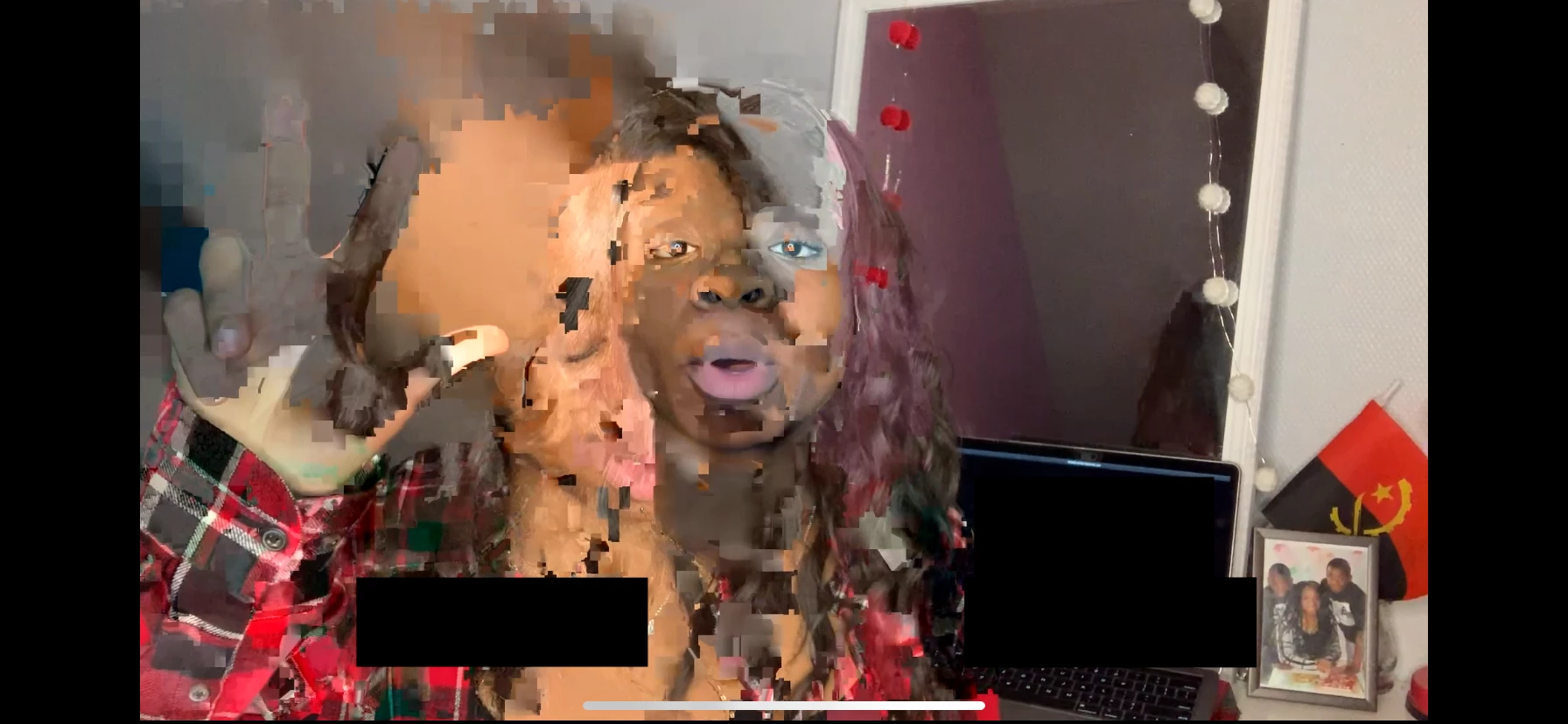
i've shot a video with my iPhone then edited it on my mac with Premiere Pro. while i was editing i had noticed two rushes glitiching for less then a second, it was really short. i thought it would diseppear after having exported the final video, but actually it didn't ... how can i fix it ?
please consider in your answers that i'm french, i'm quite advanced in english but please don't be too technical, i need to understand lol.
screenshots of the glitches down below. thank y'all in advance !
 AdChoices