
Participant
August 29, 2021
Answered

Good audio quality in source, but sounds bad when imported in sequence.

  • August 29, 2021
  • 2 replies
  • 482 views

In a nutshell, I have another system I used to edit on and it is also currently on the new 15.4.1 version. The weird thing is the audio sounds perfectly fine on my old system, but low quality on my new system.

However, when a video's audio is played, sounds absolutely fine. But if I place ANY audio source that is by itself, may be it .wav .mp4 etc, it sounds bad and washed out. No good idea on how it's explained, but I do have examples for you to listen to. Insult to injury, problem still remains when rendered. So I already know that it isn't my desktop audio and headphone equipment. But I will share some pictures for a better grasp.
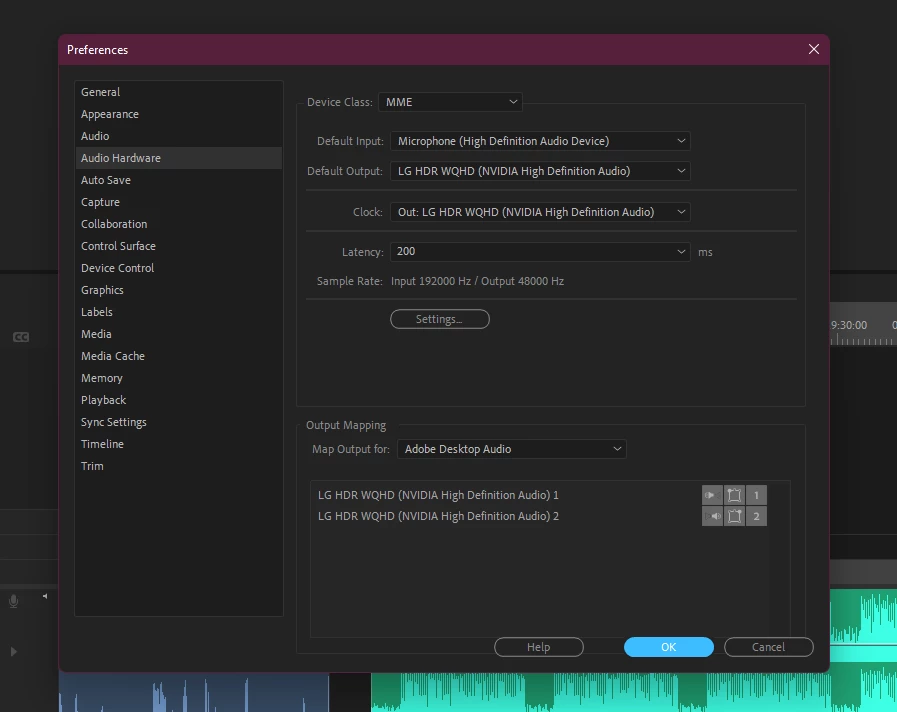


I searched for solutions to no avail, but maybe ya'll have an updated guide on something of a fix.


Thanks
This topic has been closed for replies.
Correct answer Tatami Pictures

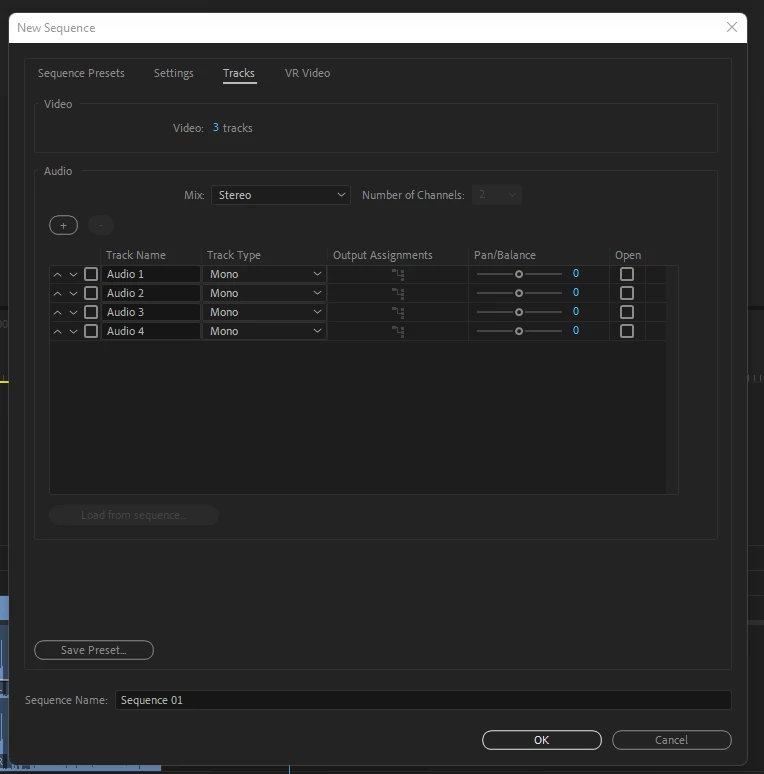
Figured it out, apparently when you go and create a sequence > tracks, down in audio are different tracks that have their types set to mono. Setting them to Standard (or anything that you want to export them as) seems to do the trick.


2 replies

Tatami PicturesAuthorCorrect answer
Participant
August 29, 2021

Figured it out, apparently when you go and create a sequence > tracks, down in audio are different tracks that have their types set to mono. Setting them to Standard (or anything that you want to export them as) seems to do the trick.


Ann Bens
Community Expert
Community Expert
August 29, 2021

Make sure Default Input in the Audio Hardware in the Preferences is set to No Input.

Participant
August 29, 2021