


GPU ACCELERATION vs SOFTWARE ONLY : Changes with opacity quality
Hi,
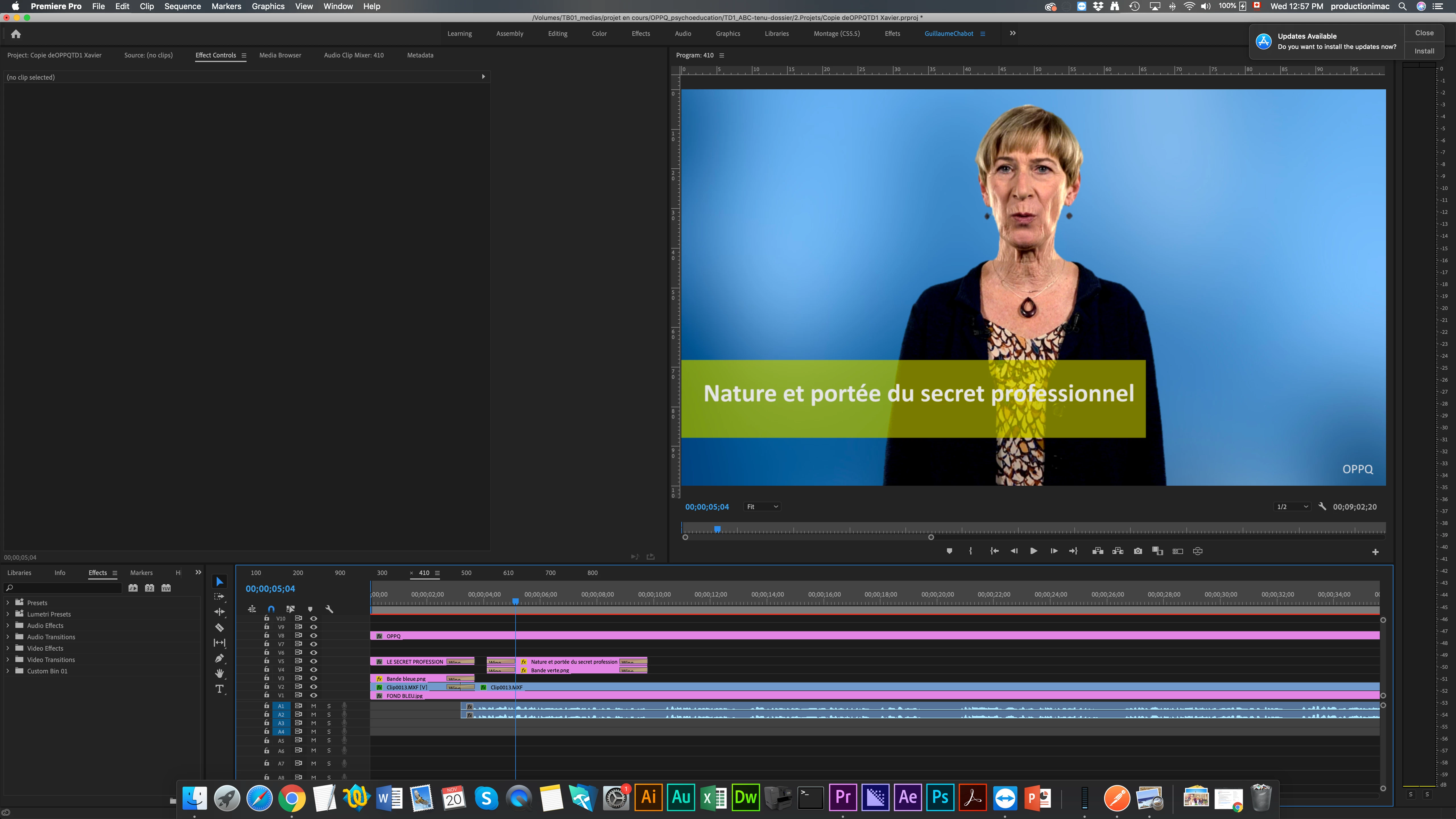
I'm editing on a Mac with Premiere Pro 2019 (but I tried and I get the same issue with Premiere Pro 2020). I'm working on a project for a video production company. 50% of the editing was done from somebody editing on a PC, then I took over the project with my MacOS (Mojave). I used his own Premiere Pro 2019 project file. The other editor kept telling me he felt my exports didn't look as good as his. We made sure we were using the same editing and exporting settings. Then he sent me a comparison of one of his exports vs one of mine. There was a clear difference between the opacity of a green stripe in his export (darker and the constancy of the opacity looks better) and mine. But the problem didn't seem to be with the exports settings, because the green stripe looked the same in my timeline preview as it did in my exports.
I then thought about changing the preview renderer : when I put it in SOFTWARE ONLY mode instead of GPU ACCELERATION mode, the green stripe looks exactly the same on my Mac as it does on his PC in the timeline preview (darker, better). The export also looks the way it should when I export it with SOFTWARE ONLY rendering instead of GPU ACCELERATION rendering.
Now, I had noticed that sometimes, some heavy multi-channel effects require SOFTWARE ONLY rendering, or else there is a bug, like a black stripe that appears in my preview, which is also there when I export the video. I know that's a normal issue and I can deal with that, because it's clear when it happens. But if every video that I edit and/or export with opacity effects on -- and I don't even know if it's specifically about opacity effects -- isn't as good as it could be with GPU ACCELERATION, and if there is simply no way of knowing unless I compare everything I make with the two rendering modes, and not only for exporting but even when editing... Well then nothing makes any sense.
First, SOFTWARE ONLY can be incredibly slow while editing and even more so while exporting ; second, there is no mention of the issue I'm having anywhere on the web. So it can't be a "real" problem with GPU editing/exporting, can it? The issue would be all over this website. Basically everybody says to never use SOFTWARE ONLY if you have GPU ACCELERATION, because it should be the same thing, only slower.
So, how is it not the same thing for me? Is my GPU now working correctly? How can I know?
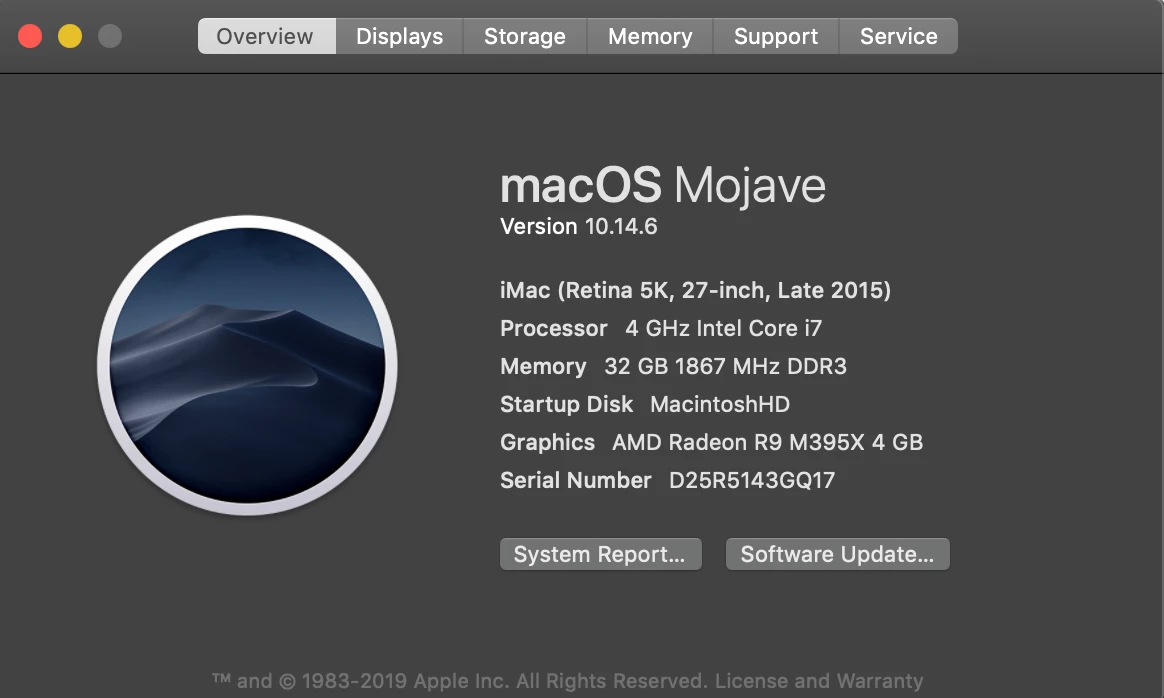
I also linked a screenshot of my "About My Mac" information.
Thank you very much in advance,
Gibbs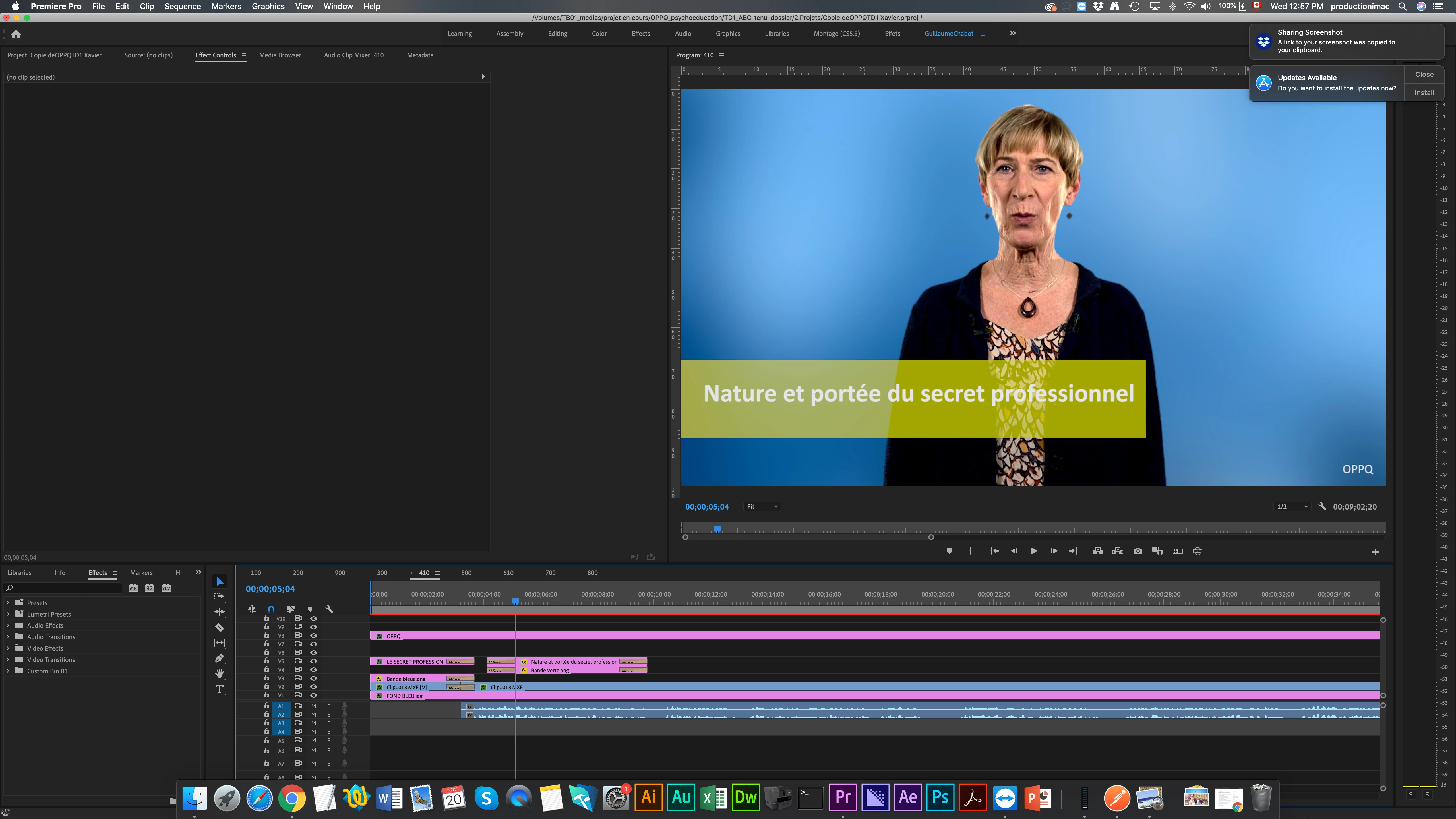
 AdChoices