This topic has been closed for replies.

8 replies

Participant
August 14, 2023

oh ok, just did it

works without the error, thank you.

Ann Bens
Community Expert
Community Expert
August 14, 2023

Then your Nvidia card works just fine.

As said many times before:

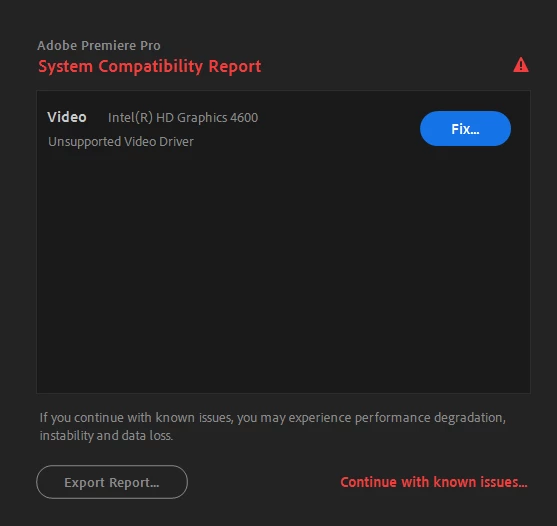
You need to update the Intel to get rid of the error message.

Participant
August 14, 2023


Participant
August 14, 2023

Sorry for the late reply,

It is set to CUDA.

Ann Bens
Community Expert
Community Expert
August 13, 2023

Please answer the question:

Is MPE render set to cuda or software in the Project Settings > General?

R Neil Haugen
Legend
August 13, 2023

That warning dialog only mentions what ain't right, which seems to be that Intel hardware.


So if the Nvidia card has a usable driver, of course it's not shown there. How about checking what Ann asked about, and posting an answer?

Everyone's mileage always varies ...
Participant
August 13, 2023

I have two GPUs (built-in Intel HD graphics and NVIDIA GeForce RTX 2070). 


When I launch Adobe Premier Pro, It is only showing Intel GPU and does not provide any option to change to NVIDIA.


Can you please help changing GPU to NVIDIA ?


Ann Bens
Community Expert
Community Expert
August 13, 2023

How do you know it does not reconize your nvidia card.

Is MPE render set to cuda or software?

Update your Intel GPU.