


Answered
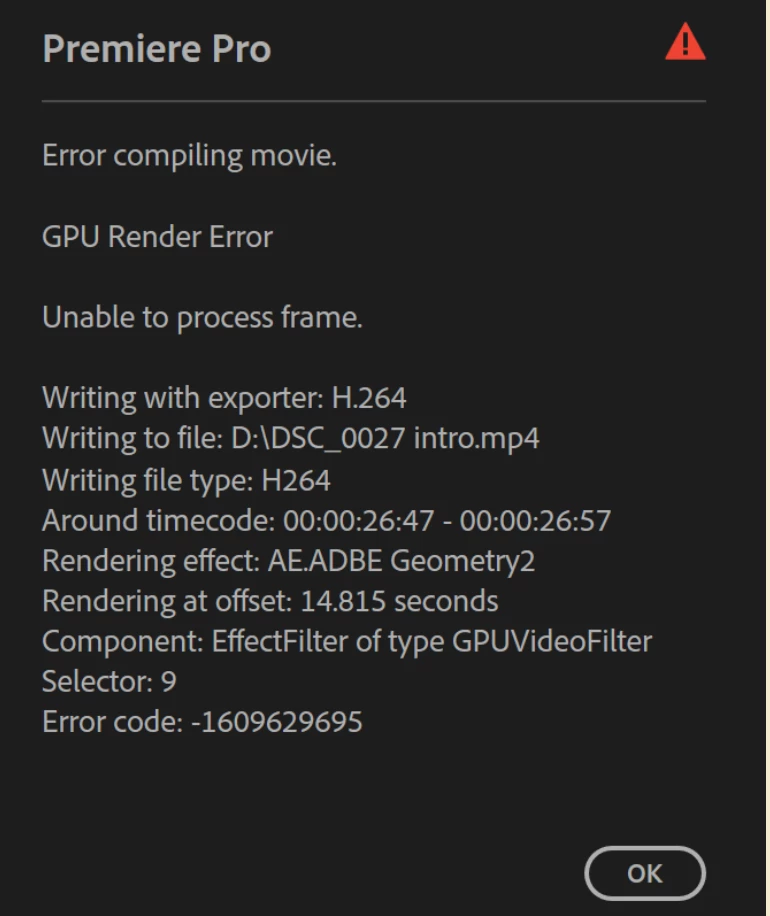
GPU Render Error (Unable to compile frame)
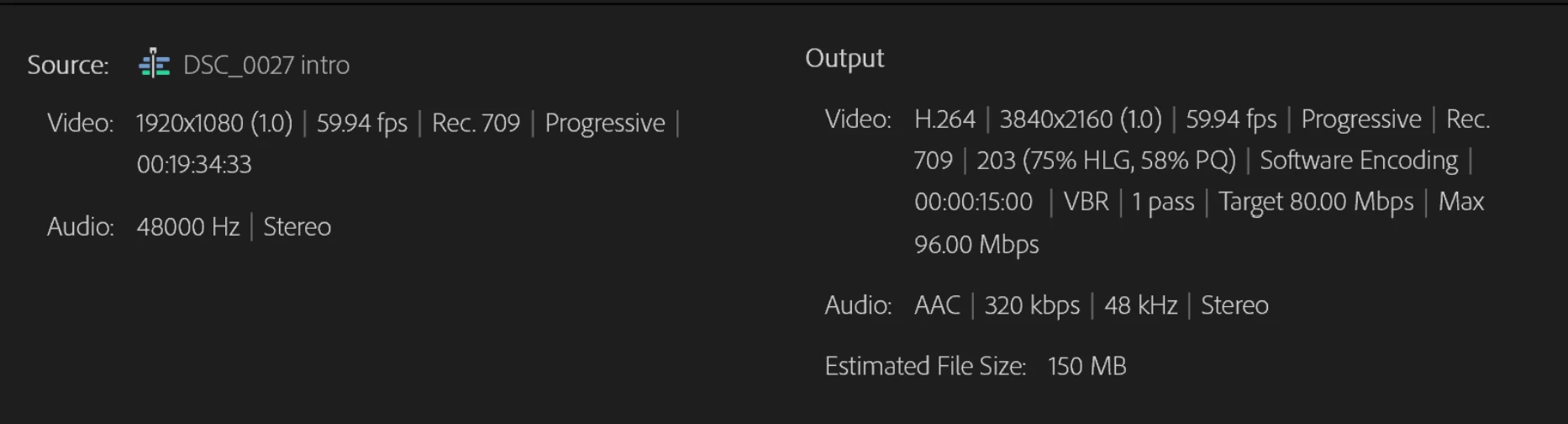 I am going crazy as this issue has no solution no matter whatever I try.
The export specs are above. Then I am getting the *GPU Render Error*
To address the issue:
- I updated the driver.
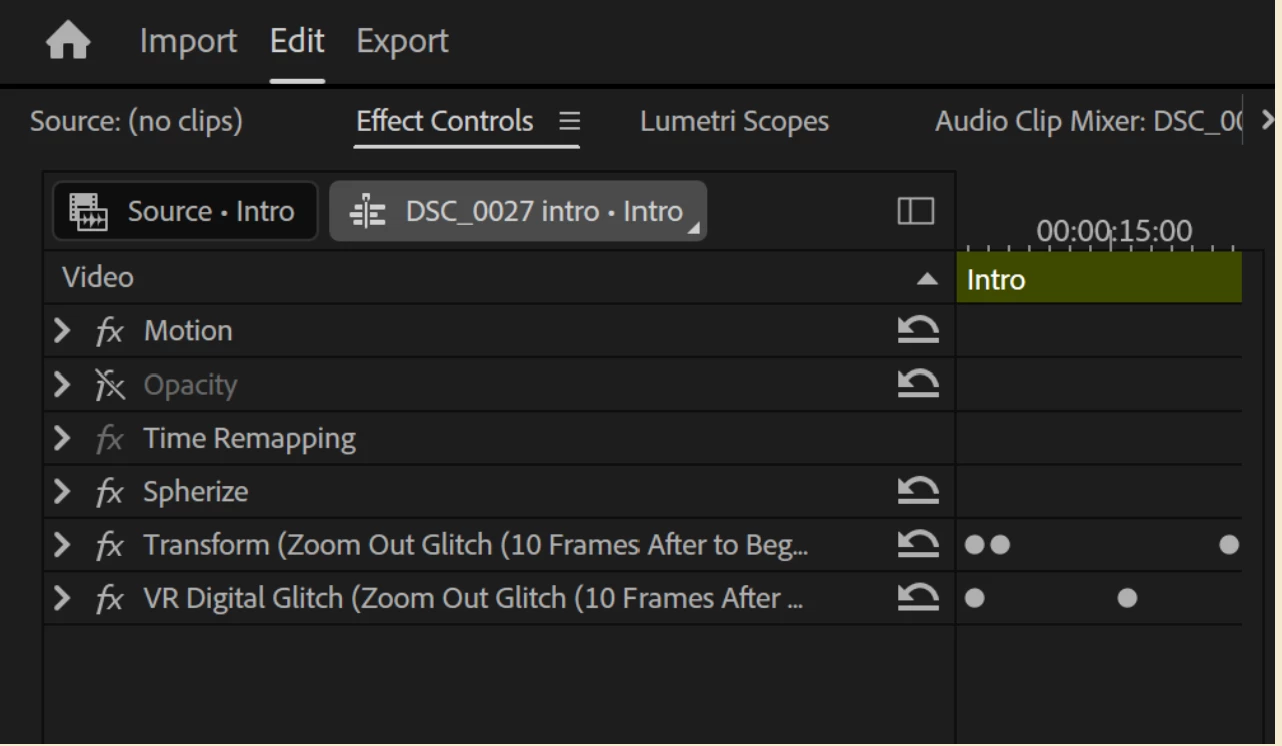
- Turned off 'Opacity' layer/effect in the video timeline.
- Add 'Spherize' effect.
Also the premiere pro project file is in a harddrive and I am exporting the video to the PC harddrive.
But nothing seems to work. How come premiere pro can't render the frame but play it.
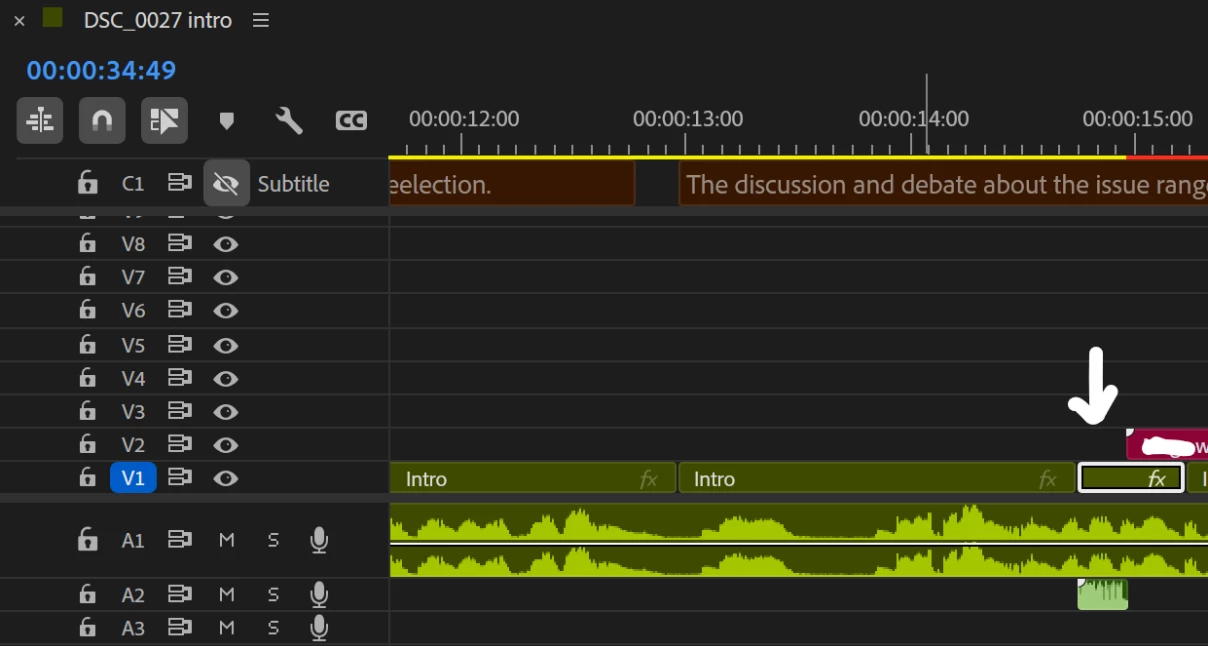
I have share the screenshot of the effects being used in error timestamp and all necessary info.

 AdChoices