
GPU Render Error. Yea another post from another person.
Ok I'm pulling my freaking hair out. I constantly run into GPU Render Errors, but usually a reboot fixes things. Today I have been trying for about 3 hours to get a project to export, with no luck. I can fully Render the timeline in the project, but when I head to Export, it fails in a matter of minutes. I cleared my cache files and attempted again. Shut down and let the computer sit. Checked for drivers updates. Checked for Premiere updates. This has been a constant issue for me lately and it is really getting old. Today is just worse than it has been in a while. I had read somewhere to open AME before Premiere and export via Queuing to AME. However I have found that to be FAR WORSE for this GPU Render error.
System Specs:
AMD Ryzen 5 1600
16GB GSkill DDR4 Ram 2800mhz
Geforce GTX 660 2GB GDDR5
Windows 10 Home 64 Bit
Geforce Drivers 388.71 (latest release)
Premiere Pro 2018
I know the graphics card is a little old, but it should at least function, even if slowly. I've seen plenty of statements of "roll back drivers", and I have done so to all kind of revisions, none of which make any difference. Nvidia lists the latest driver as THE drive for the GTX 660, so I don't want to hear about how the drivers aren't compatible for this old card. I have a newer video card but I cannot install it just yet unfortunately. I'd love to speed up my workflow I just cannot put it in yet.
The Timeline isn't a simple one but it is by no means the most complex. It has some warp stabilizer and has Lumetri color on basically all of the clips. Footage is 4k downscaled to 1080p via Sequence settings and scale adjustment on clips.
Error:
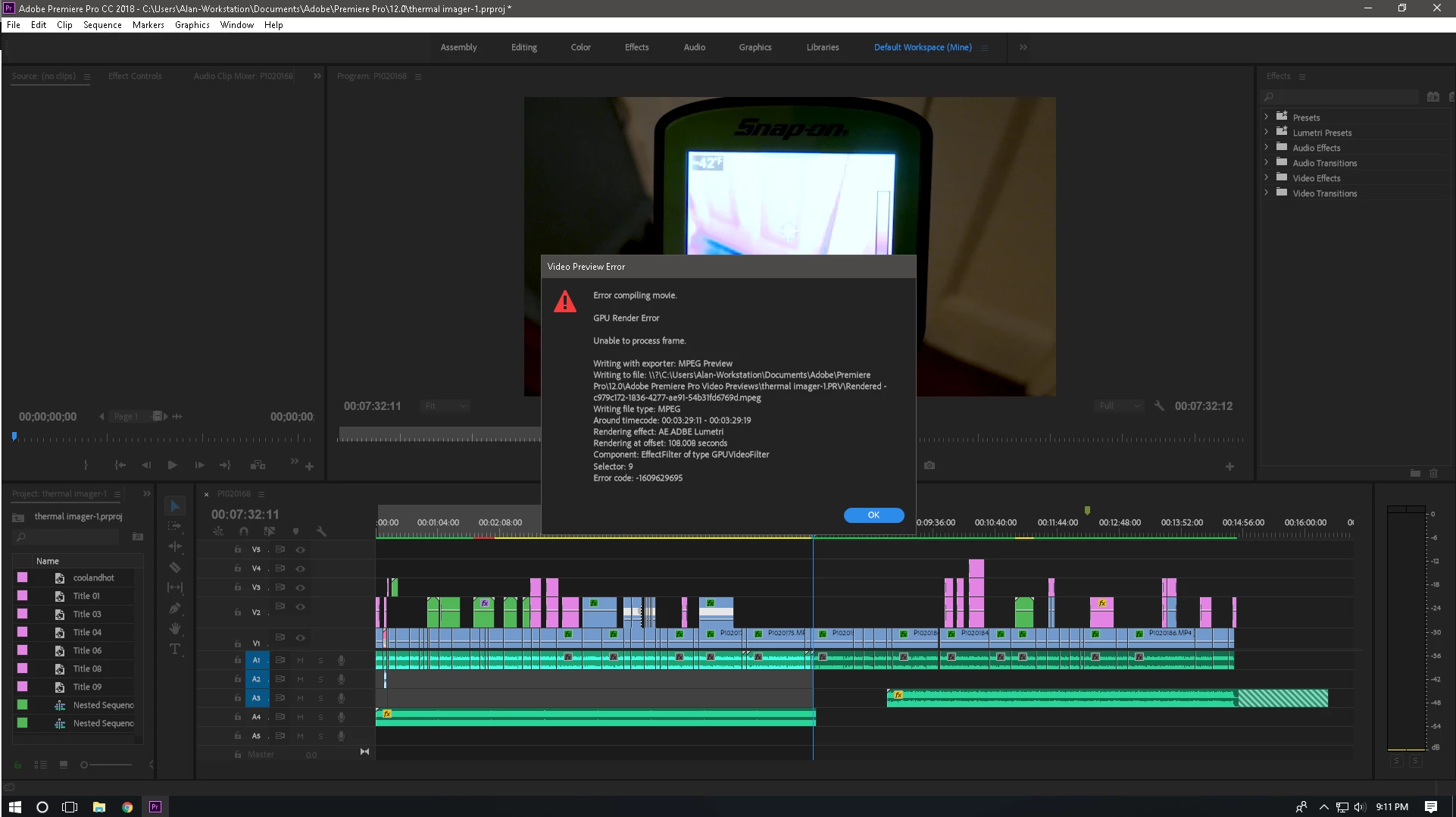
After I took this screenshot I went through and manually rendered the incomplete sections then once the entire timeline was Rendered, I saved, attempted Export and it failed again.
It seems like this is such a massive, common problem with not much in the way of official response. Unless I am missing something.
 AdChoices