
Participating Frequently
March 17, 2014
Question

GPU-version of Gaussian Blur sometimes produces visible ringing artifacts on high contrast images

  • March 17, 2014
  • 1 reply
  • 1287 views

Hi,

I noticed some annoying ringing artifacts in my footage after applying the GaussianBlur() from the PrSDKGPUImageProcessingSuite.

I assume the blur implementation is the same as in the 'Gaussian Blur' Video Effect. So I tested with that effect standalone and was able reproduce the problem.

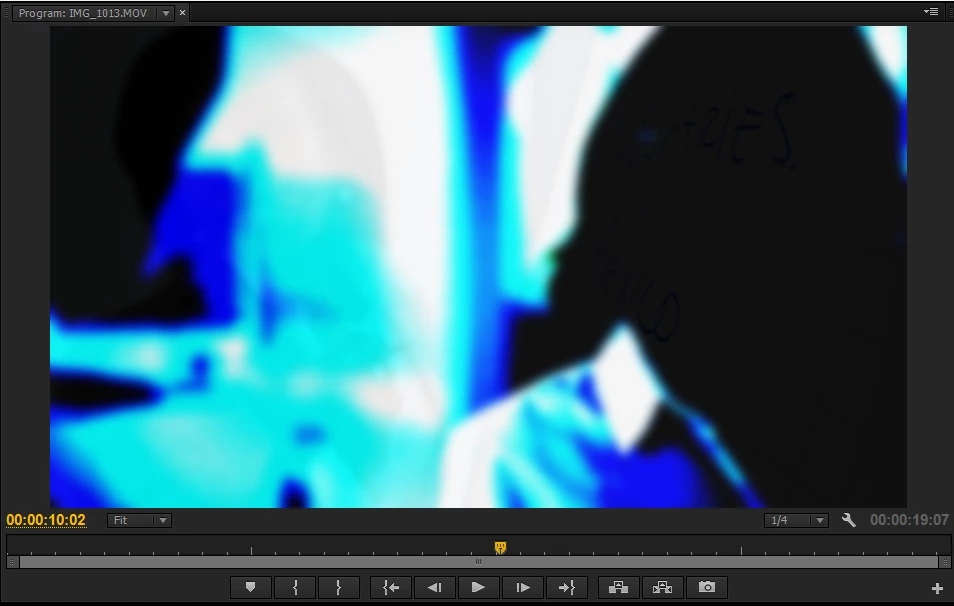
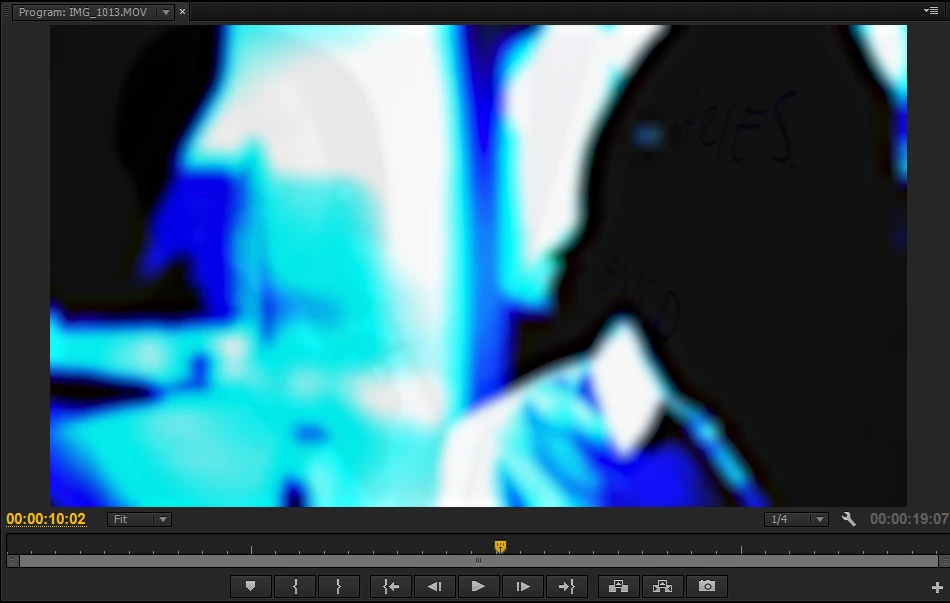
The ringing artifacts appear in high contrasted footage (see screenshots) and only with the GPU-version of the blur.

Switching to software-only renderer and therefore enforcing the CPU-version of the effect removes the artifacts.

Has anybody already noticed this issue?

Regards,

Philipp

Gaussian Blur (CPU) without artifacts:
Gaussian Blur (GPU) with artifacts:
This topic has been closed for replies.

1 reply

joaopedro1923
Participant
April 28, 2016

Hi Philipp,

I am having the same exact problem. It's actually pretty dramatic. What is interesting is that it looks great when I am editing on premiere. It only shows the artifacts once I export it.

I couldn't really understand your solution actually. Would you mind explaining it in more detail?

Here is a face that I tried Gaussian Blur with at 100. Other images I only used 50 and it's still creates the rings. Here the rings are most noticeable on the cheek:


Thanks SO MUCH!

Participant
July 6, 2018

Yo,

These two problems aren't the same thing. The second poster's problem is banding, they're just asking too much of their value range.

As for the first one, the ringing problem still exists a couple of years down the line, as far as I can tell. I have a black background on which is only a white circle. Applying the Gaussian blur produces ringing artifacts around the edge of the circle.