Participant
October 22, 2025
Question

Gradient wipe creating hard lines/cropping images

  • October 22, 2025
  • 2 replies
  • 157 views

Hello, I’m attempting to use gradient wipe as a fade in/out of text and photographs over video footage but i’m finding that for some reason when i use keyframes in the effect it creates this strange and unwanted cropping of the image - at first i thought i might have accidentally created a mask or something but that isn̓t the case. Hoping someone has dealt with this before and might be able to offer some advice or a correction that i may have overlooked. I̓ve attatched an example of whats happening


this is an example of the cropping
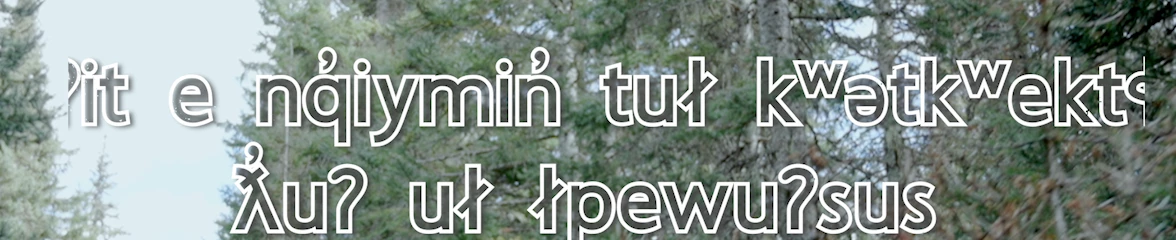
once the keyframe sequence ends the entire text comes back

 

this is the effects control panel
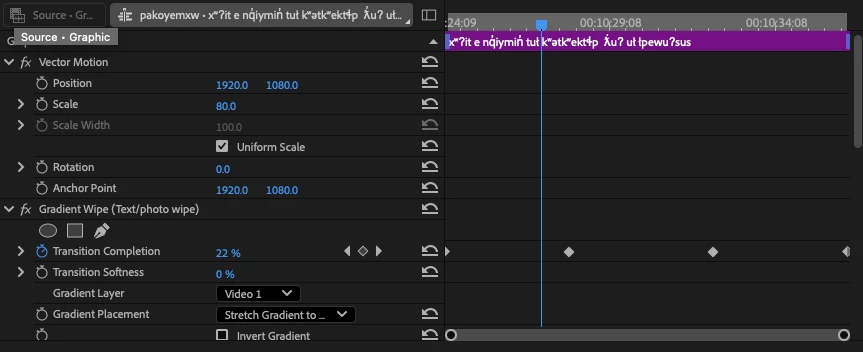
 

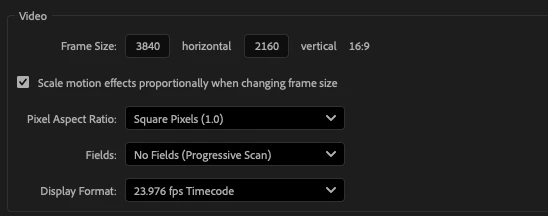
sequence settings
2 replies

Community Expert
October 23, 2025

Can you try re-setting the position of the gradient layer and see if that helps. Also if the gradient layer is a smaller frame size than the sequence that can be a problem.

Participant
October 30, 2025

Hey, thanks so much - this solved it. I had a nested sequence in my timeline that i checked and realized was at 200% scale -  i must have changed the sequence settings after i'd made the nested one and scaled that up, rather than the clips inside it. Once i had re scaled the video inside the nested sequence to compensate for the main sequence upscaling to 4K everything was solved.

Adobe Employee
October 22, 2025

Hi there! What dimensions are your video and images in the 3840x2160 sequence?

Participant
October 22, 2025

3840x2160 - the video had been shot in 4k, the issues seem to have started when i increased the scale of the sequence.