Answered
Gradients tap doesn't appear..
Hello everyone, I'm using Adobe Pr 2018 12.0.0 and when i try to make a rectangle with gradient color there is no option to choose....how can I fix this?
Hello everyone, I'm using Adobe Pr 2018 12.0.0 and when i try to make a rectangle with gradient color there is no option to choose....how can I fix this?
Click on the color well for the fill color, when then chooser comes up, change it to the type of gradient you want:
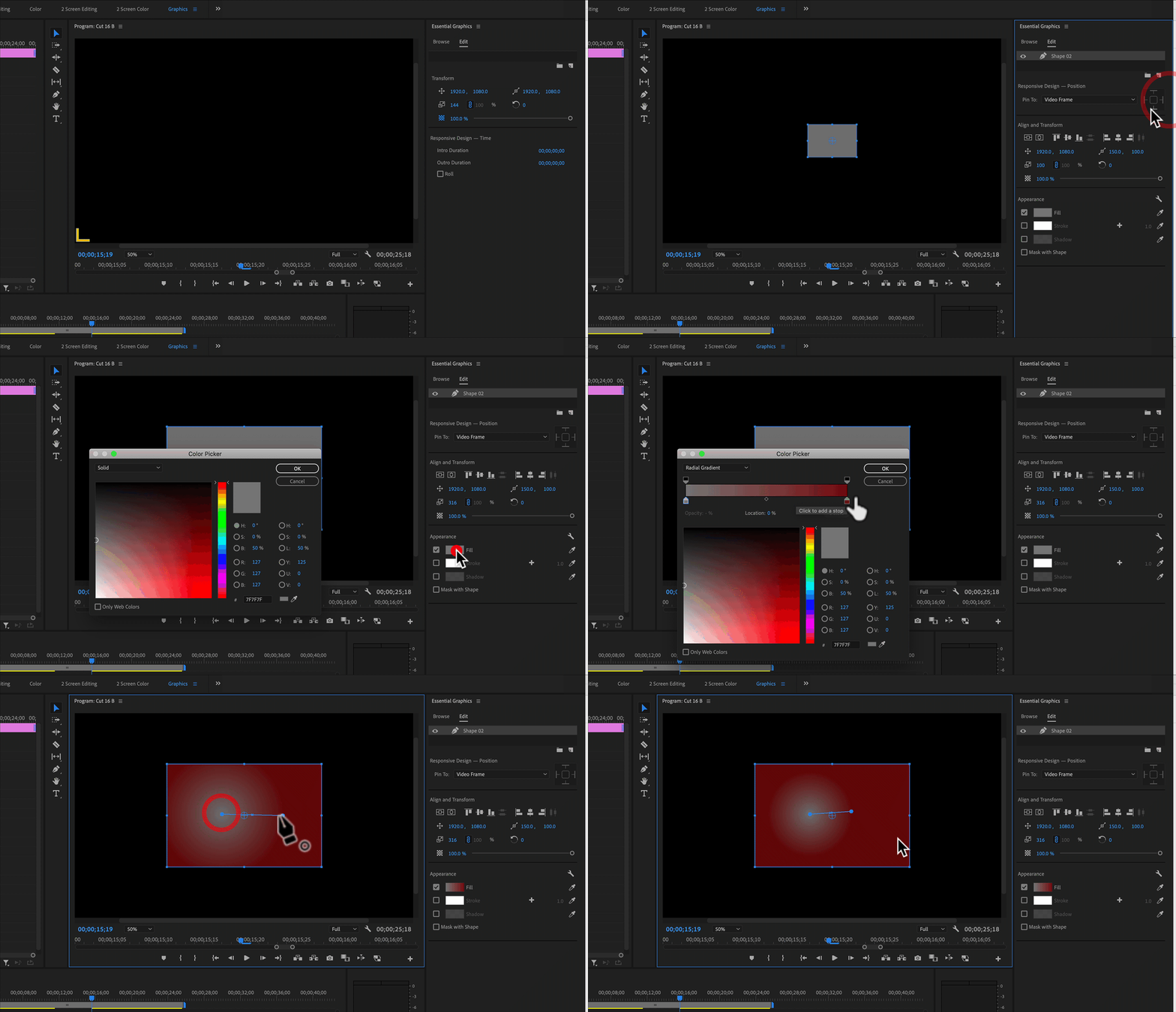
MtD
That's what I actually do, but when I click fill there is no drop-down menu to choose gradient...
Already have an account? Login
Enter your E-mail address. We'll send you an e-mail with instructions to reset your password.
 AdChoices