
August 3, 2023
Answered

Gradually change from Blend Mode: Screen to Normal ? Can it be done?

  • August 3, 2023
  • 5 replies
  • 577 views

I have an Adjustment Layer that's using Blend Mode: Screen  right now
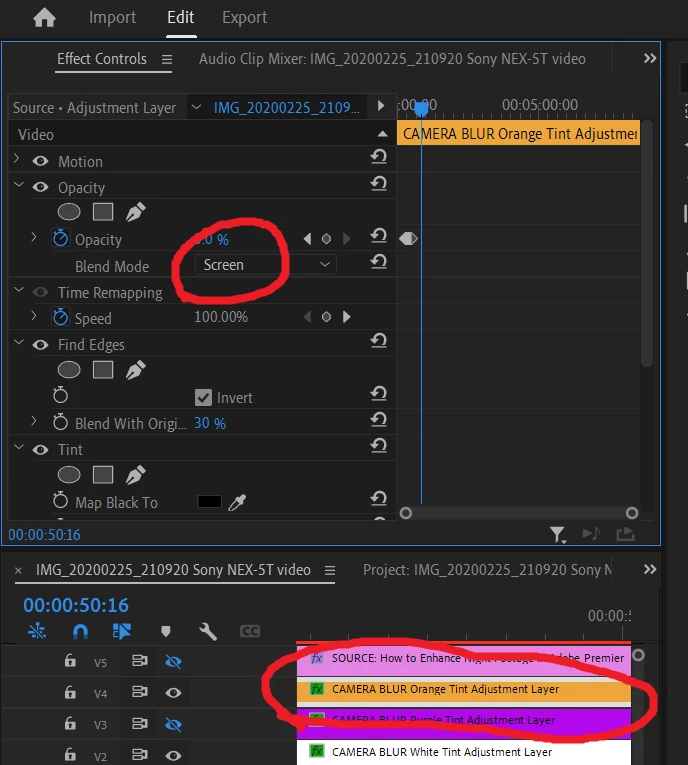


I wanted to run a 5 seconds 'Animation' from Blend Mode: Screen  --to-->  Blend Mode: Normal,

but sadly, there's no Keyframe for doing this.


Is there alternative that can be used to achieve this effect?  (tried splitting Adjustment Layer into 2 parts and adding Video Dissolve effect, but it has a blue tint which is undesired)

My main intent is to fade out the effects in Adjustment Layer (eg. Blend Mode: Screen  --to-->  Blend Mode: Normal   achieves the Desired effect, but without animation). 
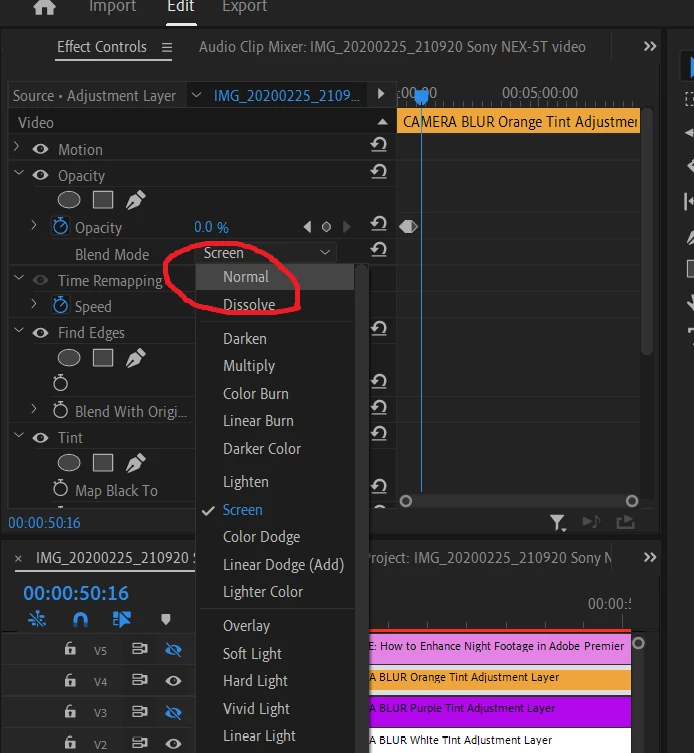
 

I would like appreciate it if anyone could point me to a right direction for this 5 seconds 'Animation' from Blend Mode: Screen  --to-->  Blend Mode: Normal,

This topic has been closed for replies.
Correct answer

I created an entirely new project, and added lesser effects between the splitted Adjustment Layers.

Now, I don't see the Blue tint anymore.


I'll go figure out exactly what's causing this Blue tint by adding the effects back one by one.


Thank you so much for the suggestions, Ann Bens and JayB80

5 replies

Correct answer
August 4, 2023

I created an entirely new project, and added lesser effects between the splitted Adjustment Layers.

Now, I don't see the Blue tint anymore.


I'll go figure out exactly what's causing this Blue tint by adding the effects back one by one.


Thank you so much for the suggestions, Ann Bens and JayB80

August 4, 2023

Here's what I get for using Cross Dissolve in between a splitted Adjustment Layer

Am I doing something wrongly which is causing the blue tint to show up?


Before Cross Dissolve effect (1st part of splitted Adjustment Layer)


Blue tint showing within Cross Dissolve effect (2nd part of splitted Adjustment Layer)


No blue tint after Cross Dissolve effect ended


Ann Bens
Community Expert
Community Expert
August 3, 2023
quote


Is there alternative that can be used to achieve this effect?  (tried splitting Adjustment Layer into 2 parts and adding Video Dissolve effect, but it has a blue tint which is undesired)


By @31210692


Tried this and it works as expected.

The blue tint you are experiencing might be caused by the superimposed clip

Participating Frequently
August 3, 2023

You said you've already tried working with adjustment layers.

But this seems to be working on our side:

Left Adjustment Layer: With effects & Blend Mode set to Screen

Right Adjustment Layer: No effects & Blend Mode set to Normal 

I've applied the Film Impact Dissolve in between these adjustment layers —

But I guess the regular Cross Dissolve should work as well.


Does this work for you?


Best regards,
Jaap

August 3, 2023

I would really appreciate it if anyone could point me to a right direction for this 5 seconds 'Animation' from Blend Mode: Screen  --to-->  Blend Mode: Normal,

Ann Bens
Community Expert
Community Expert
August 3, 2023

Keyframing opacity will that work after cutting the clip.