alessandrar34402254
Participant
February 15, 2017
Question

Graphics export fuzzy and jagged

  • February 15, 2017
  • 2 replies
  • 3308 views

Hi guys, i'm a first time poster so please go easy on me!

I'm fairly new to premiere pro and am essentially teaching myself how to use the program as I go along (clueless).

I created a .GIF image with Photoshop then rendered it as a .MOV video (as I read somewhere they're easier to deal with on Premiere Pro.)

Anyway I'm wanting to overlay this animated map over some BAD iphone footage of an interview. Once I export the video, no matter how many different settings I try, the .MOV video is fuzzy and jagged, making it hard to read!

I've been googling, youtubing and experimenting all night to no avail so I've turned to the forums! Please help me!

Here are some more details:
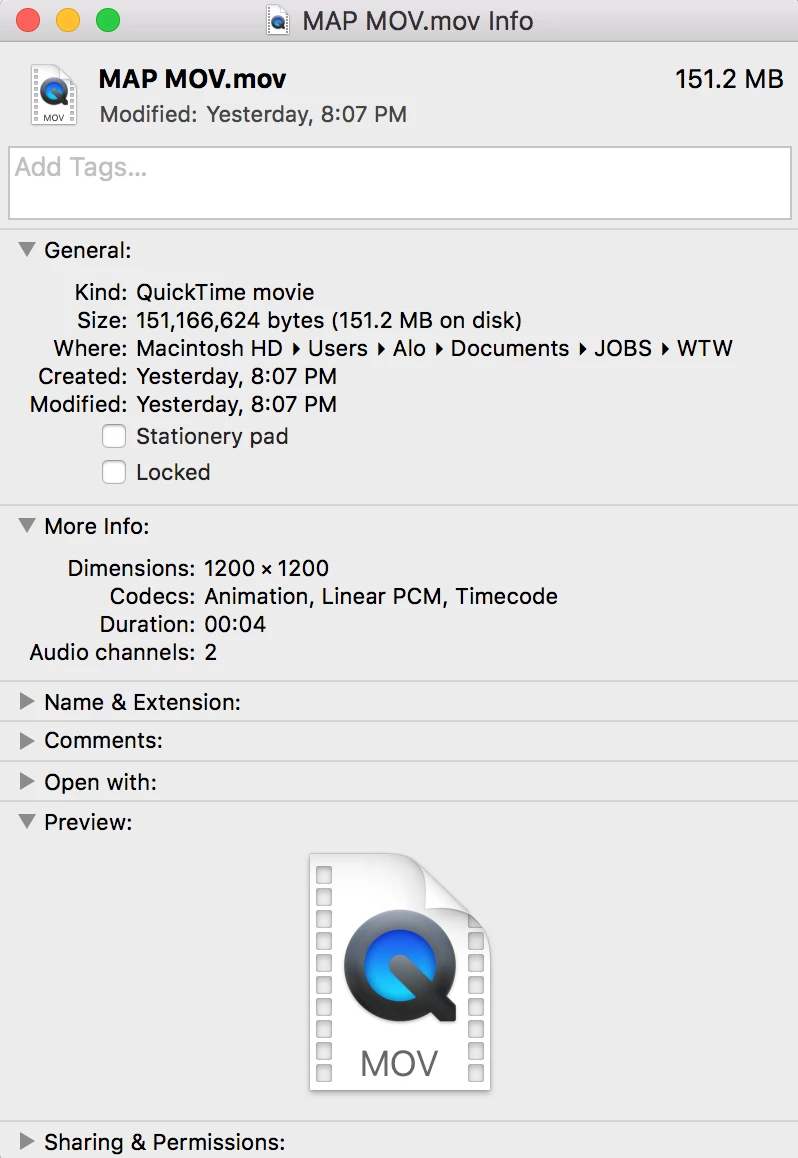
MAP MOV DETAILS
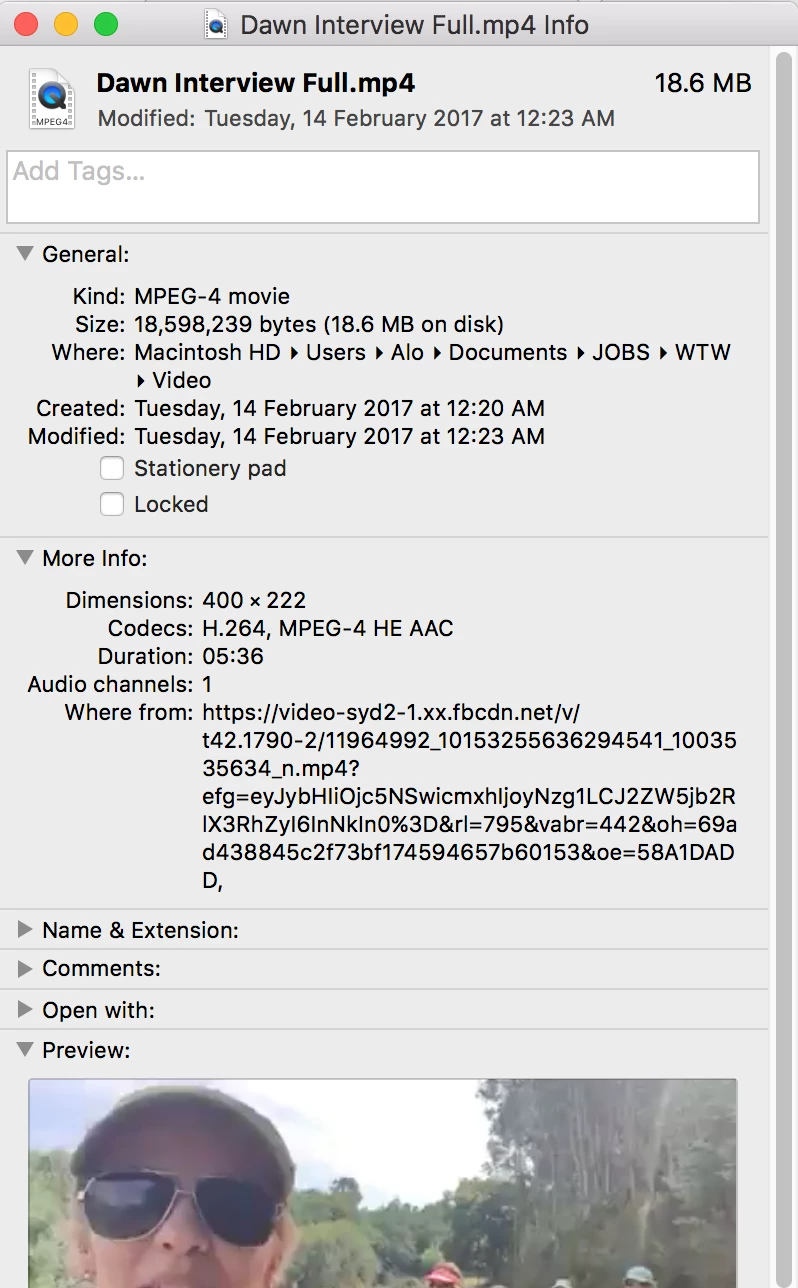
INTERVIEW FOOTAGE DETAILS:
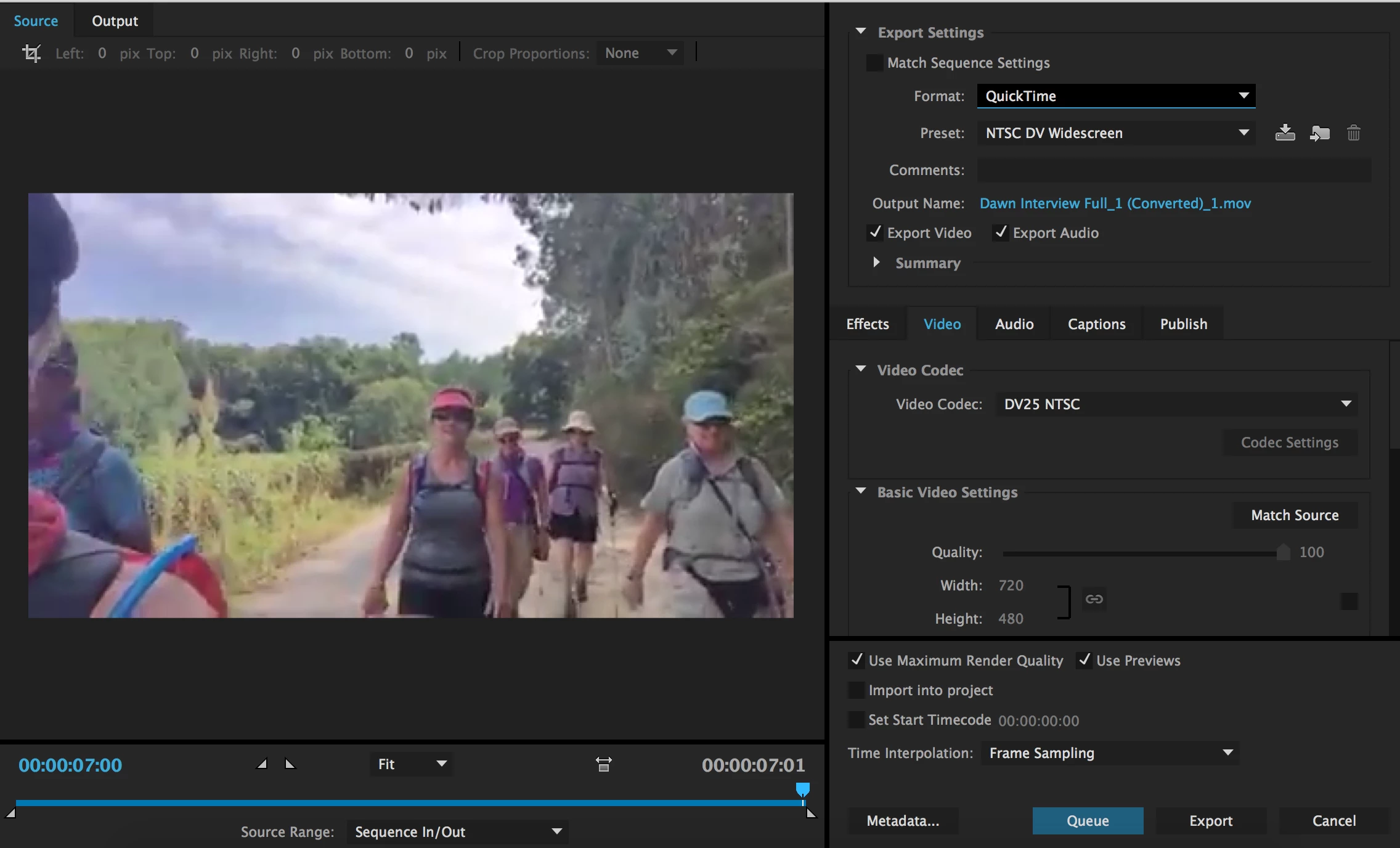
Settings for example video export:
I feel like the problem may be that the interview footage is so crappy in comparison to the animated map that it has had to shrink up and lose heaps of detail? or something??? idk as I said before, clueless!

The issue is also not to do with the .MOV file as i tested the interview video with heaps of other .jpegs and .png's etc they all come out fuzzy!!!!

Thank you!

This topic has been closed for replies.

2 replies

Inspiring
February 15, 2017

In the shot of your export settings, can you twirl open the Summary pane and post a screen shot like the one below:

It is likely that if you have set your sequence settings to match your extremely small source footage, you are stretching and enlarging the sequence on export.

MtD

Participating Frequently
February 15, 2017

Since the interview is already garbage, you can at least maintain the quality of the map sequence. Set up a sequence as 720p (1280x720 pixels), with 29.97 (NTSC) or 25 (PAL) frame rate as appropriate. Then export as 720p. Map will look great!

Just pick AVCHD and then a 720p preset as appropriate

Thanks

Jeff

Ann Bens
Community Expert
Community Expert
February 15, 2017

I would go for ntsc dv widescreen something like this:

Ann Bens
Community Expert
Community Expert
February 15, 2017

The summary of the export settings: would you please open that.

Looks to me your original is stamp size: 400x222.

The map is 1200x1200 which gets reduced on the timeline

And exporting it to SD (enlarging it again) which wont not do the quality any good.

Ann Bens
Community Expert
Community Expert
February 15, 2017

Also post a screendump of the interview in MediaInfo Mac in treeview.