coye
Known Participant
October 3, 2020
Question

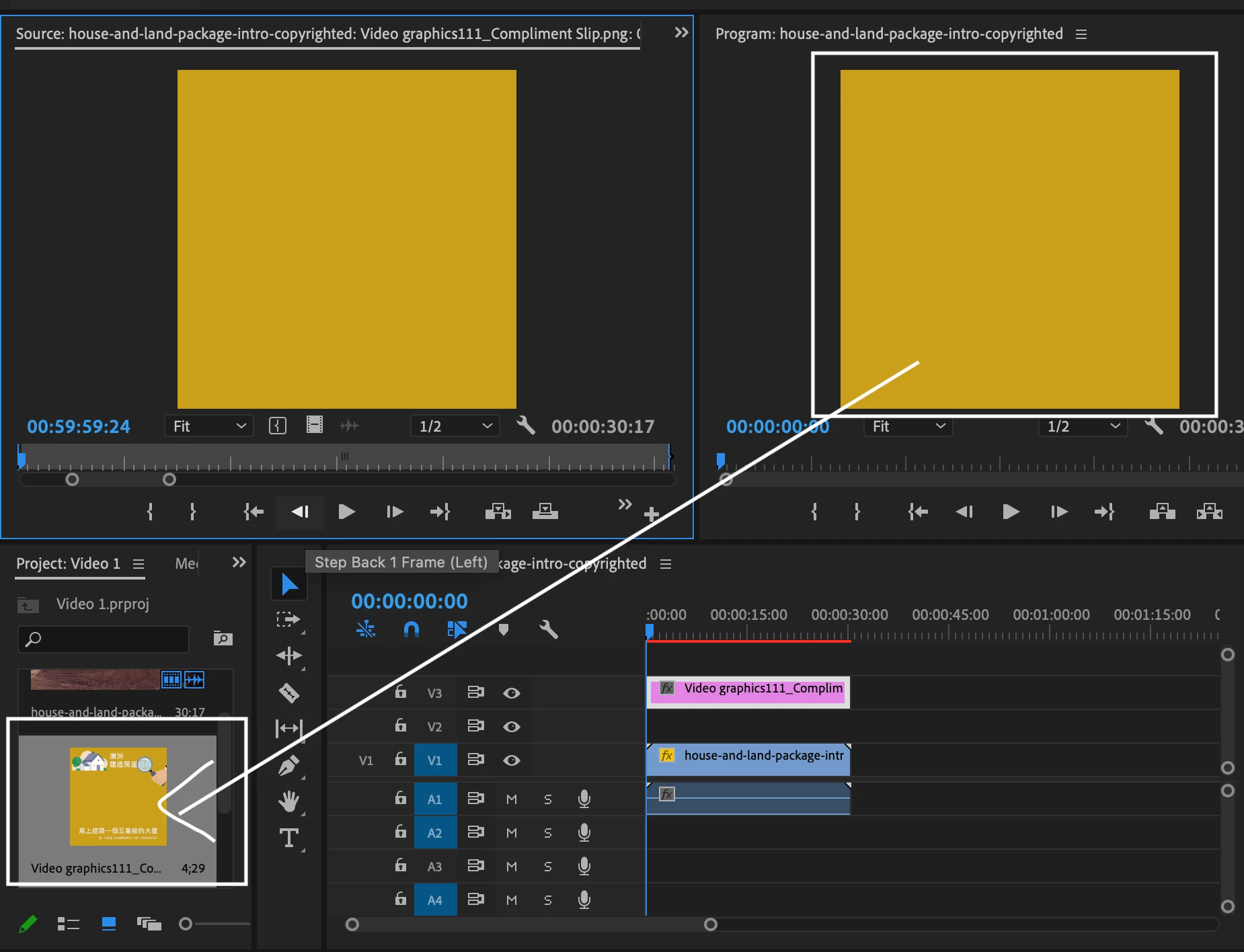
Graphics in the photos are disappeared when I drag it to the track

  • October 3, 2020
  • 2 replies
  • 908 views

Hi all. I made a layout in Illustrator and exported it as a png photo. I wanted to put the photo directly in my video in Adobe Premiere as I was too lazy to redo the layout in PR. However, when I dragged it to the track, it only shows the colour and all the graphics in the photo are disappeared. I am not sure what has happened 😞  Please see the attached photo
This topic has been closed for replies.

2 replies

Community Expert
October 3, 2020

Does the size of the graphic match the size of your sequence? A mismatch here could explain not seeing it in the program monitor but it does not explain why it can't be seen in the source monitor.

Ann Bens
Community Expert
Community Expert
October 3, 2020

it does not explain why it can't be seen in the source monitor.

It does if its opened from the timeline.

Ann Bens
Community Expert
Community Expert
October 3, 2020

Most likely the graphic it too big to fill the frame: hit Set to frame size.