Participant
December 11, 2021
Answered

Great decrease in video quality after exporting.

  • December 11, 2021
  • 1 reply
  • 534 views

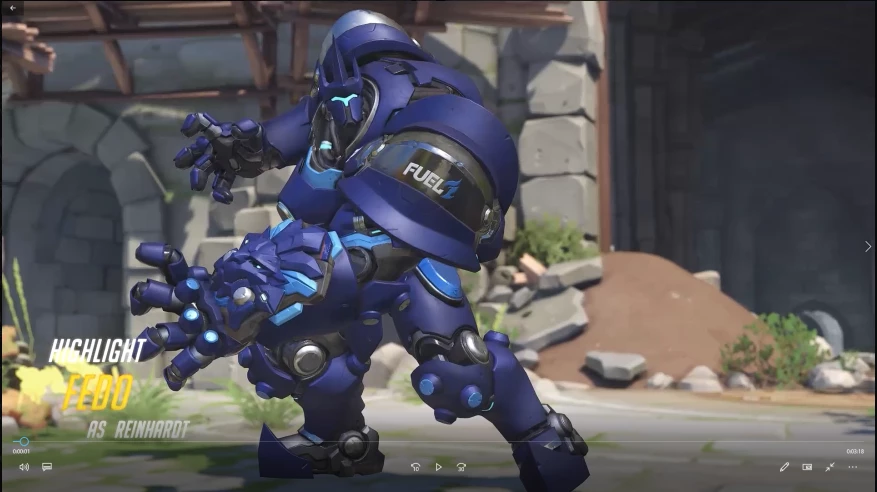
I've exported videos to upload to youtube in the past but usually just dealt with the quality drop. I make montages compiling clips and they're 1080p 60fps to begin with. When editing everything is fine, they look HD and watching it back after rendering is great. It's post-export when I look back at the full video that it appears 720p.
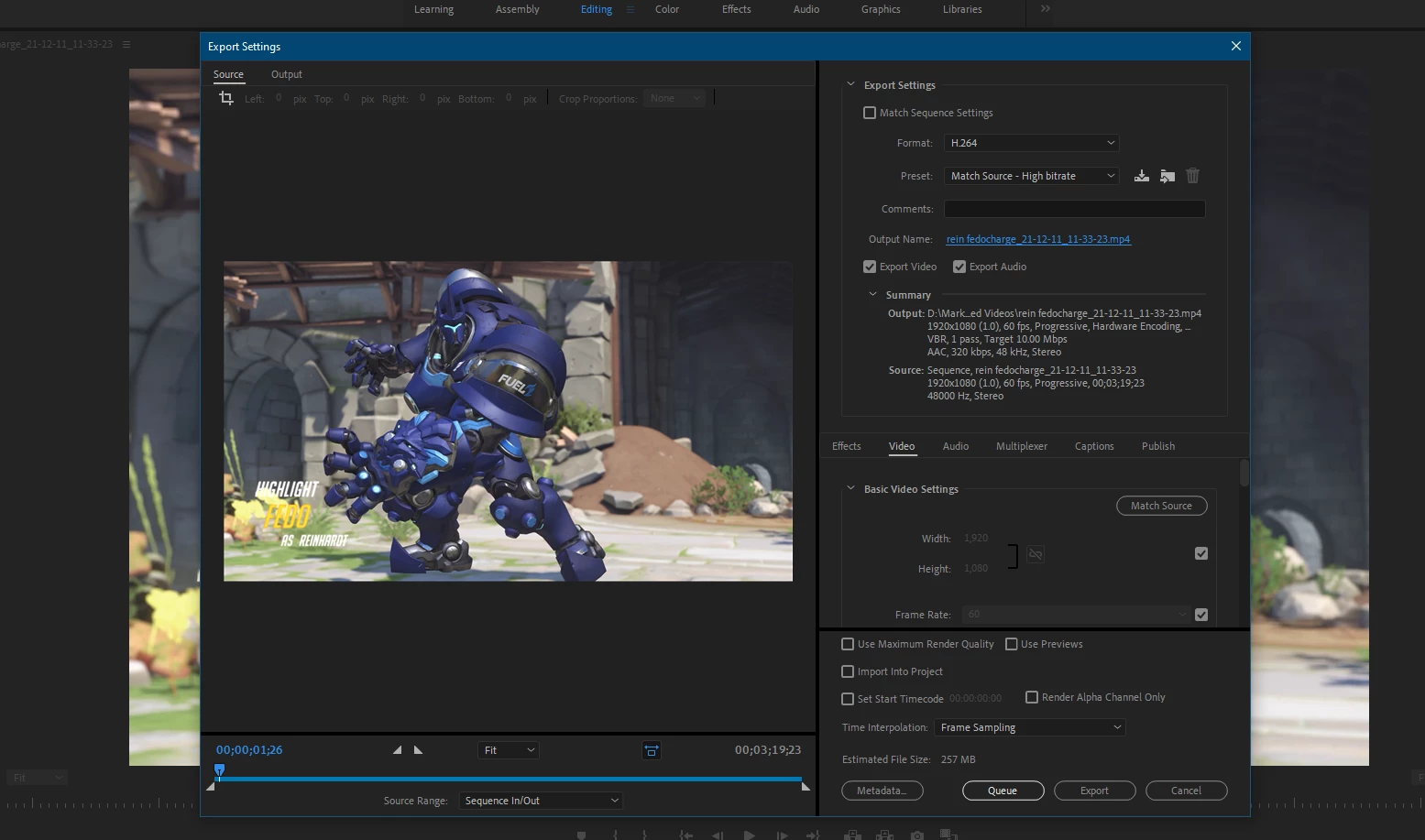
Here's my export settings as they appear right after I hit export:
And here's after (top) and before (bottom):
 

 I've been all over the web and nothing has fixed this issue for me so far. What do I do?

This topic has been closed for replies.
Correct answer Ann Bens

Turn off hardware encoding and bump the bitrate.

Do bear in mind YT re-encodes.

1 reply

Ann Bens
Community Expert
Ann BensCommunity ExpertCorrect answer
Community Expert
December 11, 2021

Turn off hardware encoding and bump the bitrate.

Do bear in mind YT re-encodes.

Fedo3000Author
Participant
December 12, 2021

I think that did it! I'll post an update if there's some other issue but on first look it seems like the quality stayed consistent after I exported.

Fedo3000Author
Participant
December 12, 2021

Alright well the export came out well, now the issue is just trying to get youtube to upload in the same quality, so I'll take that half of the battle elsewhere if no one has a solution for that here. Thank you!