
Inspiring
September 1, 2022
Answered

Green Bars at the bottom of 9x16 Exports

  • September 1, 2022
  • 3 replies
  • 2677 views

Hi,


We are seeing solid green bars at the bottom 1/4th of the frame on 9x16 exports. This issue is only happening on our new Mac Studio and only with 9x16 exports. Exporting the same project from an older, Intel iMac does not cause this issue. We have recreated this issue with both Software and Hardware encoding in Media Encoder and directly out of Premiere. Is this a known issue? Is there a resolution beyond time-consuming workarounds? 
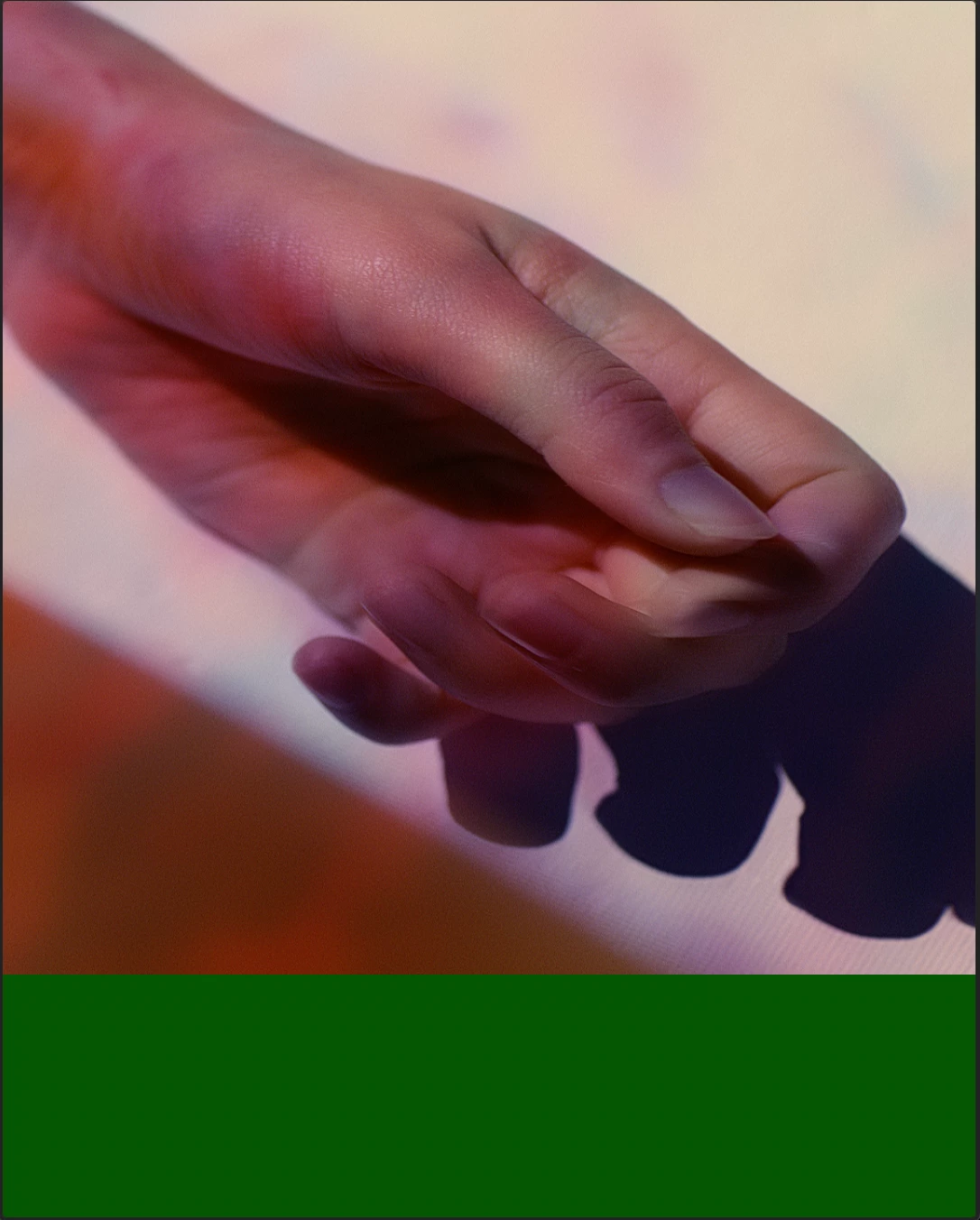


More Detailed Specs...

Adobe Premiere 22.5

Mac OS 12.4

Mac Studio 2022 M1 Max

Footage format PR4444XQ, Sequence settings PR4444XQ, Export settings PR4444XQ

This topic has been closed for replies.
Correct answer billyc9160

Oh man, sorry, Billy. Have you tried v. 23.0 yet, by chance? Can you also check the 23.1 Beta?


Kevin


Hey @Kevin-Monahan We're working on a couple of the bigger tentpole titles right now, so I hadn't had time to test 23 and I am hesitant to move the projects over when we've been doing in 22, BUT...I did a quick test and it seem to be fine for 4444 and 422HQ exporting a 4x5 and 9x16 with a ton of AE exports on it.  We're using teams, so I may convert our teams project to a project and export using 23 PP and ME.  If this consitantly works, I'll just start using 23!  Hopefully this thread will help others.  I can't tell you how much time and energy I've spent trying to figure out workarounds!  Appreciate the reply Kevin.

3 replies

Odobe
Known Participant
September 12, 2022

Having the same problem across 9x16 / 4x5 / 1x1 crops- and super slow exports / sending to media encoder.


Somethings not right in the latest update - the current Beta isnt any better

Kevin J. Monahan Jr.
Community Manager
Community Manager
September 13, 2022

Sorry, Odobe,

I cannot reproduce this issue. Are you on macOS or Windows? What is the source footage? Can we get your system specs?


Thanks,
Kevin

Kevin Monahan - Sr. Community and Engagement Strategist – Adobe Pro Video and Audio
Odobe
Known Participant
September 13, 2022

4444 Pro Res on Mac OS on a new Studio M1  - 16x9 4k footage resized to 9x16 - I think that's the issue - but even nesting doesn't help - I did a teamviewer session with one of your support guys yesterday and we recreated the issue together - he said he would come back to me which was really helpful. I can DM you some screenshots but can't make them public. Appreciate the support i got yesterday though - was very thorough.

Warren Heaton
Community Expert
Community Expert
September 1, 2022

It's a known bug in After Effects where the resolution is to go to Preferences > Output and disable "Enable ProRes hardware accelerated encoding, if available."  Is this an After Effects Comp in Timeline?


-Warren

Participant
September 1, 2022

Not an After Effects comp.

Inspiring
September 1, 2022

Oops. This is me (OP) under a different account.

MyerPj
Community Expert
Community Expert
September 1, 2022

Typically it's a mismatch of Sequence settings to Export settings. You managed to open the problem project on an older machine, is that machine running 22.5?

Participant
September 1, 2022

The older machine is running 22.5. As best I know the settings matched but I'll keep an eye out.