
Question
Green distortion/compression artifacts after rendering
Hi there!
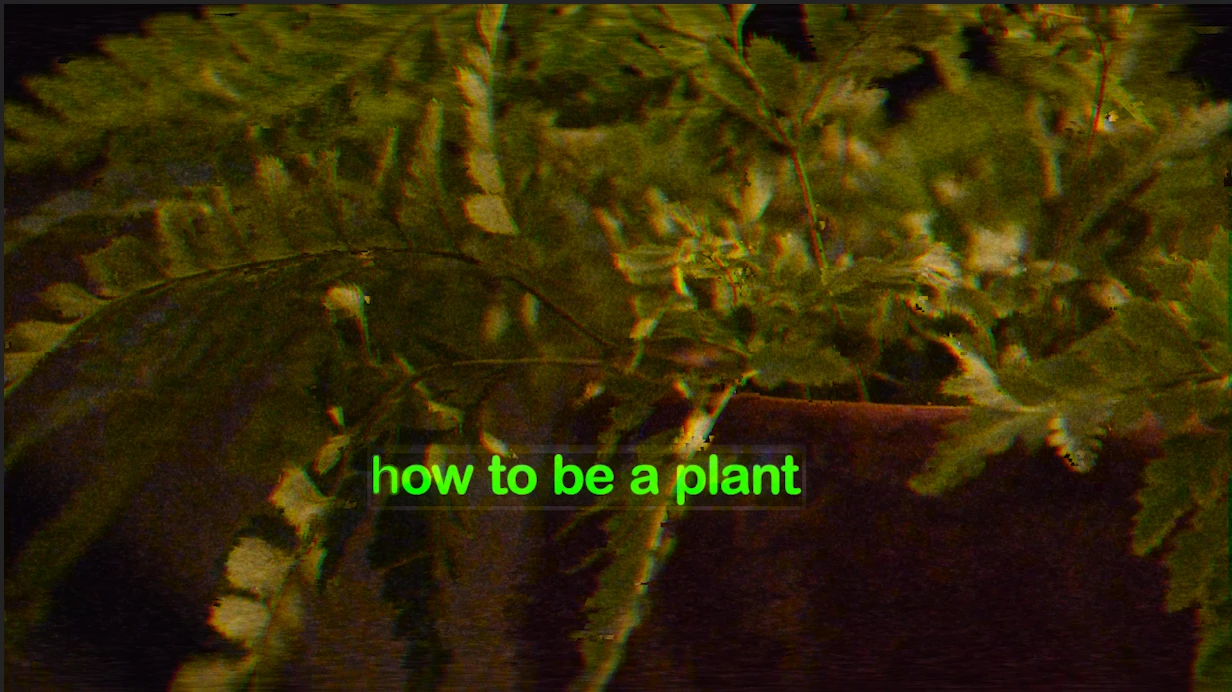
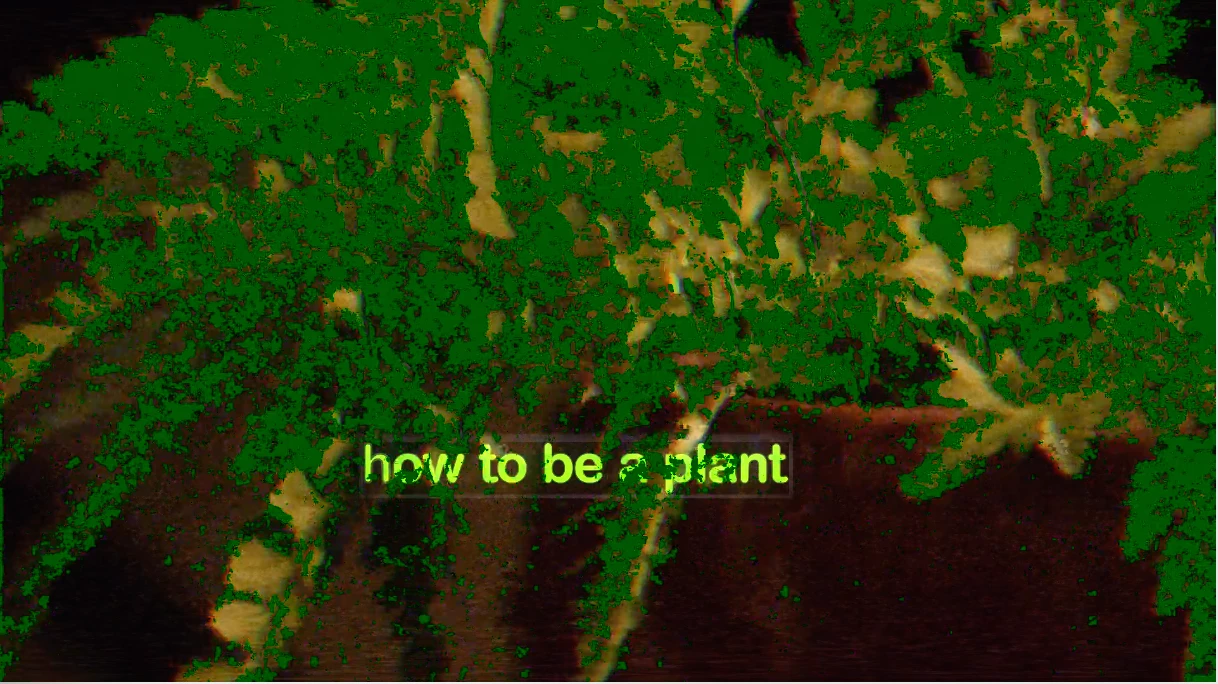
I am experiencing these green artifacts in a few clips from my video after rendering. I have changed just about every render option, I have opened my movie in more than one application, and I restarted my machine—this problem won't go away. Things look good both in Premiere, and when I am selecting rendering options in Media Encoder. As soon as I hit render, I can spot the distortion from the Output Preview in Media Encoder. Then every time, the file comes out with artifacts.
Here is a screengrab from the Premiere preview screen, and a screengrab from my exported movie. I am using a 2016 macbook pro, and this is raw footage from my Nikon D3300. (The distortions in the first image are intentional)
Thank you!!!!
 AdChoices