
Participant
April 5, 2018
Answered

Green filter on .mov and .mp4 files when imported and placed on timeline

  • April 5, 2018
  • 1 reply
  • 2896 views

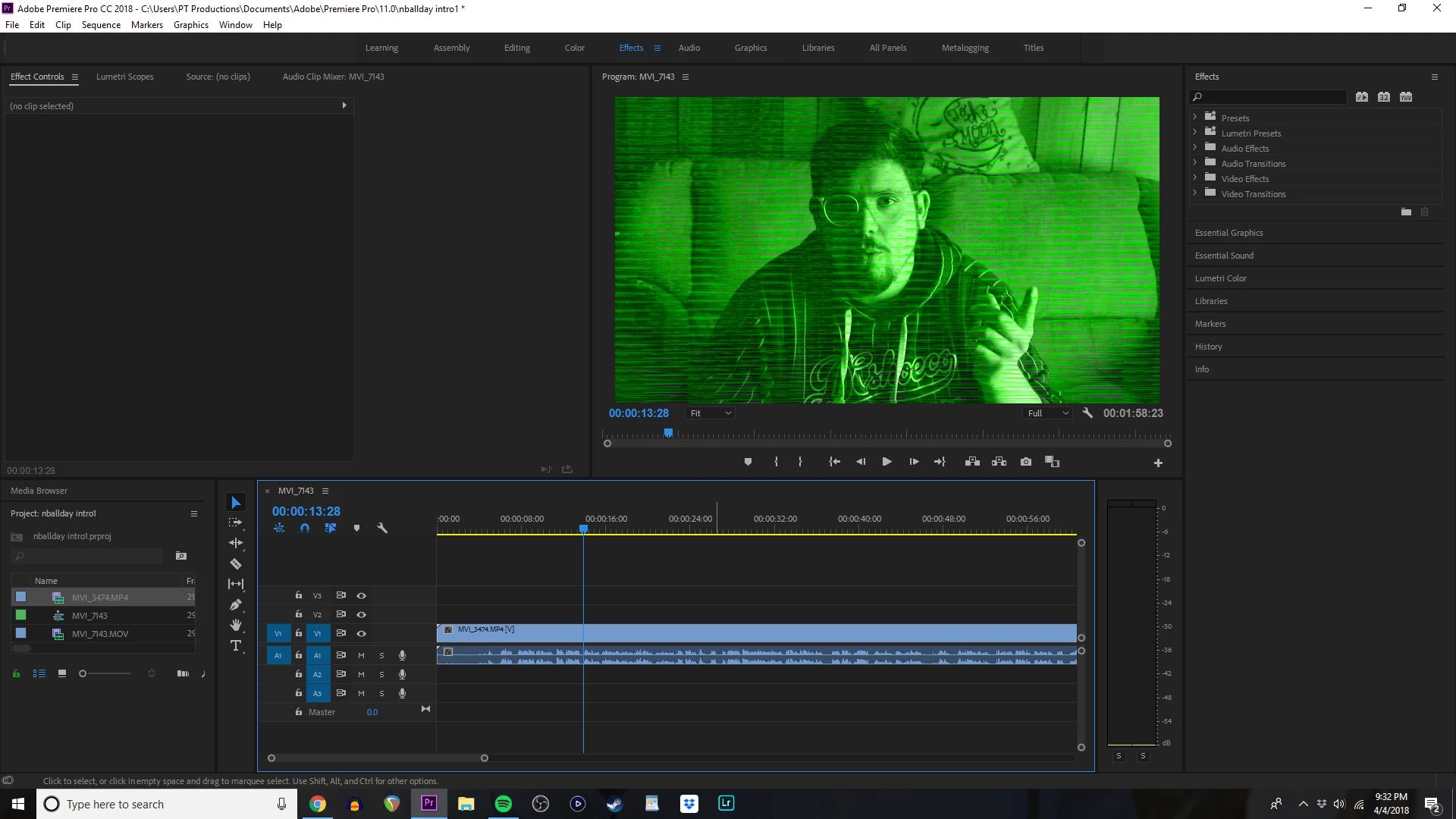
I have tried several .mov and .mp4 files and I still get this weird green and sometimes purple filter on the video when it's in my timeline. The normal file obviously doesn't look like this and I have no problems when I plug it into an editing program like Hitfilm 4 Express. I have tried different files, different file types, started a new project, restarted Premiere Pro, restarted my PC, deleted and reinstalled the program and I still have this problem. I'm just trying to get this fixed and I don't know what is wrong. I'm sure it's something dumb that I've done but I'd love a solution.
    This topic has been closed for replies.
    Correct answer R Neil Haugen

    That is typically a GPU problem. What is your OS/CPU/RAM/GPU data for that computer? In your Project settings, are you set for Mercury Acceleration, and if so, which option? Does this improve (if accelerated) by going to Software only mode?

    And if it is a GPU issue, manually check for having the latest driver by going to the manufacturer's site and checking driver numbers for that card.

    Neil

    1 reply

    R Neil Haugen
    R Neil HaugenCorrect answer
    Legend
    April 5, 2018

    That is typically a GPU problem. What is your OS/CPU/RAM/GPU data for that computer? In your Project settings, are you set for Mercury Acceleration, and if so, which option? Does this improve (if accelerated) by going to Software only mode?

    And if it is a GPU issue, manually check for having the latest driver by going to the manufacturer's site and checking driver numbers for that card.

    Neil

    Everyone's mileage always varies ...
    Participant
    April 5, 2018

    Neil you are a lifesaver! I don't pretend to understand what the difference between Software only mode and GPU Acceleration are but that fixed it! Thank you very much.

    Participating Frequently
    May 11, 2018

    Same issue after Intel graphics driver update in March - I rolled back to earlier version. April windows update pushed the new Intel driver out again and problem came back - once again I rolled back to 2017 driver to fix the issue.