Fábio Lucas
Participating Frequently
July 30, 2024
Question

green screen in premiere pro
  • July 30, 2024
  • 1 reply
  • 458 views

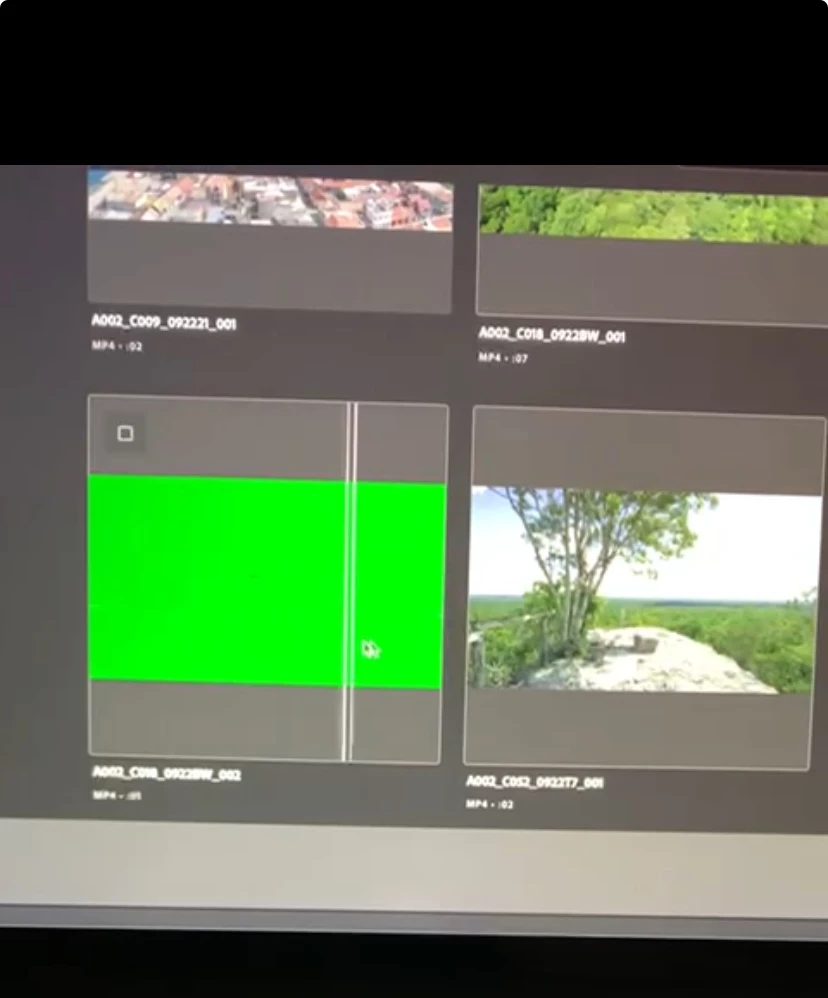
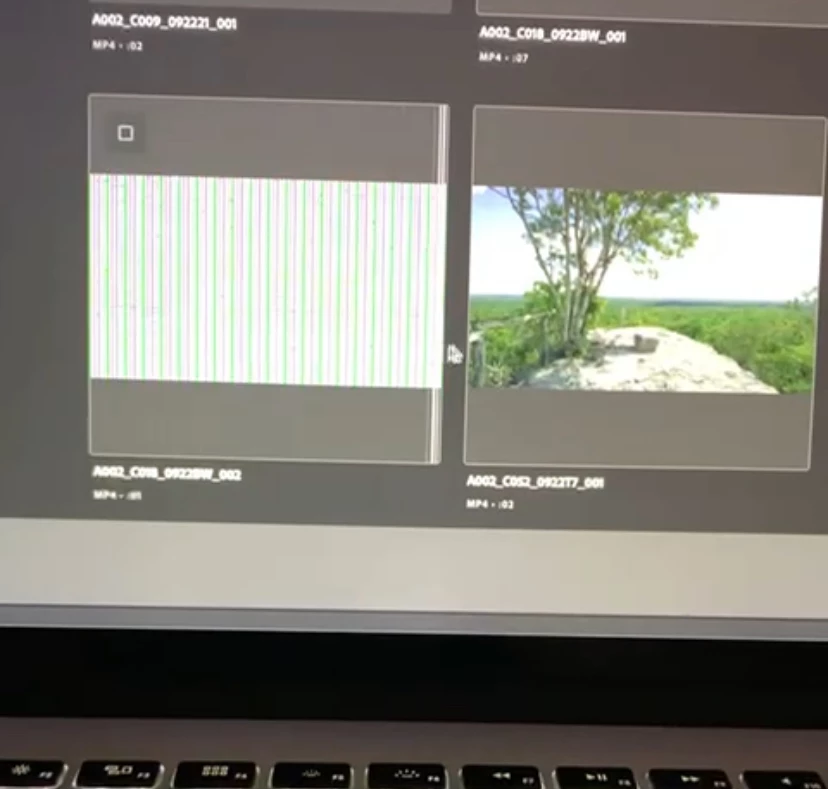
  Hello everyone, I recently bought a MacBook Pro 2013 15 model A1398 and I'm having problems playing the Premier Pro preview. Does anyone know what it could be? The preview turns green or has static

This topic has been closed for replies.

1 reply

Ishan Y
Community Manager
Community Manager
July 30, 2024

Hi there,

Sorry for the issue. Could you check if there are any OS updates available on your system? OS updates come with display drivers. Updating them can help fix preview issues. Please also share your current Premiere Pro version and system specifications (OS, OS version, CPU, GPU, RAM). These details will help us better understand the issue.


Post moved to Discussions for troubleshooting.

Thanks,

Ishan

Please tag me (@) in your replies so that it notifies me and helps me respond promptly.
Fábio Lucas
Participating Frequently
August 1, 2024

Hello Ishan, I hope everything is going well with you. I recently purchased a Macbook Pro Retina Late 2013 I7 16gb 512gb Gt75 model a1398. The system installed is Big Sur 11.7.3. I have a pending update to version 11.7. 10. I'm going to do it and come back here to tell you if it worked. I'm using version 23.0 of Premier Pro. I tried using the oldest version available to see if it would solve the problem, but the problem persists.

I don't know if you can help me with this, but I'll leave this question here too. And about the Mac system, when I try to update to 11.7. 10, the latest version, it freezes on the Apple screen after restarting. The fan speeds up a lot, then it turns off. Do you know what the problem could be?

Kevin-Monahan
Community Manager
Community Manager
August 1, 2024

Hi @Fábio Lucas, Hi @

Thanks for writing in. This Mac does not meet the system requirements for Premiere Pro. Sorry about that. The CPU you have is a Gen 4 chip, and the minimum requirement is a Gen 6 i7. You also have a GPU that meets minimum requirements. However, it is an NVIDIA CUDA-based one that won't work as CUDA on macOS has been deprecated for some time now. I believe that is why you are receiving unexpected behavior.


Typically, you do not want to rely on a computer that is five years older than the version of software and macOS you have installed.


I would try v. 12.1 if you have it available. If it is not installed, I recommend you update to a Mac with more modern specs.


Sorry for the frustration.


Thanks,
Kevin

Kevin Monahan - Sr. Community and Engagement Strategist – Adobe Pro Video and Audio