
Guide Values Showing at Half Value
I posted this question about 5 months ago and never received any email notifications, so I did not realized it had been responded to. With such a gap, I am attempting to post my issue again, but this time with a bit more technical information to help.
I am having an issue with the Guides that can be placed from the Rulers in the Program view window. For some reason the value for the Guides location is half of what it should be. For example, by adding a Guide at 50% left, the Guide is placed on the right edge of the frame, at 100%. If the Guide is moved into the center of the frame, the value listed is 25%. Is there a setting I am missing or is something bugged in my software?
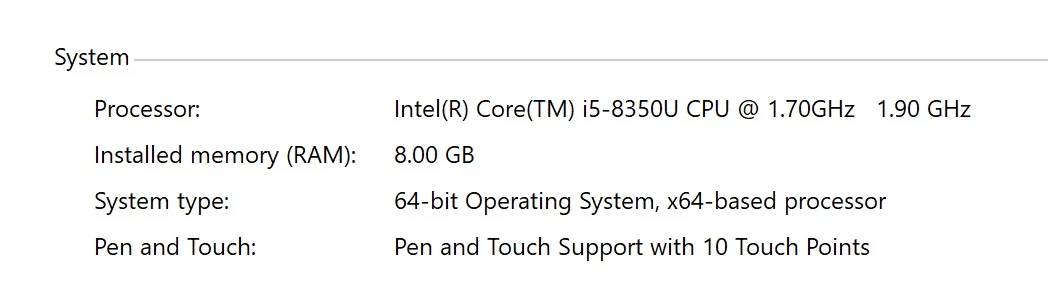
I am using a Microsoft Surface Pro that is only a year or 2 old. Premiere Pro is version 14.7.0. The reccomended resolution by the OS is 3000x2000. Here are some other specs that could be relevant to the questions.
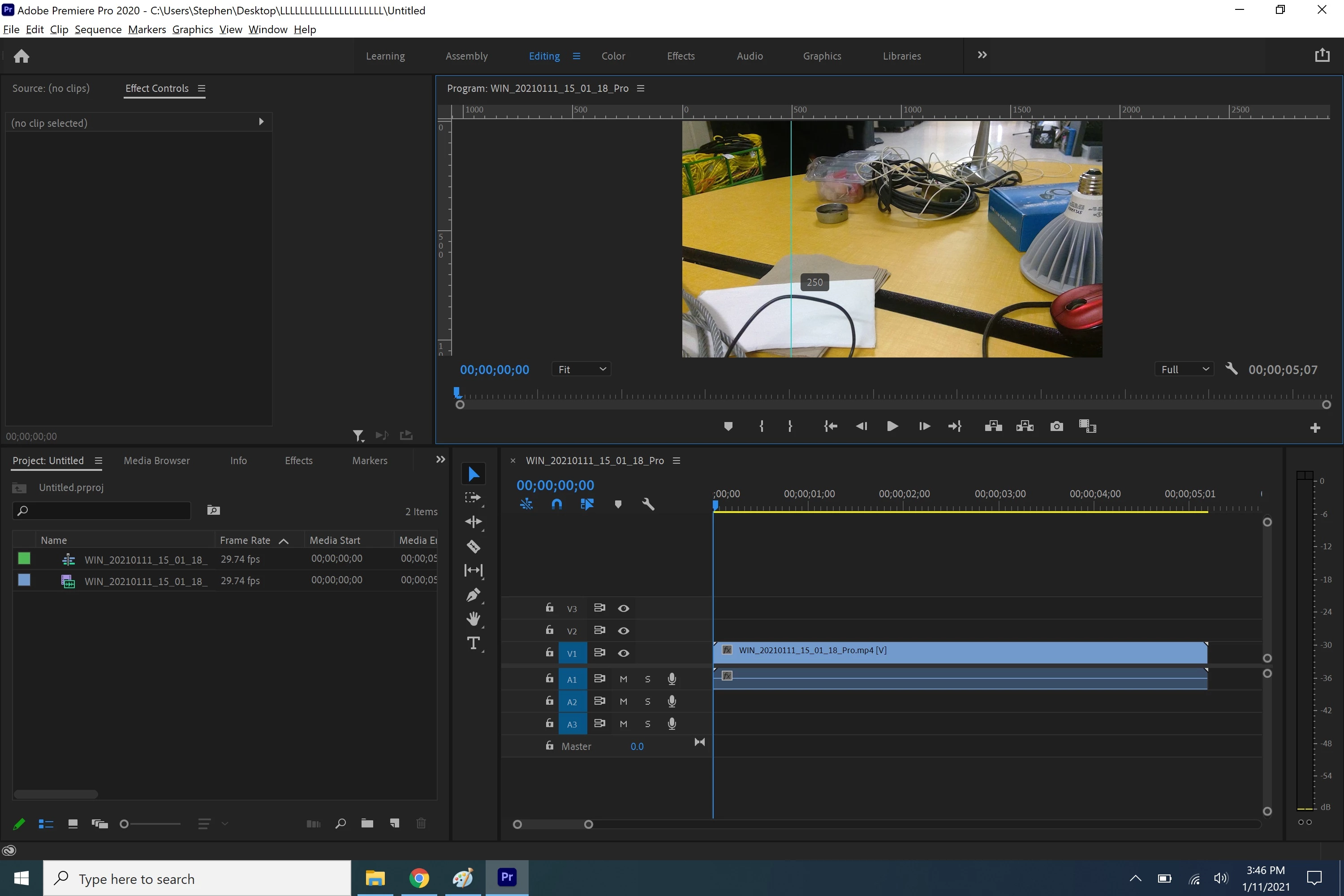
In this first image you can see an example of what I am talking about. The ruler shows the Guide to be at 500 pixels, but the Guide itself shows 250.
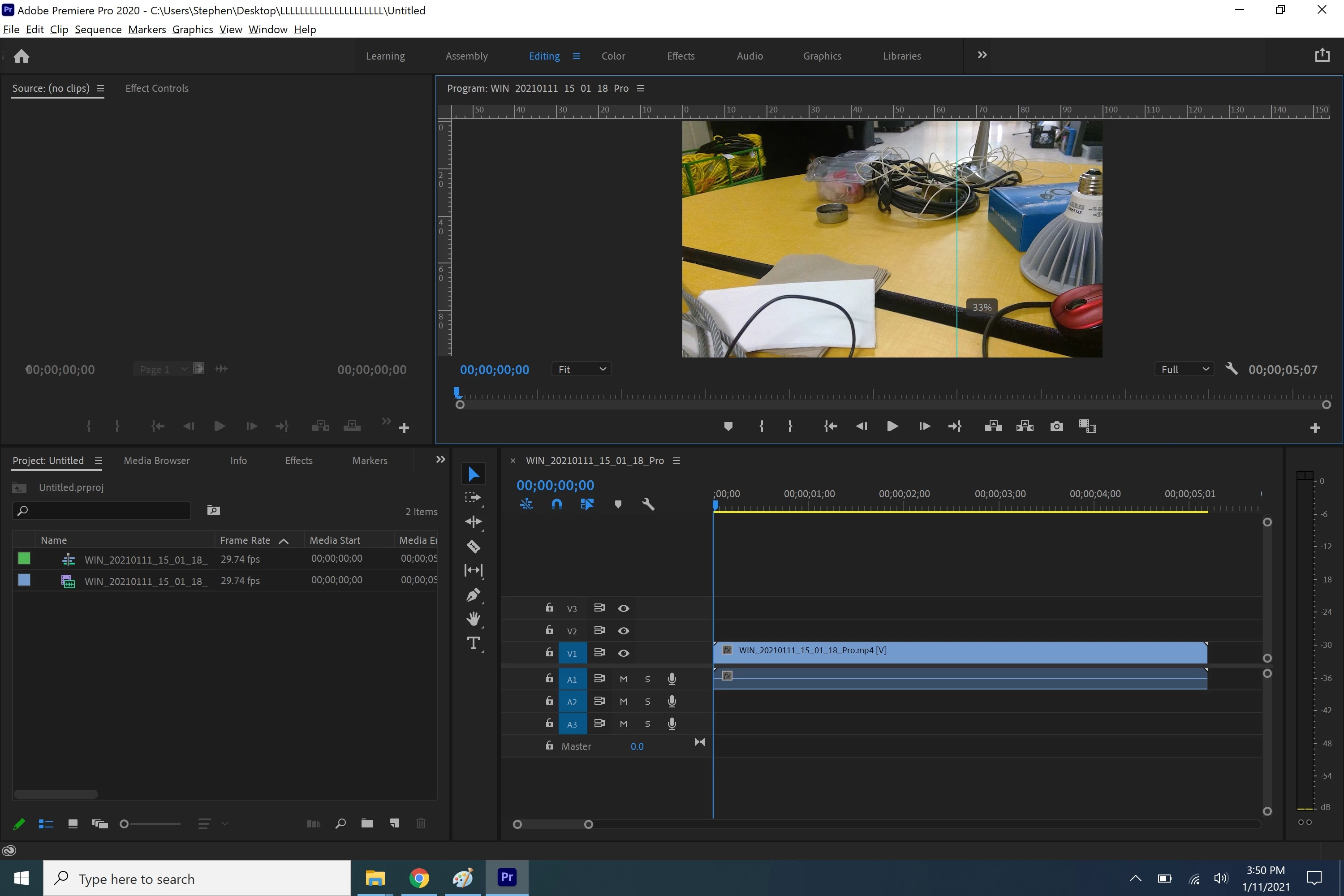
Just to cover my bases, here is basically the same image, but done in a percent form. Once again, the Guide on the ruler shows around 66%, whereas the Guide itself thinks it is at 33%.
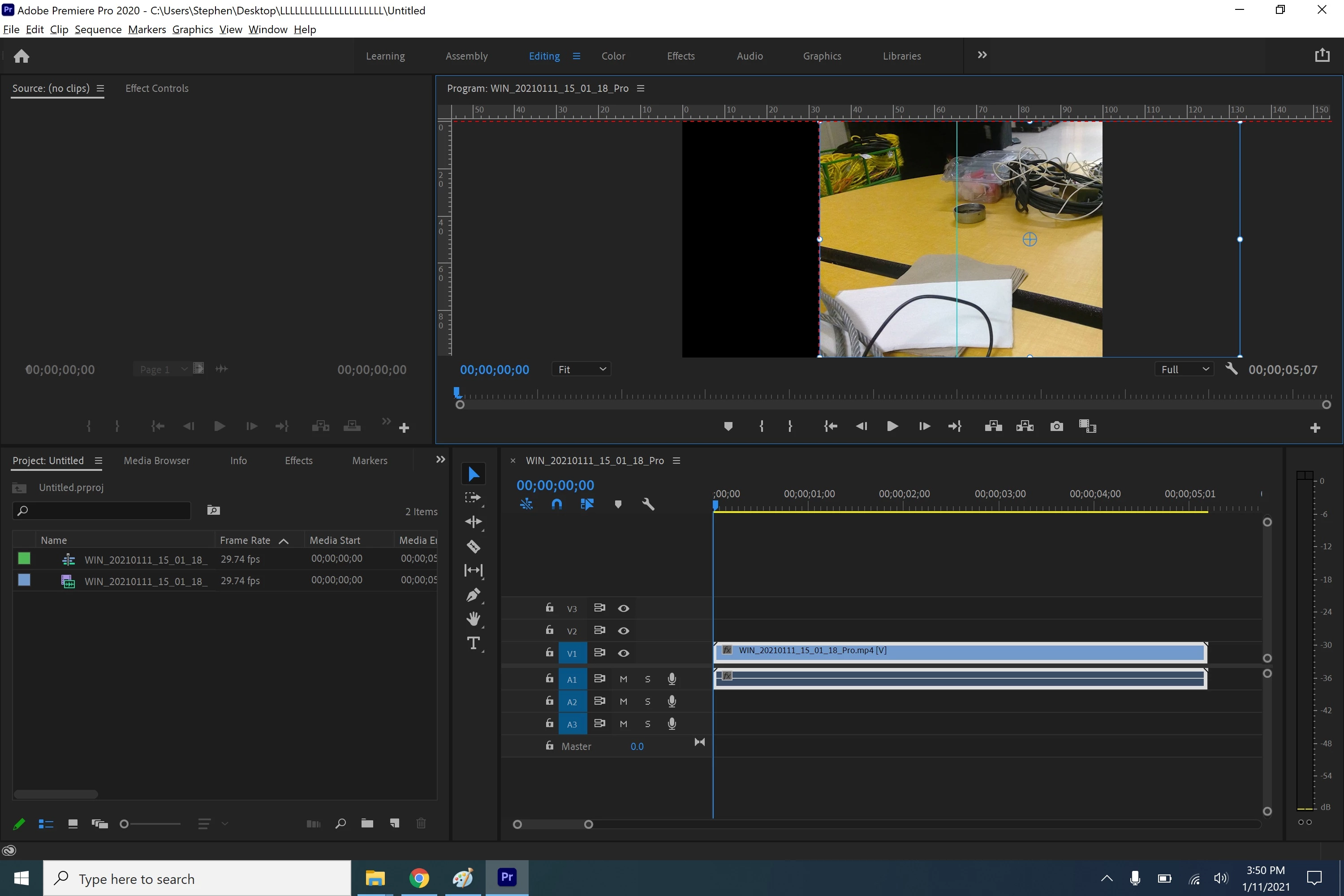
For the next two images, I turned on "Snap in Program Monitor". You can see in the first image it is snapping to around 33%, where the Guide thinks it is. However, in the second image, the video is not snapping to 66%, where the Guide visually appears to be.
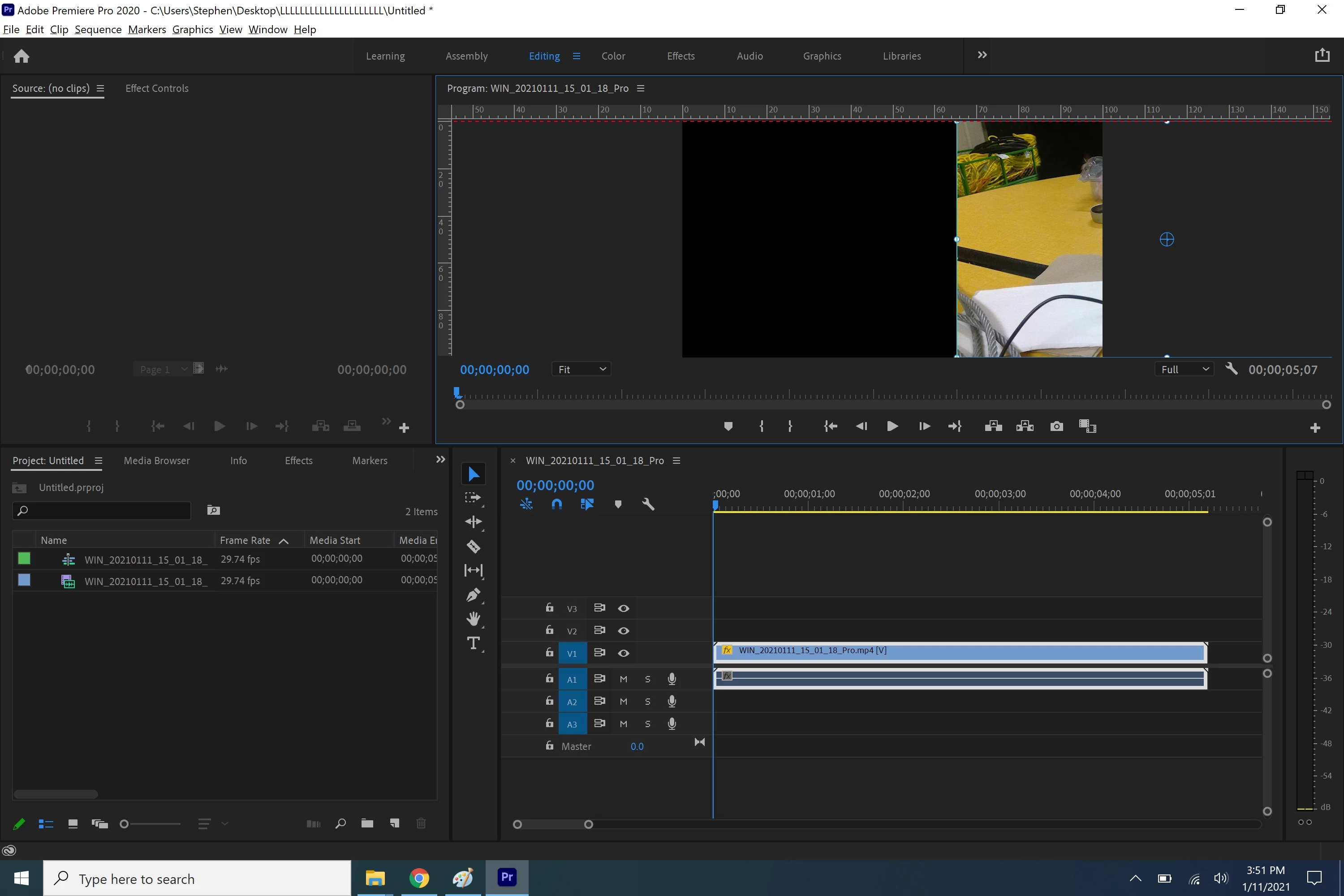
I found another question on the Community where someone suggested to change the compatability of Premiere to "Override high DPI scaling behavior". However, as with the original poster of that post, while it did fix the Guides being in the correct location, it also shrunk all of Premiere down in the windown, making especially difficult the use of the mouse as the icon becomes extremely tiny.
If anyone has any kind of insight I would still appreciate help fixing my issue. I will try to be more diligent about checking this website in case I do not receive any emails. Thank you for any help you can give.
 AdChoices