Known Participant
May 13, 2022
Answered

Guides to Text

  • May 13, 2022
  • 3 replies
  • 582 views

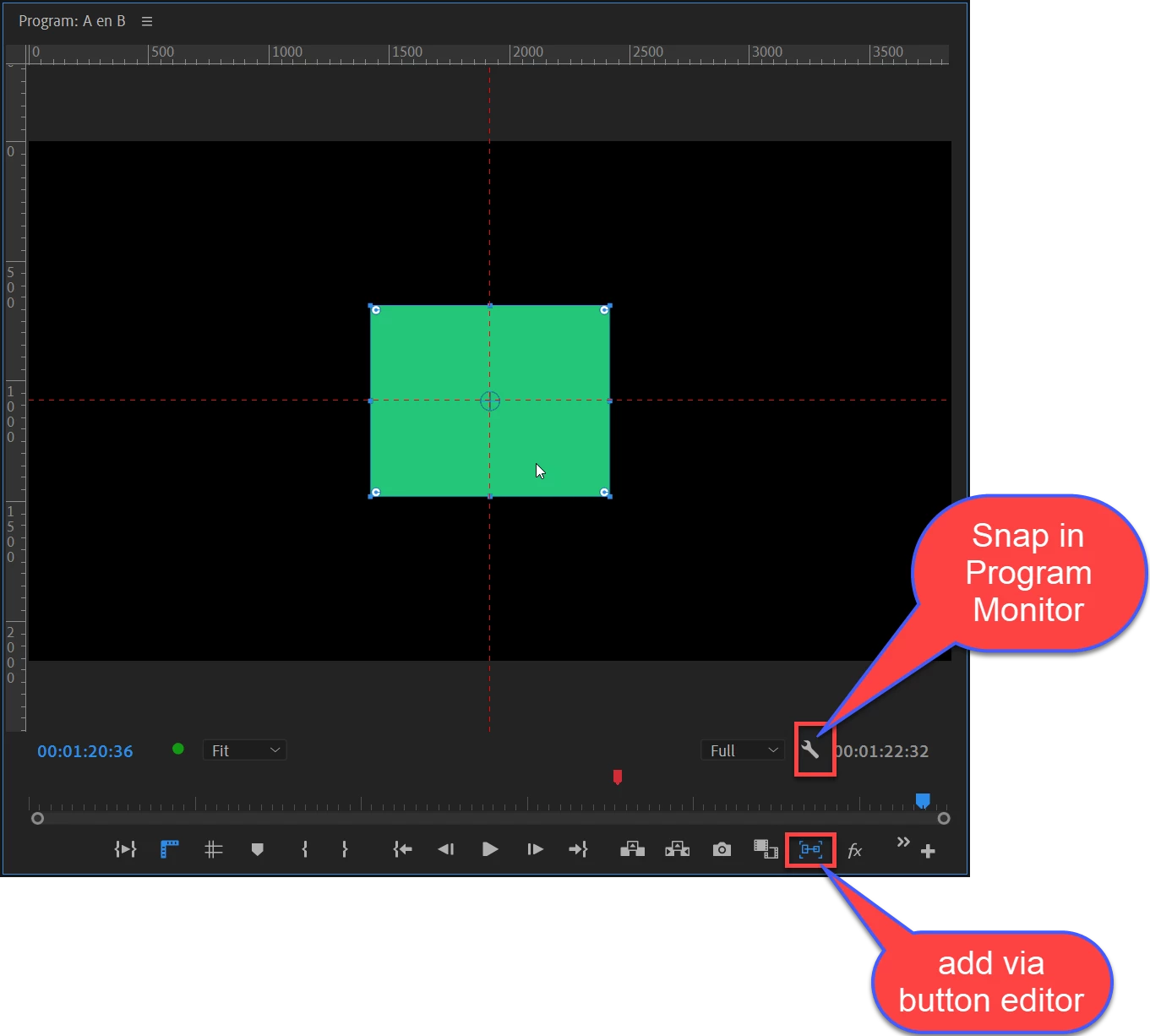
I am using a text element on the final area in my timeline. I'd like to position it and center it. I enabled "Show Guides" in view, but nothing comes up to be able to center. I'd like when I move it to have guidelines show so I can center in all directions. Thanks!
This topic has been closed for replies.
Correct answer Ann Bens
 

3 replies

Ann Bens
Community Expert
Ann BensCommunity ExpertCorrect answer
Community Expert
May 13, 2022
 

Known Participant
May 14, 2022

This is exactly what I was looking for! Thank you!

Community Expert
May 13, 2022

You can use alignment buttons:

Also, when you move the text element in the program monitor, you can press "ctrl" and you will have some live guides which will let you snap that text to the center or to other graphics elements

Known Participant
May 13, 2022

Follow-up...went it "center align" text, for some reason it moves it to the left side???