Answered
Having an issue with sequence framerate
Hey, I can usually find a solution to any problem i have with premiere online but ive found nothing for this
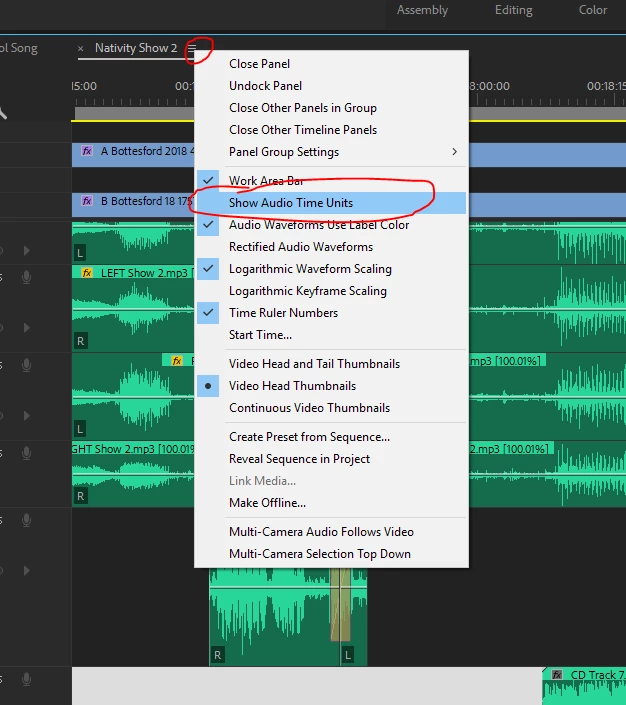
I recently imported a clip i downloaded and it has appeared to change the sequence framrate to around 44.099 frames, which makes it significantly difficult to keyframe effects. (44,099 frames per second). when i rightclick on the timecode of the sequence it says these are audio samples, so Im guessing i somehow switched off from framerate. Is there anyway to go back to framerate timecode? i switched to milliseconds but the "Step Forward One Frame" tool still only steps 1/44,099 frames forward.
https://gyazo.com/ec8d0c6a5a09699c3549371507909f91
^screenshot of timecode
Thanks for any help!
 AdChoices