


Participant
Jun 16, 2025 12:51 AM UTC
Question

Having issues with my audio

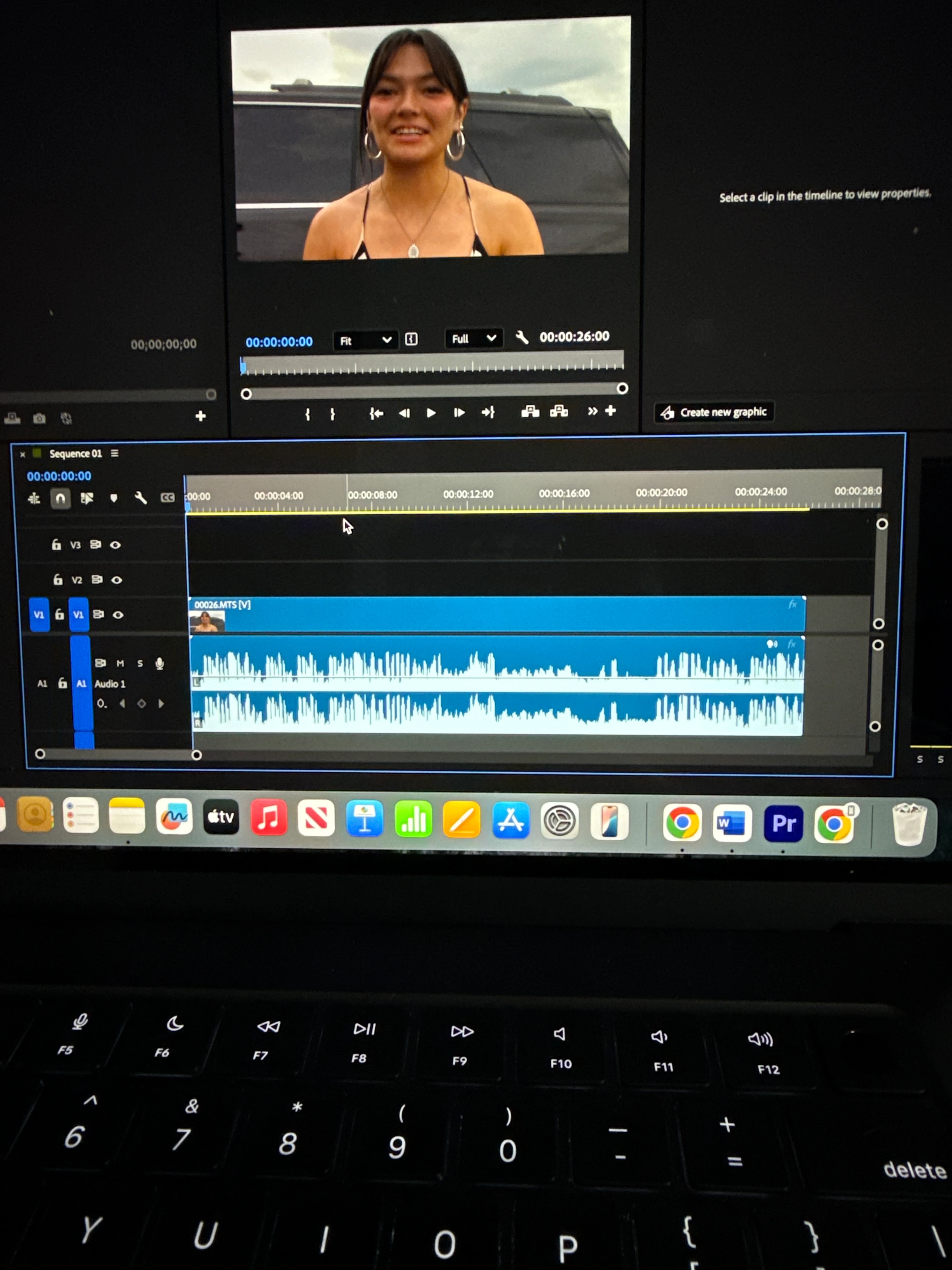
hello community, I hope someone can help me fix this problem because it's been driving me crazy. My video is 26 secs long but only a second of the video shows on the timeline and the remaining is blue but the complete video plays. The audio repeats the first 3 seconds 3 times, so at the end they're not synced. Below I have attached how the timeline looks once I import the video. The camera that took it is a Canon Vixia HF R400
 

4 replies

Adobe Employee
Jun 16, 2025 12:49 PM UTC

Hi jacqueline_1792,

Sorry to hear about this. Let us know the version of Premiere Pro that you are using & if this is happening with any specific media or all the files from that camcorder. Also, if possible, please share a download link to the sample media with which you are experiencing this issue. It will help us diagnose it properly.


Thanks,

Sumeet

Translate
Community Expert
Jun 16, 2025 7:34 AM UTC

try to transform your variable frame rate footage to constant frame rate using Handbrake

Translate
Ann Bens
Community Expert
Community Expert
Jun 16, 2025 10:15 AM UTC

The canon does not have variable framerate.

Please post computer specs and Premiere version and build.

If its an old model might want to consider using proxies.

Troubleshooting linking and importing errors with MTS and MP4 files after updating to Premiere Pro CC

Translate
Community Expert
Jun 16, 2025 10:34 AM UTC

still trying with those footage to CBR on handbrake might help solving the issue,

this is VFR related like behavior on premiere pro...

Translate