

Inspiring
Oct 28, 2025 6:28 PM UTC
Question

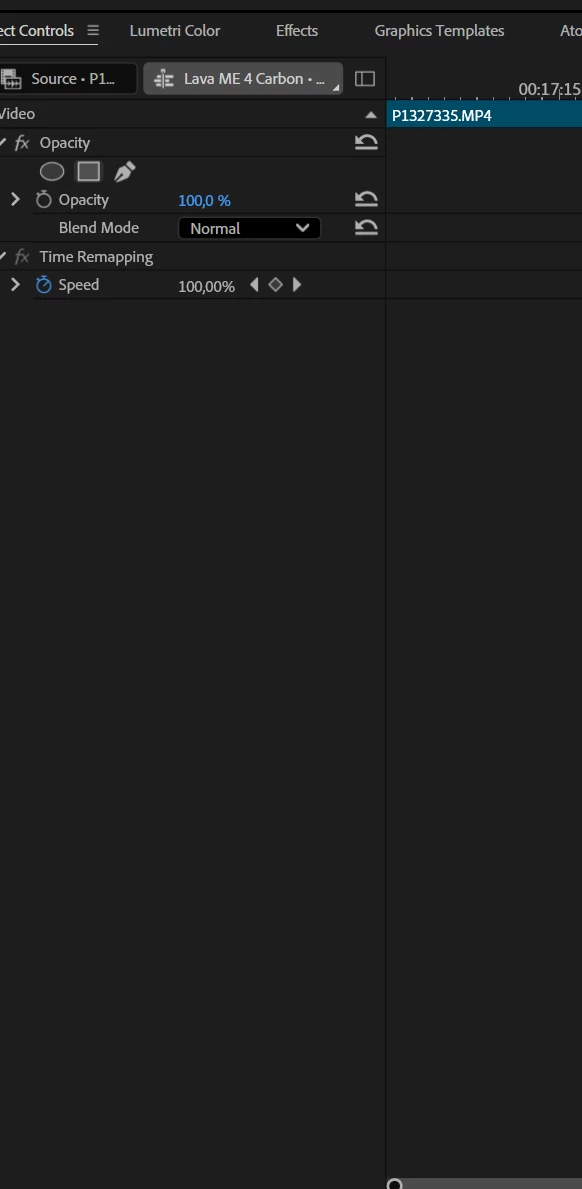
Help! Bring back Motion!

Help! Bring back Motion! Properties are not working either
8 replies

MyerPj
Community Expert
Community Expert
Oct 30, 2025 3:03 AM UTC

For me, it's working fine in beta 26.0 b14 and shipping 25.5

Win11 24H2


Translate
Participating Frequently
Oct 29, 2025 7:59 PM UTC

I've seen that with sequences imported from XMLs (Resolve, etc).  Apparently its a known issue that will be fixed in the next release. 
One workaround is to export the sequence that has clips without motion properties as an XML and then immediately import the XML.  The clips in the new sequence created from the XML you just exported will have their motion property controls restored.

Translate
R Neil Haugen
Legend
Oct 29, 2025 8:30 PM UTC

Thanks for the information!

Translate
Everyone's mileage always varies ...
R Neil Haugen
Legend
Oct 28, 2025 7:38 PM UTC

Weird ... with a clip selected with the 25.x run, this is my ECP.


Translate
Everyone's mileage always varies ...
Inspiring
Oct 29, 2025 6:36 AM UTC

I encountered this problem on Reddit. There is no solution. Creating a new project and transferring files there does not help; developers need to understand the cause. The problem persists in the new beta! This is a terrible problem

Translate
Intel Core i7-14700K 3.4GHz/33MB s1700 BOX MSI MAG Z790 Tomahawk Max Kingston Fury DDR5-6400 65536MB PC5-51200 be quiet! MSI PCI-Ex GeForce RTX 5070 Ti Gaming Trio OC 16GB GDDR7 SSD Samsung 990 Pro 2TB M.2 PCIe 4.0 x4 NVMe 2.0 V-NAND 3bit MLC SSD Samsung 990 Pro 1TB M.2 PCIe 4.0 x4 NVMe 2.0 V-NAND 3bit MLC Toshiba MG Series Enterprise 20TB 7200rpm 512MB MG10ACA20TE 3.5 SATA III Windows 11 Pro 25H2
R Neil Haugen
Legend
Oct 29, 2025 6:41 AM UTC

Please give the data needed to sort this! OS/CPU/GPU, probably. There has to be some specific thing setting this off, as most users clearly do not have this.

Translate
Everyone's mileage always varies ...
