jamesz22537524
Participant
May 29, 2018
Answered

Help! Green Glitchy Preview on Import

  • May 29, 2018
  • 1 reply
  • 499 views

Hi,

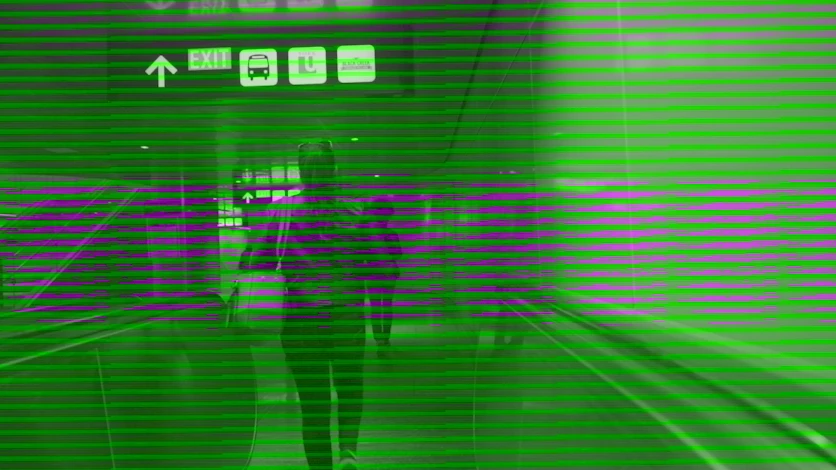
I got some S-Log3 1080p footage from my A7III (MP4 AVCHD), which plays fine on a normal video player likc VLC, but when I import it into Premiere Pro CC (Version 12.1.1), I get this green glitchy preview like below.
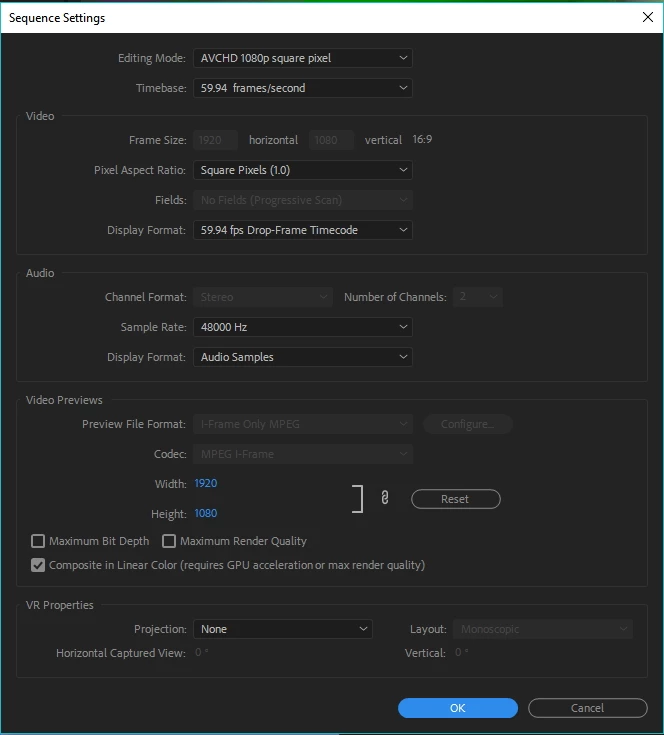
Here's a screenshot of the sequence setting:
Please help! I can't figure out how to fix this. Thanks in advance!

This topic has been closed for replies.
Correct answer jamesz22537524

Just updated my Intel Integrated Graphics driver to the latest one and the problem still persists. Don't know what I can do now =/


Solved: I just needed to go to Project Settings and set "Renderer" to "Mercury Playback Engine Software Only."

1 reply

R Neil Haugen
Legend
May 29, 2018

The most common cause of that sort of thing is a GPU driver issue. Might check the manufacturer's website to see if you're running the newest driver for you GPU, and do not trust the OS to always do that.

If you're not on the newest, install it manually. If you are, you might try rolling back a driver.

Neil

Everyone's mileage always varies ...
jamesz22537524
Participant
May 29, 2018

Thank you! I'm actually just using Intel Integrated Graphics. I know it's not the most powerful but I have edited plenty of 1080p footage before. I have never had any problem with Canon footage.

jamesz22537524
Participant
May 29, 2018

Just updated my Intel Integrated Graphics driver to the latest one and the problem still persists. Don't know what I can do now =/