
Help. Image quality changes in premiere pro&export.
Before I start I would like to say that I'm not a pro. I've just taught myself enough to get from point a to be point be for years.
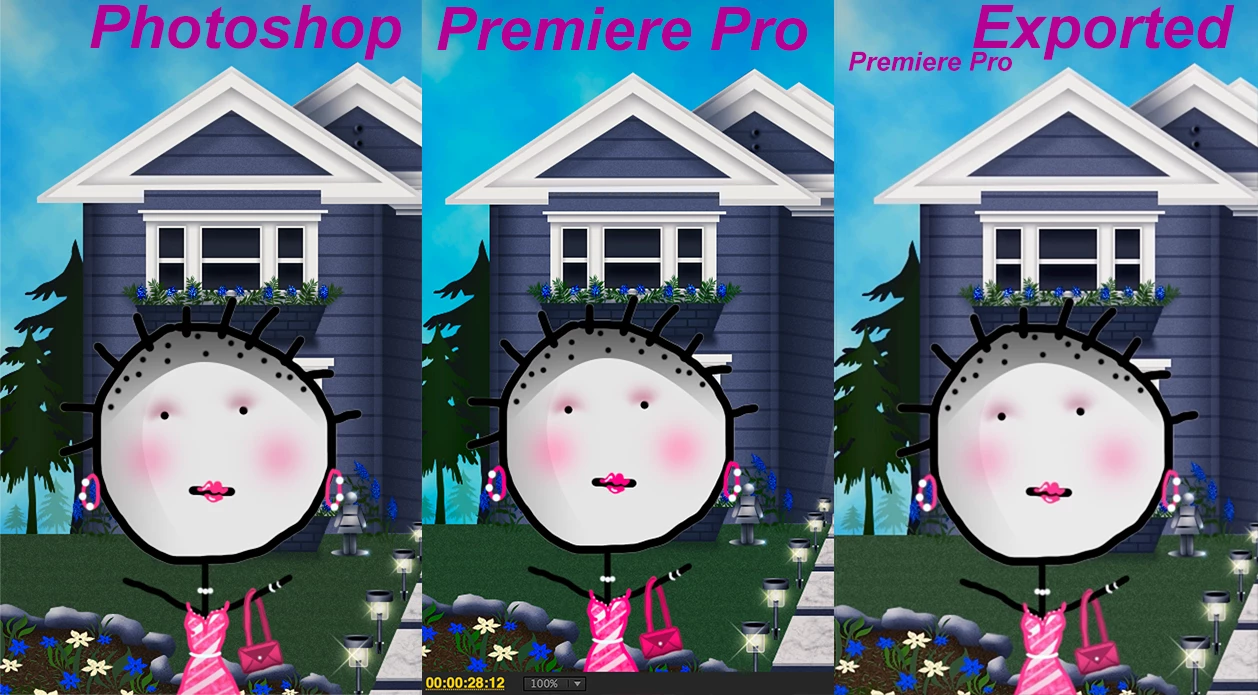
I'm making a video that involves still images that I created in photoshop (to look like an animation). All I've done is put that png image in premiere to doing some slight panning (but not so much that it ruins the quality). It looks great in premiere (the images even have more saturation and sharperness than my original design). However, once I export my video... things get a tad blurry and the color is diminished slightly.
Questions:
Is there any way I can keep this quality in export?
Why are my images sharper and more saturated in premiere than my original design?
Can I obtain this sharper saturated quality in the export or is that
just for show in the program?
Also, I'd like to add that I'm using Premiere Pro CS6 on my mac. I just recently downloaded the 2020 version but for now, I would like to be able to do this through CS6 as I am more comfortable with it.
I have added some photos to show all the differences from program to program to export.
The panning and zooming effect is not on in the stills from Premiere. I exported the images without
panning to see if I would get the same effect and I did.
 AdChoices