


alejandral69840942
Participant
February 18, 2018
Question

Help! Lost Common Folder content

  • February 18, 2018
  • 1 reply
  • 5370 views

I completely screwed up and got into cleaning the media cache on my own and deleted (and OMG! yes, also deleted trash permanently) the whole content of the "common" folder!!!

I was trying to solve a problem dealing with some AVCHD files that were imported with no sound into Premiere Pro CS6.  And tried the following solution:
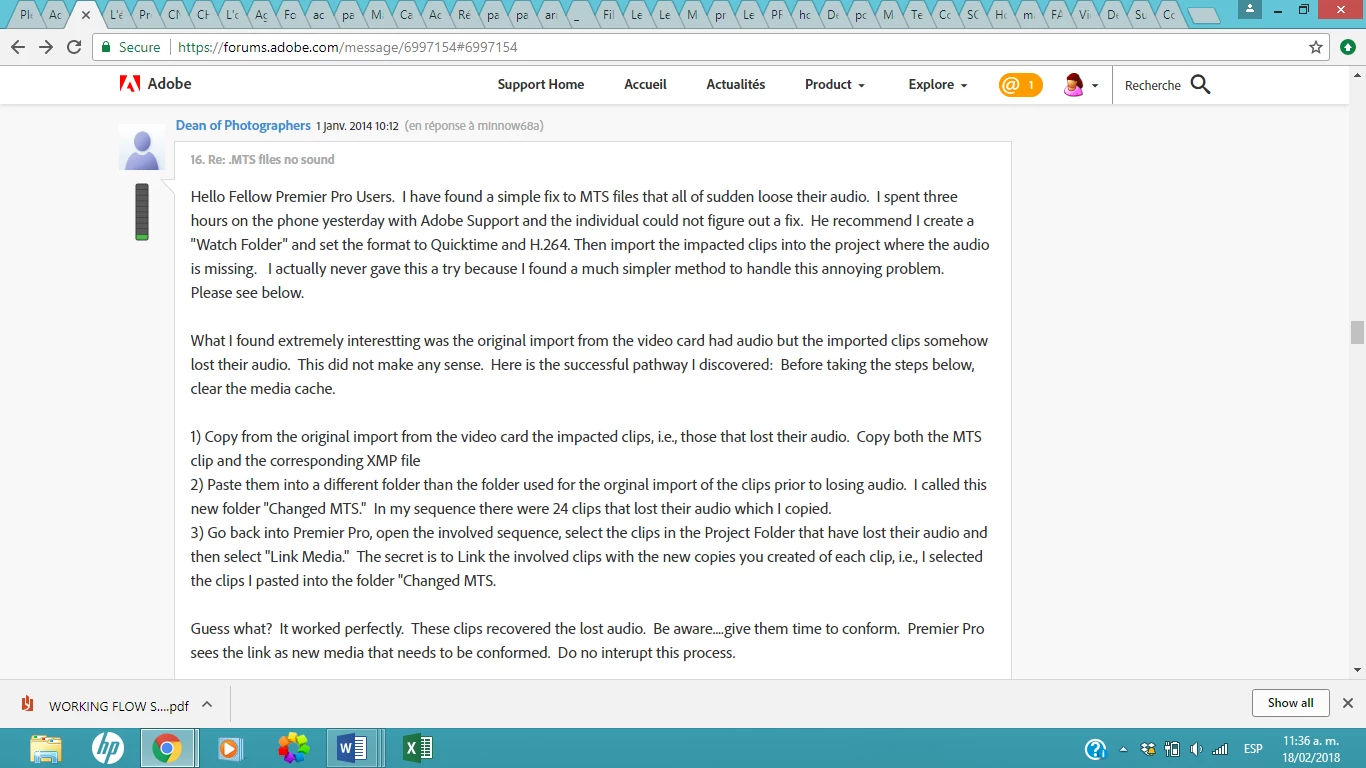
And as it says i was supposed to clear the media cache.

After that I tried to reopen Adobe Premiere and evidently it crashed!

I don't know what to do!!!  I'm desperate...

I'm on a MAC OS X Version 10.9.5

Please help! RameezKhan

Thanks.

This topic has been closed for replies.

1 reply

Ann Bens
Community Expert
Community Expert
February 18, 2018

Which common folder: there are several.

moved to Premiere Pro CS6 & Earlier​ forum

alejandral69840942
Participant
February 18, 2018

Ann!  Thanks for answering!  The path to the folder is:

/Users/Library/Application Support/Adobe/Common

Thanks for any help you can provide.

Gratefully,

Alejandra

Ann Bens
Community Expert
Community Expert
February 18, 2018

Common folder is use for 3rd party plugins.

Has nothing to do with clearing Media Cache.

Have you tried installing the plugins.

If the folder is not there you can make one yourself.

Have you tried reinstalling and Use the Adobe Creative Cloud Cleaner Tool to solve installation problems