
Question
Help Needed: Can't Run Premiere Pro on macOS Sonoma (No Permission Option)
Hey everyone,
I recently subscribed to Adobe Creative Cloud and installed Premiere Pro. After installation, I get an error asking me to allow the app under Change Privacy & Security Settings. However, Premiere Pro doesn’t show up in the list, so I can’t grant the necessary permissions.
I’ve tried the following without success:
Uninstalling and reinstalling Premiere Pro (3 times)
Installing different versions of Premiere Pro
I’m using a MacBook Pro 2018 running macOS Sonoma 14.6.1.
Has anyone experienced this or know how to fix it? I’d really appreciate any help!
Thanks in advance!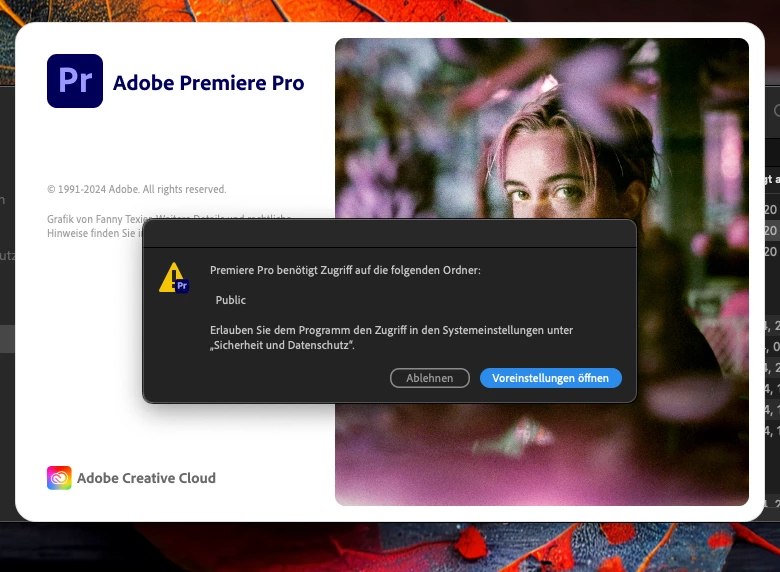


 AdChoices