
October 19, 2010
Answered

Help - Not able to apply transitions in middle of pictures

  • October 19, 2010
  • 3 replies
  • 59087 views

I used to be able to do this before with CS4 and Elements. I only noticed it now but it doesn't allow me to put the video transitions in between the pictures or videos. it only adds them to the end or front. How do I apply it in the middle?
This topic has been closed for replies.
Correct answer

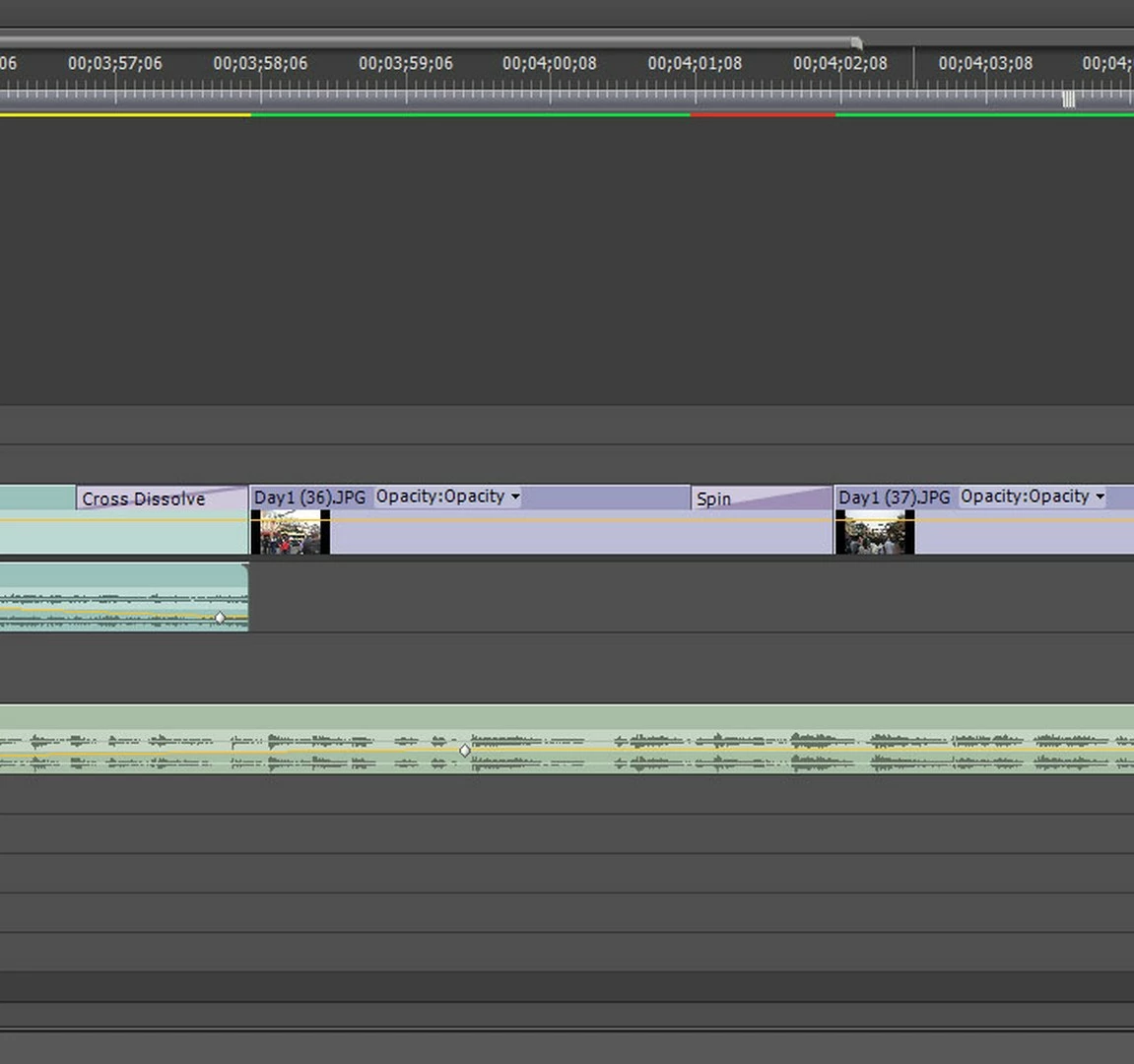
Thanks guys it's resolved. There ARE gaps between the pictures. I had to zoom all the way to see it. With the gaps the Alignment options for the transitions are not selectable. I'm just going to redo the project. It's much easier than removing all transitions, deleting the gaps, and then applying the transitions again. Thanks!

3 replies

Correct answer
October 19, 2010

Thanks guys it's resolved. There ARE gaps between the pictures. I had to zoom all the way to see it. With the gaps the Alignment options for the transitions are not selectable. I'm just going to redo the project. It's much easier than removing all transitions, deleting the gaps, and then applying the transitions again. Thanks!

shooternz
Legend
October 19, 2010

...and we have a WINNER!

BTW: why redo the whole project.?

Extend the clips or nudge the clips.

October 19, 2010

Because if I delete the gap or just extend the clip, the transition that's already applied doesn't allow me to extend it over the other picture. It's stuck on one side. Now I have to remove the transition and then reapply it in the center. Double work. Easiest is to just re-import to the timeline and apply the transitions.

Colin Brougham
Participating Frequently
October 19, 2010

See that little black triangle at the end of the outgoing audio clip? That means you are at the end of the outgoing clip, and therefore, there are no frames with which to create a transition. You need handles (I suggest searching the help documents for more background ) which are frames that are used to construct the transition. Think of it as an overlap.  Trim the outgoing clip back a few frames (at least half the duration of your intended transition) and reapply the transition.

shooternz
Legend
October 19, 2010

Click on the transition and then go to the Transition Window. which will open

You have the choices of :

Start or End at Cut ..or Centre at Cut

October 19, 2010

Thanks but do you happen to have a screen shot where to select that option? Sorry I'm a noob. When I click on the Cross Dissolve transition in the Effects area on the left, no window opens. If I click on the actual transition in the timeline it will open an Effect Controls window but there are no choices to Start, End at Cut or Centre at Cut.

On a side note, if I create a new sequence and start from scratch I can apply the transitions in the center. If I create a new sequence and copy and paste my original sequence it will do the same and not allow me to add to the center.

shooternz
Legend
October 19, 2010

Sorry...cant do a screen shot ( but there is probably one in the Help file).

Hunt around in the effects windows when the transition is selected.  It is there.

BTW: are you sure your clips are butted against each other without a gap?

Also: In latter versions of PPRO...you can slide the transition and the ends of it with the mouse drag.