



(Help) Premiere Pro issue: Properties Crop / Nest / Transform workflow now reveals original source when scaling
Hi, (I was told to repost this here)
I need help with a Premiere Pro issue that has suddenly started happening and is now blocking my editing workflow.
I make short-form vertical clips using desktop/webcam footage. The source footage is usually a full desktop capture where the streamer’s webcam is in the top-right corner, and the video they are watching is underneath.
My normal workflow has always been:
-
Place the full desktop/webcam clip into a vertical sequence.
-
Crop the source in the Properties panel so only the webcam remains visible.
-
Because the webcam is already in the top-right corner, I only need to crop the left side and the bottom.
-
-
Position/fit the cropped webcam in the layout.
-
Cut the section where I want to add a punch-in.
-
Nest that section.
-
Open the nest.
-
Apply the Transform effect first.
-
Apply the Crop effect after Transform.
-
Scale/position using the Transform effect to create a punch-in.
This workflow has worked properly for hundreds of clips.
The expected result:
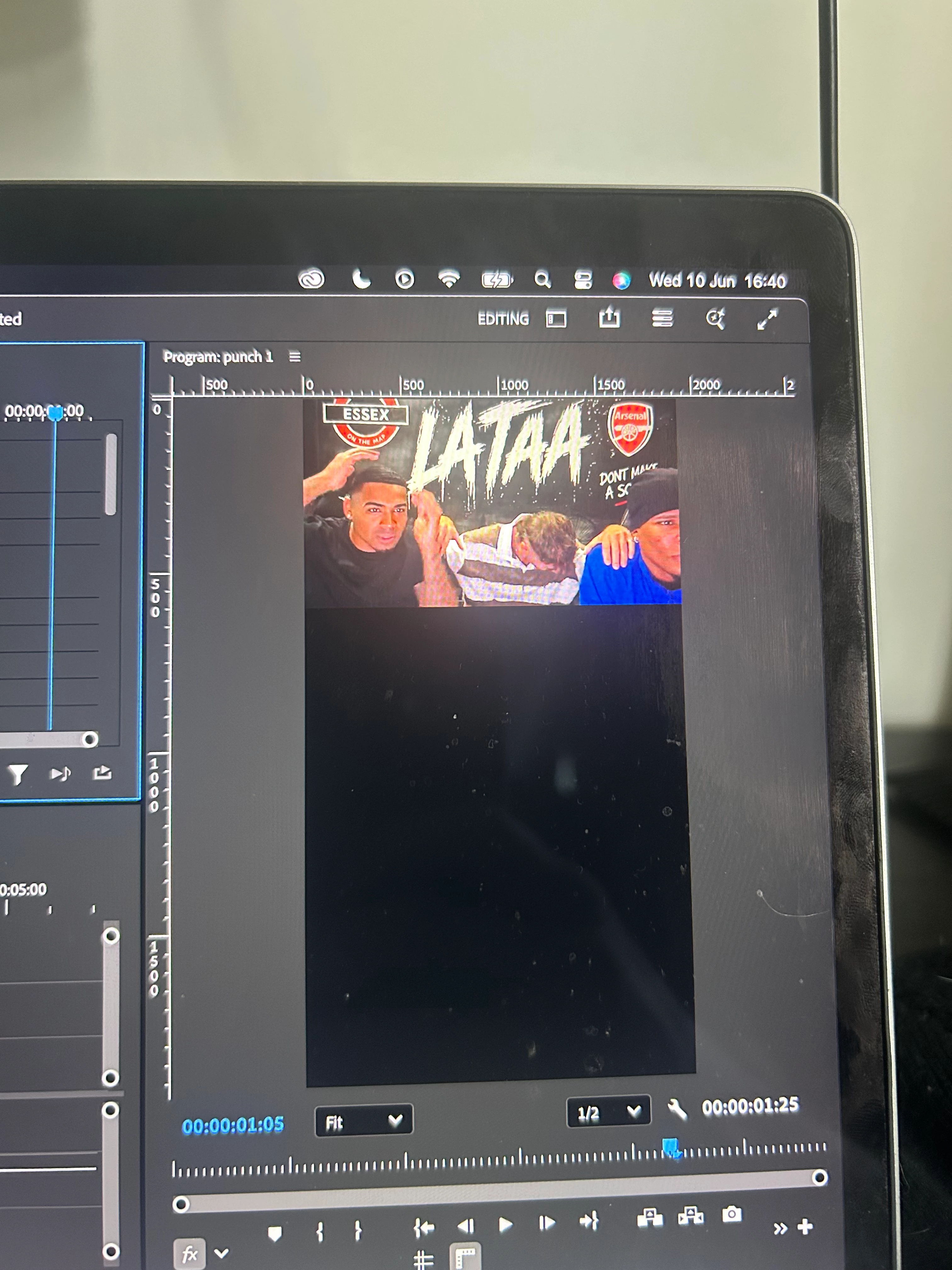
After cropping the webcam in Properties, only the visible webcam area should remain active visually. When I go inside the nest and scale using the Transform effect, the webcam should punch in while the cropped borders stay fixed. Nothing from the original desktop capture outside the webcam should reappear.
The actual result:
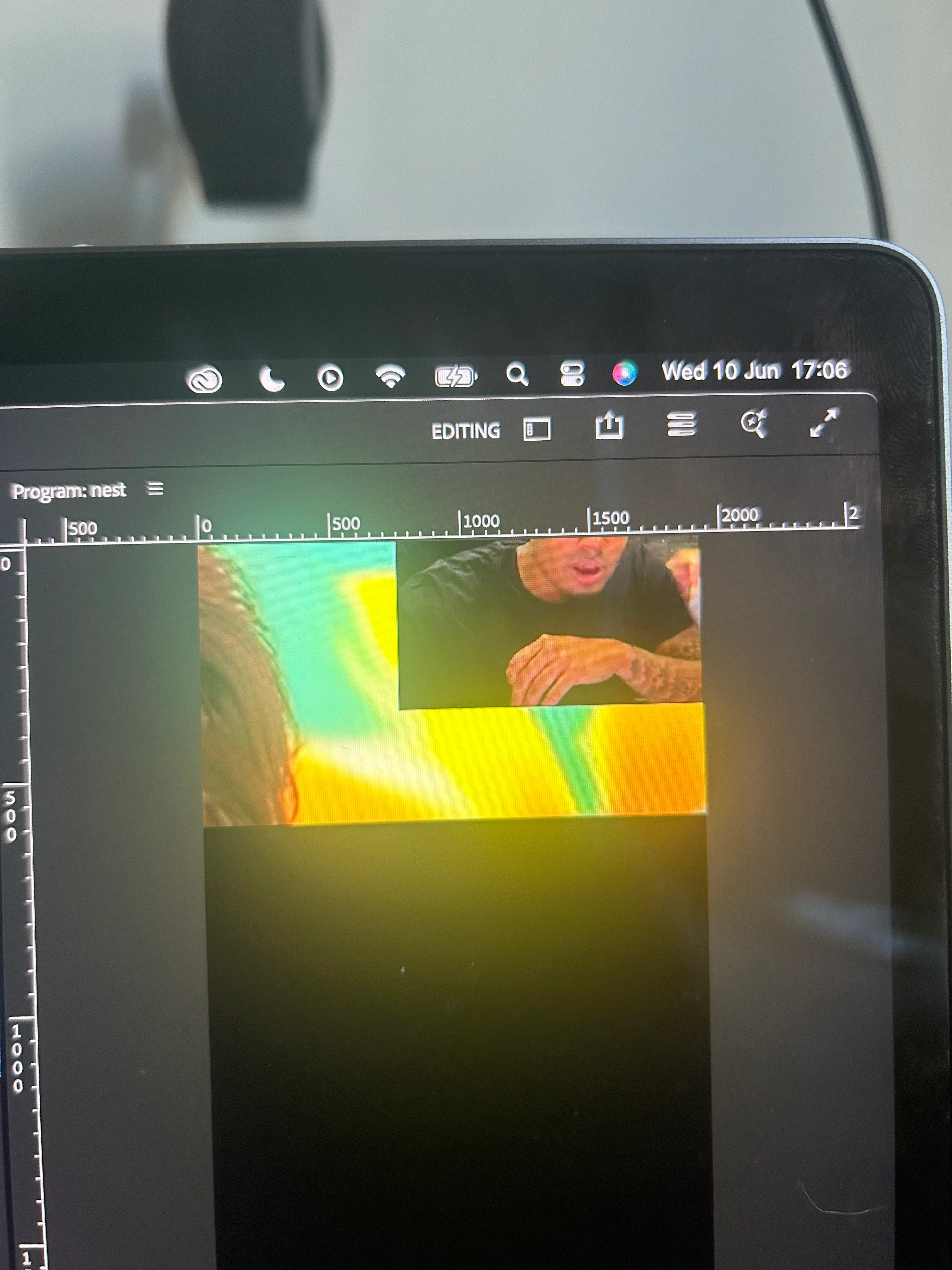
When I scale using the Transform effect inside the nest, Premiere reveals parts of the original full desktop capture that were already cropped out. The video below/around the webcam starts appearing again, even though it should not be visible.
The blue bounding box/centre point also still appears focused on the original full source rather than the cropped webcam area, which seems related to the problem.
I have already tried:
-
Starting a brand-new project from scratch.
-
Applying Transform first, then Crop.
-
Applying the same crop values directly into the Crop effect instead of only using Properties Crop.
-
Checking that I am scaling the Transform effect, not the Motion controls.
-
Re-nesting and rebuilding the section.
The problem still happens. It is as if the crop is no longer clamping the visible area properly once Transform is scaled inside the nest.
This feels like either:
-
a bug,
-
a change in how Properties Crop is handled,
-
a nesting/rendering issue,
-
a GPU/Metal preview issue,
-
or some Premiere setting/preference that has changed without me realising.
Can someone who understands Premiere Pro’s nesting, Properties Crop, Transform effect, and Crop effect behaviour please help identify what is causing this?
This is not a new workflow mistake — this exact workflow has worked for me across hundreds of clips and has suddenly stopped behaving as expected.
My setup:
-
Device: MacBook Pro 2019
-
Sequence size: [add your sequence size, e.g. 1080x1920]
-
Footage type: desktop/webcam screen recording
I can provide screenshots or a screen recording showing the issue step by step.
 AdChoices