
Participant
March 18, 2025
Question

Help! Premiere Pro issue: Razor Tool suddenly not cutting where the the marker is placed?

  • March 18, 2025
  • 2 replies
  • 573 views

I'm hoping someone can help as Im a newbie on Premiere pro.........Ive been editing on a project for a while - everything has been fine up to now.


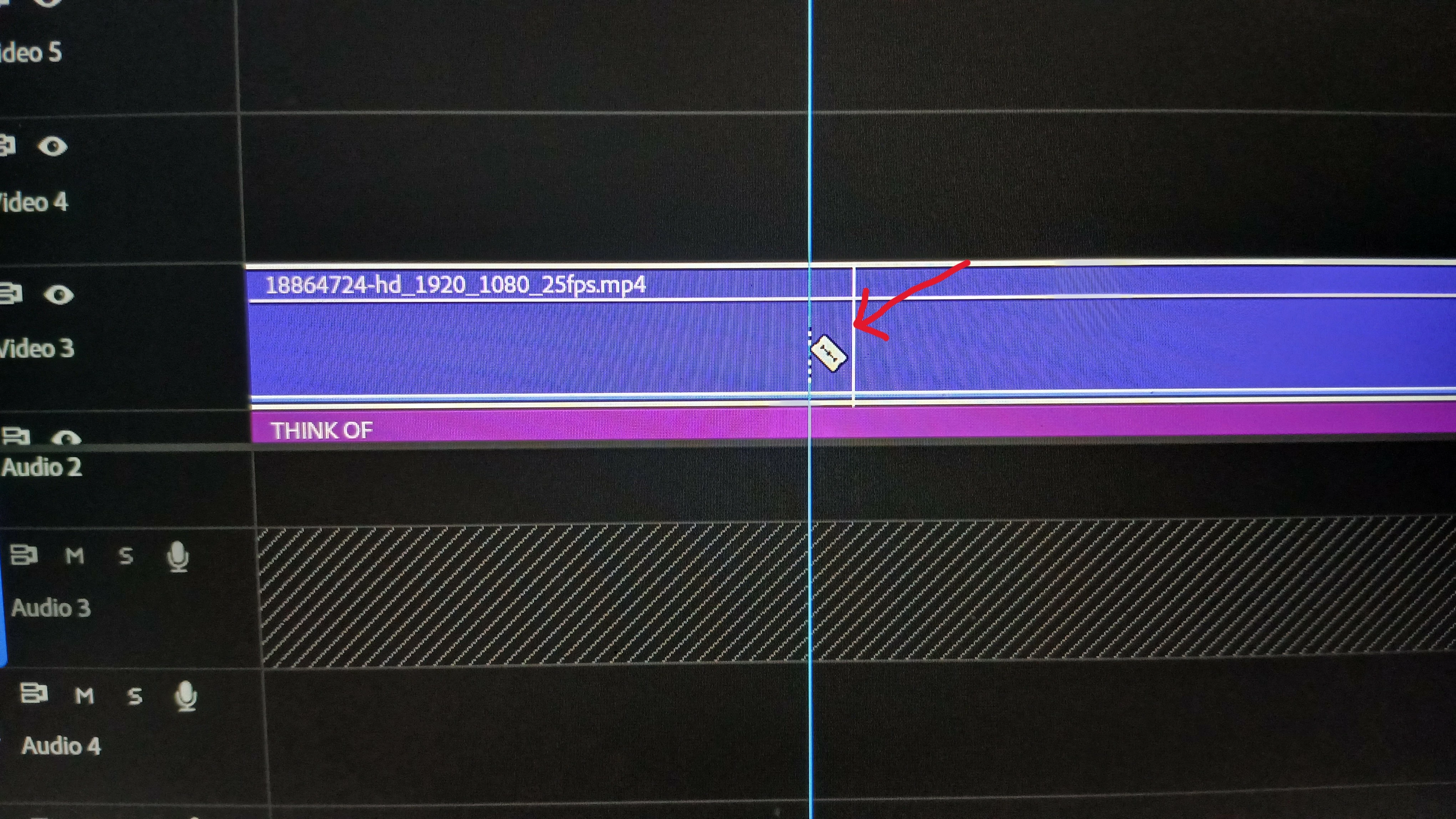
The razor tool doesn't seem to cut where I want it, despite the snap feature being activated? Everytime I set the razer tool where I want it, it cuts randomy a couple of frames either way. Sometimes it will suddenly work - then it does it as above?


IHave a pressed something in error to cause ity to do this?


here is a picture example attached
2 replies

Community Expert
March 20, 2025

In the Timeline panel, click the flyout menu (the three horizontal lines next to the sequence name) and ensure that Show Audio Time Units is not enabled. If this option is checked, the timeline will be displayed in audio samples rather than video frames. However, cuts made with the Razor Tool will still snap to full frames, which can cause misalignment with the playhead.

Participant
April 10, 2025

thank you - appreciate  that

kglad
Community Expert
Community Expert
March 18, 2025

in the future, to find the best place to post your message, use the list here, https://community.adobe.com/

p.s. i don't think the adobe website, and forums in particular, are easy to navigate, so don't spend a lot of time searching that forum list. do your best and we'll move the post (like this one has already been moved) if it helps you get responses.


<"moved from cc desktop">