Gunsan
Participant
January 14, 2020
Question

HELP! Vertical lines during playback and export with 4K footage in Premiere Pro

  • January 14, 2020
  • 1 reply
  • 1829 views

Hi everyone!

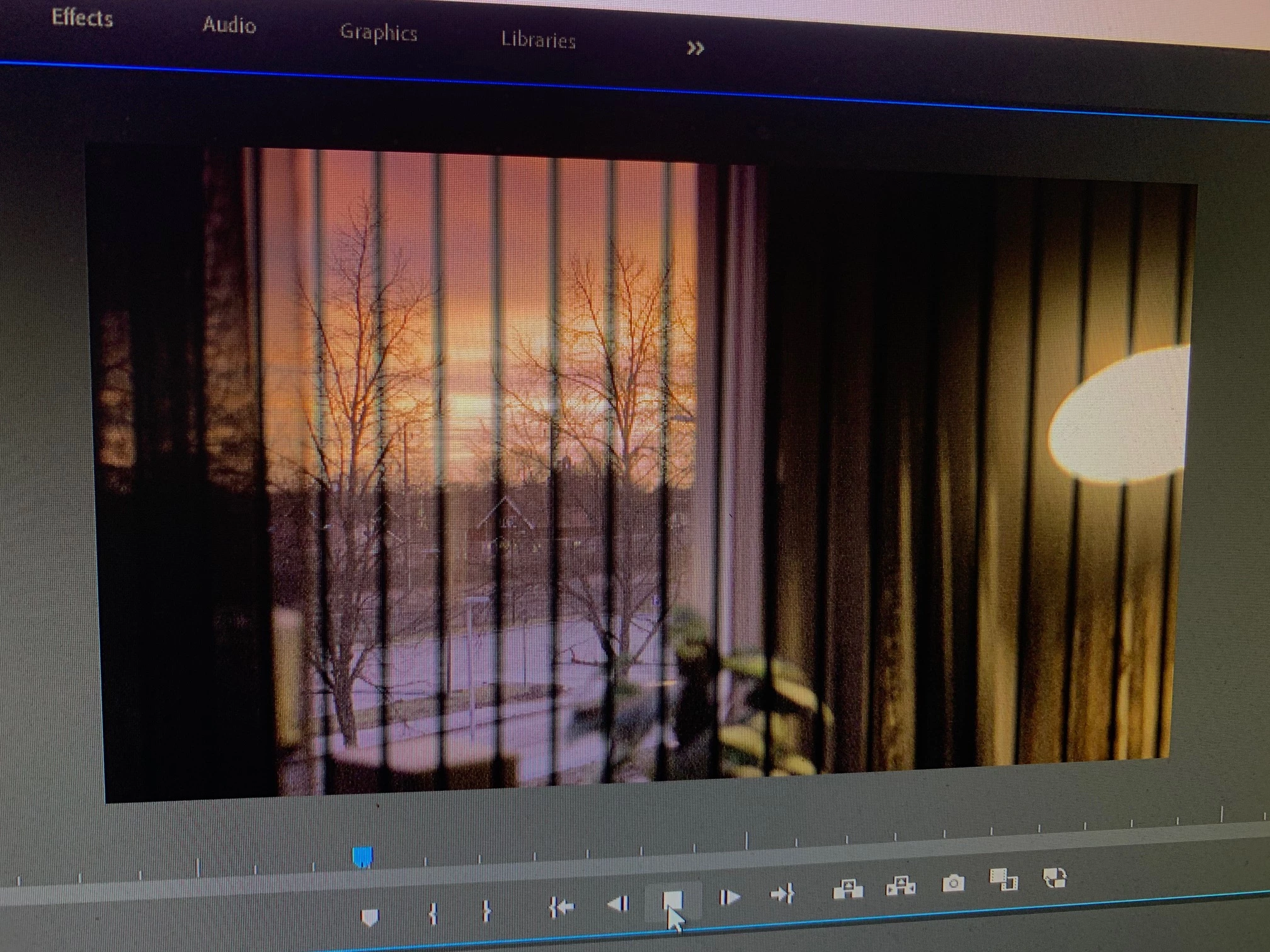
I'm so done with this issue that appeared out of thin air a while back. One day, out of nowhere this started happening. This is only a problem when I'm working with 4K footage.

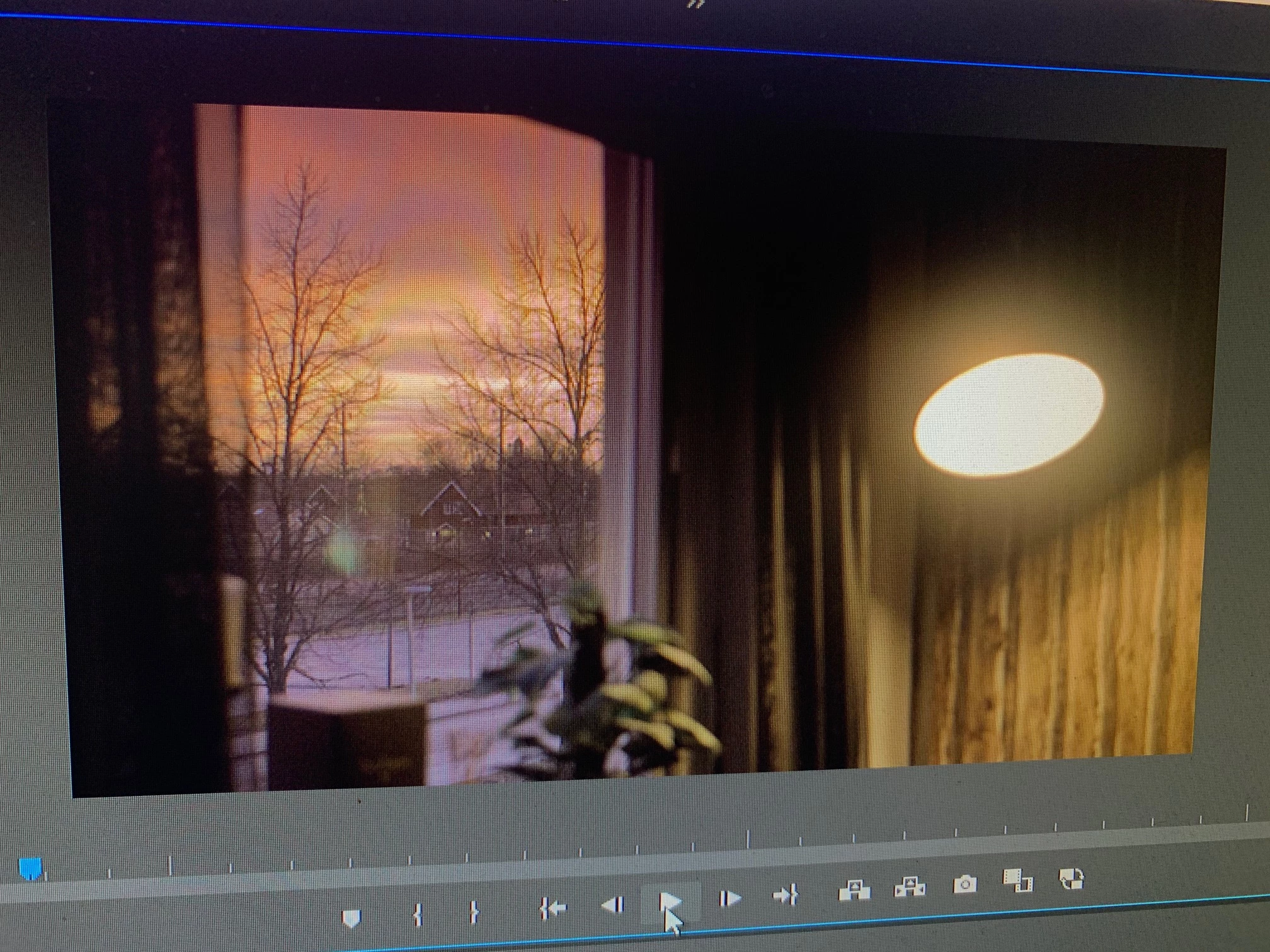
When the 4K media is paused within PP everything looks fine. During playback and export in 4K I get these vertical black lines.

I edit with GPU acceleration (OpenCL).

Yes, before you say anything... Software only does solve the problem but it increases my render times by up to 4-5 times as long. Also, I need to use GPU acceleration because I'm using GPU based VFX within PP which doesn't render with Software only.

I have to use GPU acceleration.


Please help! Thanks guys.

Best regards


Title edited by mod
 

This topic has been closed for replies.

1 reply

Kartika Rawat
Community Manager
Community Manager
January 14, 2020

Hi Gunsan!

We appreciate you writing in. I think the GPU driver could be the reason for the glitches in Premiere Pro.

Looking forward to your response.

Thank you,

Kartika

Gunsan
GunsanAuthor
Participant
January 14, 2020

PP version: 13.0.1

Windows 10

i7 3770K

16GB RAM 2400Mhz

Radeon 7970 3GB

Drivers: 20.1.1

Kartika Rawat
Community Manager
Community Manager
January 20, 2020

Thanks for sharing the info.

  • Did you experience this behavior on multiple projects?
  • Could you share a screenshot of your Sequence Settings...?

Also, I have a suggestion for you that you can try and see if it helps:

Go to Sequence > Render In and Out.


Regards,

Kartika