



HEVC 8-bit 4:4:4 Footage is Very Hard to Playback in Premiere Pro.....Sometimes?
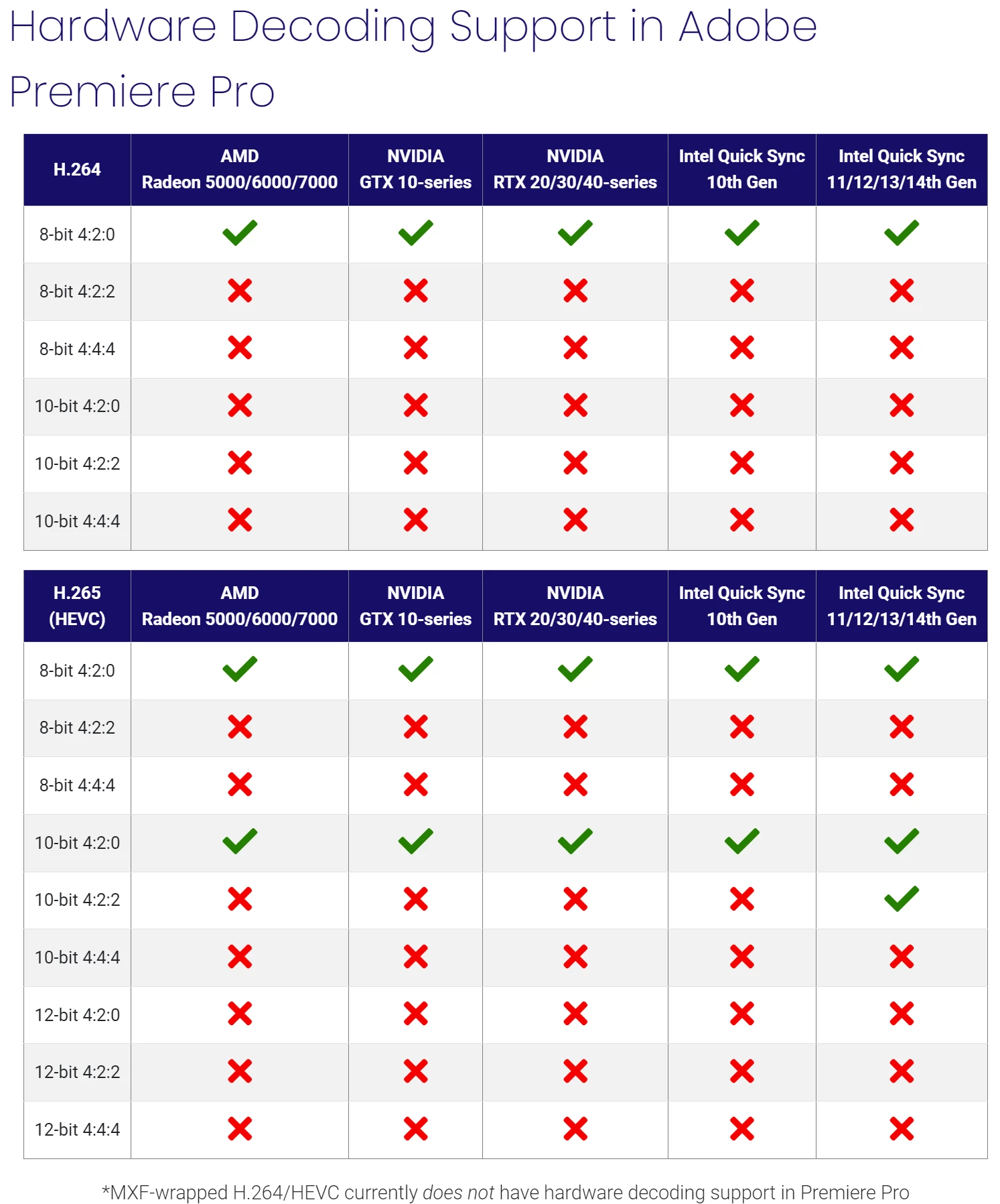
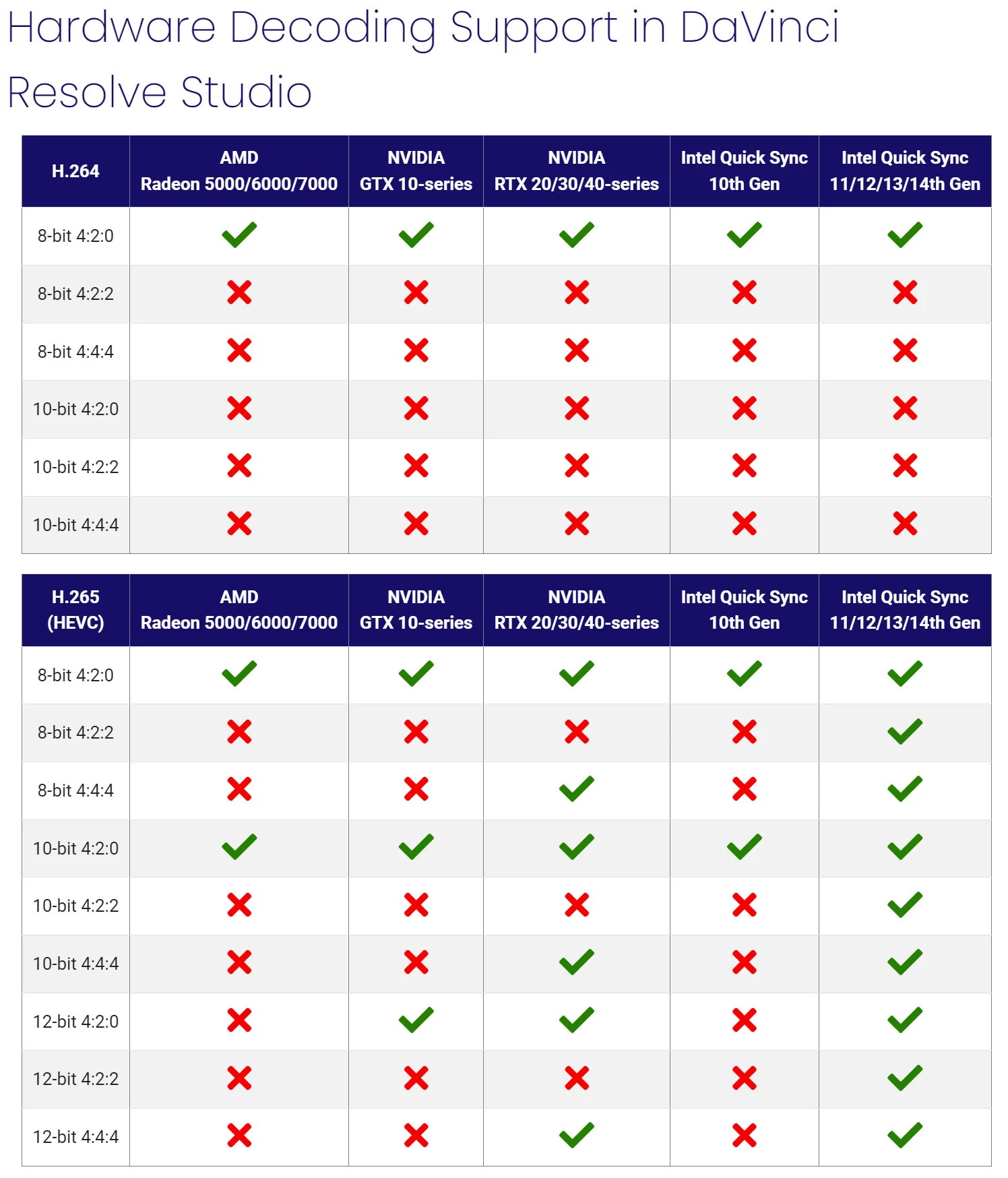
I use OBS Studio to record a lot of footage for filmmaking and content creation purposes. One of the methods I use for recording are these settings:
Resolution: UHD 4K (3840x2160)
Frame Rate: 24.00fps
Codec: HEVC
Color Format: I444
Color Space: Rec. 709
Color Range: Limited
File Container: MOV (or MP4 sometimes)
Bitrate Control: CQP (Level 15-25)
These settings allow for me to record 8-bit lossless color in 4:4:4. The MOV container gives me lossless PCM audio.
When I was using these settings, I had no problem editing them in Premiere Pro. However once in a while, my footage becomes extremely hard (if not impossible) playback in Premiere; even without any effects applied. Playback would freeze up on a single frame and not move.
I would have to transcode to ProRes or use ProRes proxies in order to play them back properly.
Yet every so often, the problem randomly goes away and I can play them back decently again. This has been happening in the 2023 and the current 2024 version of Premiere Pro. To be fair, I haven't tried it with v23.6.2 yet. However, replicating it will take a while to do because it happens very randomly.
For some context, here are a few specs from my PC setup:
CPU: Ryzen 9 7950x 16-Core, 32-Thread
GPU: NVIDIA RTX 4090
RAM: 128GB of DDR5
Boot Drive: 2TB Sabrent Rocket Plus M.2 NVME SSD
Working Storage: 8TB Samsung QVO SATA III SSD
I understand that HEVC is a Long GOP codec so it takes more processing power to decode and playback. However, I feel with a system like this that choppy playback shouldn't happen that often or really be this bad. I initally thought it was a media decoder issue with Premiere, but now I'm not really sure anymore. Maybe Premiere Pro has playback issues with media encoded using the FFmpeg encoder in OBS?
I am wondering if anyone else has ever ran into this issue? If so, what have you guys done to solve it?
For me, it's mainly been transcoding to ProRes or ProRes proxies. However, I'm trying to avoid using up storage doing that so I'm looking for a more direct solution.

 AdChoices