labee02
Participant
July 19, 2020
Question

High contrast in importing footage to premiere.

  • July 19, 2020
  • 1 reply
  • 816 views

Hi... i convert .mxf file to proress HQ using edit ready (macbook pro).

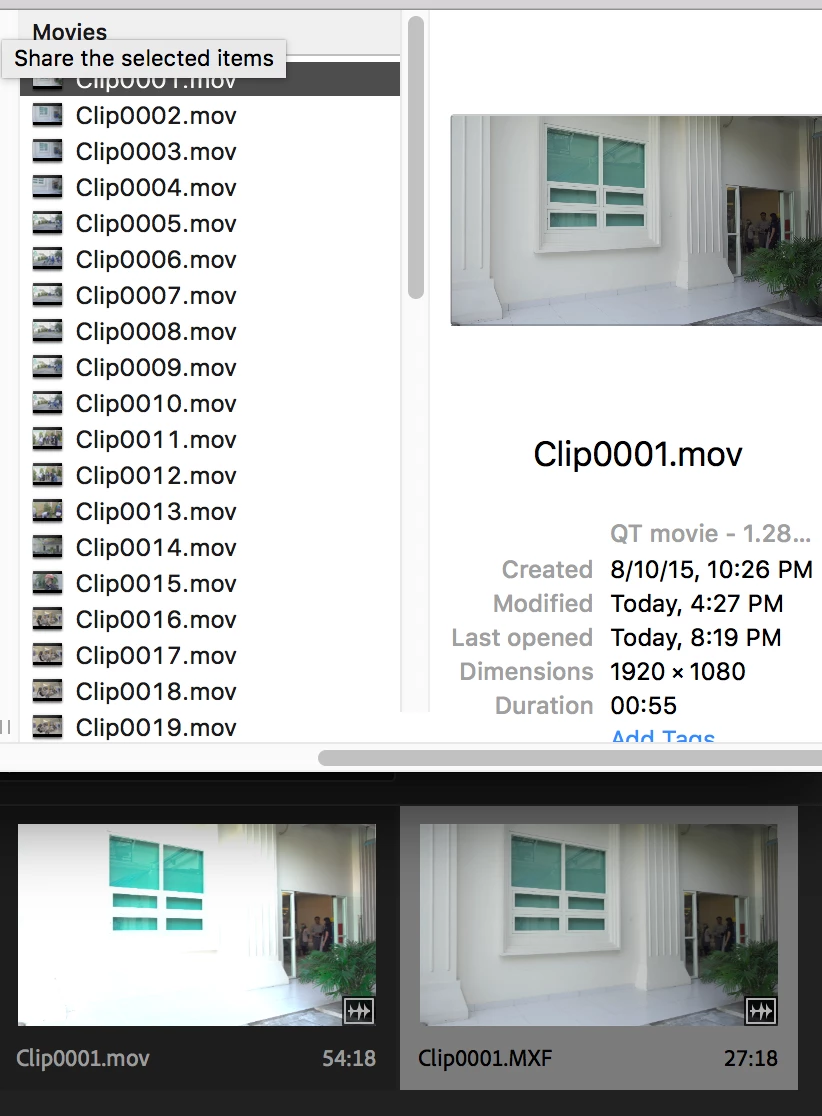
When i preview the converted file (with quick preview in MAC), the file seems fine.

But when i import to premiere, the color change very badly.

How can i solve this. thank you 🙂
This topic has been closed for replies.

1 reply

R Neil Haugen
Legend
July 19, 2020

The "newer" Macs all use an odd and partial application of Rec.709 standards ... so the problem is inherent in working within the Mac OS. Premiere is hardwired to be used on systems that are properly set for Rec.709 standards. If your system's monitors are so set, it works perfectly. If not, then there are troubles.


In your Preferences, set the DCM option, which will instruct Premeire to look at the ICC profile the OS is using, and adapt the image within Premiere to appear as a correct Rec.709 image within its own monitors.


Here's a LONG thread explaining all this in various posts ...

Why does my color look different?


Neil


Everyone's mileage always varies ...